DCS Command System User’s Guide
One-Touch Locomotive Operation
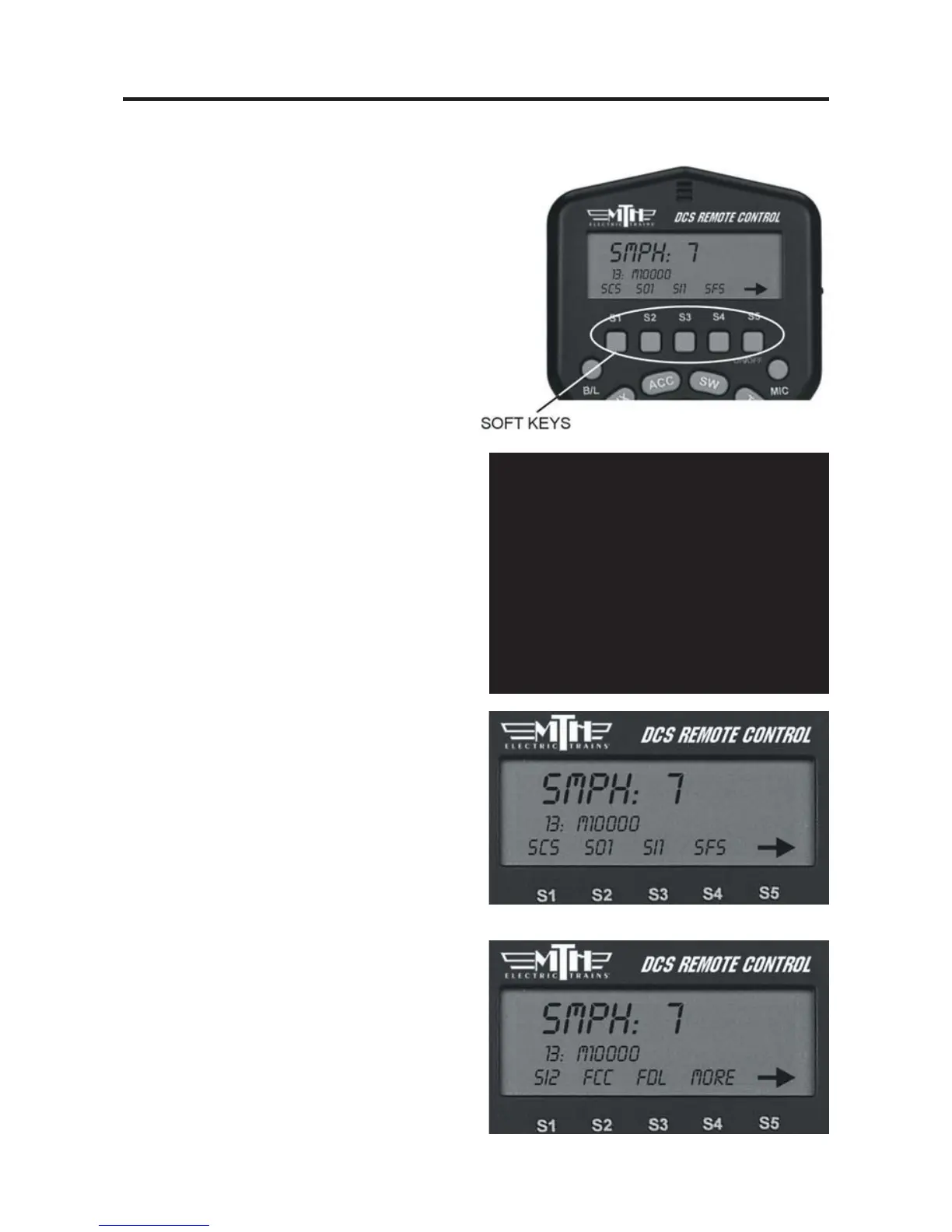
Softkeys (S1-S5):
Softkeys are designed to serve different
functions with different engines rather
than have a fixed function like the other
One-Touch keys. This flexibility is impor-
tant because the wide variety of M.T.H.
engines has an equally wide range of
appropriate operating features. For
instance, a modern diesel has very different
operational features than an early
twentieth-century steamer.
The appropriate options for each engine
are displayed on the LCD as you control
that locomotive.
To activate softkey features:
-
Press softkeys S1-S4 to activate the fea-
ture listed directly above each button.
-
Use S5 to scroll though the softkey list
and access more softkey options for each
engine.
-
Press the softkey (S4) below “More” in
the fourth and final softkey screen to
access a list of additional softkey features
you can scroll and select with your thumb-
wheel.
32
Feature Key
Features that start with:
S=Sound features
L=Light Features
M=Menu Features that you must then
setup
F=Function Features that you can turn
on or off
(See the full chart in Appendix A)



 To Next Page