DCS Command System User’s Guide
One-Touch Locomotive Operation
Softkeys (S1-S5): (cont’d)
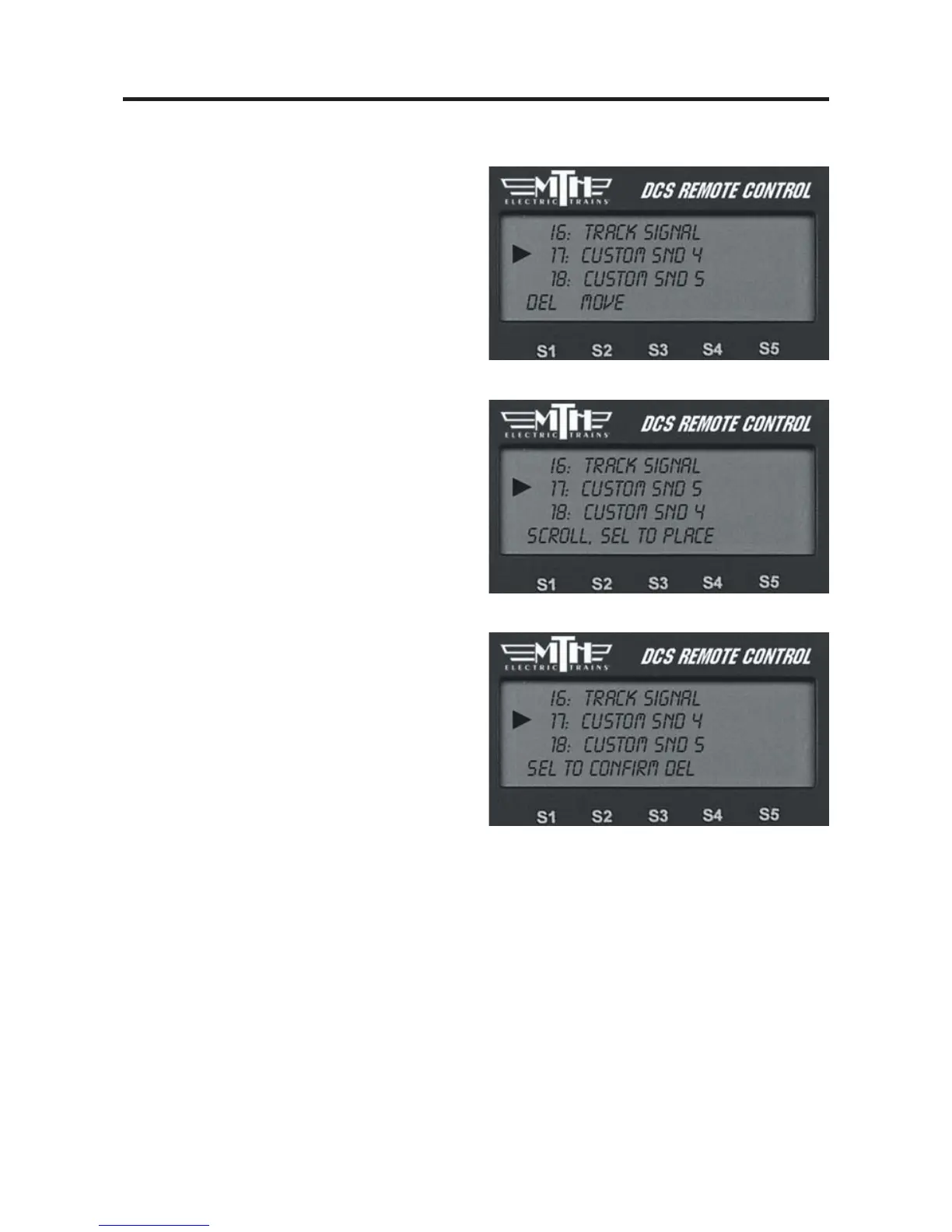
To re-order softkey features:
It is possible to re-order the softkeys so
that the ones you use most often for a
given locomotive are at the top of its list.
1. Press the S4 softkey under “More” in
the fourth softkey screen to access the
complete scroll list of features.
2. Scroll until the arrow points to the
feature you want to move.
3. Press the S2 key under “Move”
4. Scroll to the softkey’s new location and
press the thumbwheel to place it there.
To delete softkey features:
If for some reason you want to delete a
softkey feature, you may. We encourage
you to do this sparingly; it is better to
reorder softkeys so that those you do not
use are at the bottom of the list.
1. Press the S4 softkey under “More” in
the fourth softkey screen to access the
complete scroll list of features.
2. Scroll until the arrow points to the
feature you want to move.
3. Press the S1 key under “Del”
4. Press the thumbwheel to confirm the
deletion.



 To Next Page