DCS Command System User’s Guide
Menu Operations - Sound
Chuff Rate
Change the number of chuffs per wheel revolution in your steam locomotives. Most
Proto-Sound 2.0 steam engines are set at two chuffs per revolution because that rate sounds
good even at fast toy train speeds. However, most steam engines prototypically have four
chuffs per revolution. You can choose the rate you want, up to 16 chuffs per rev.
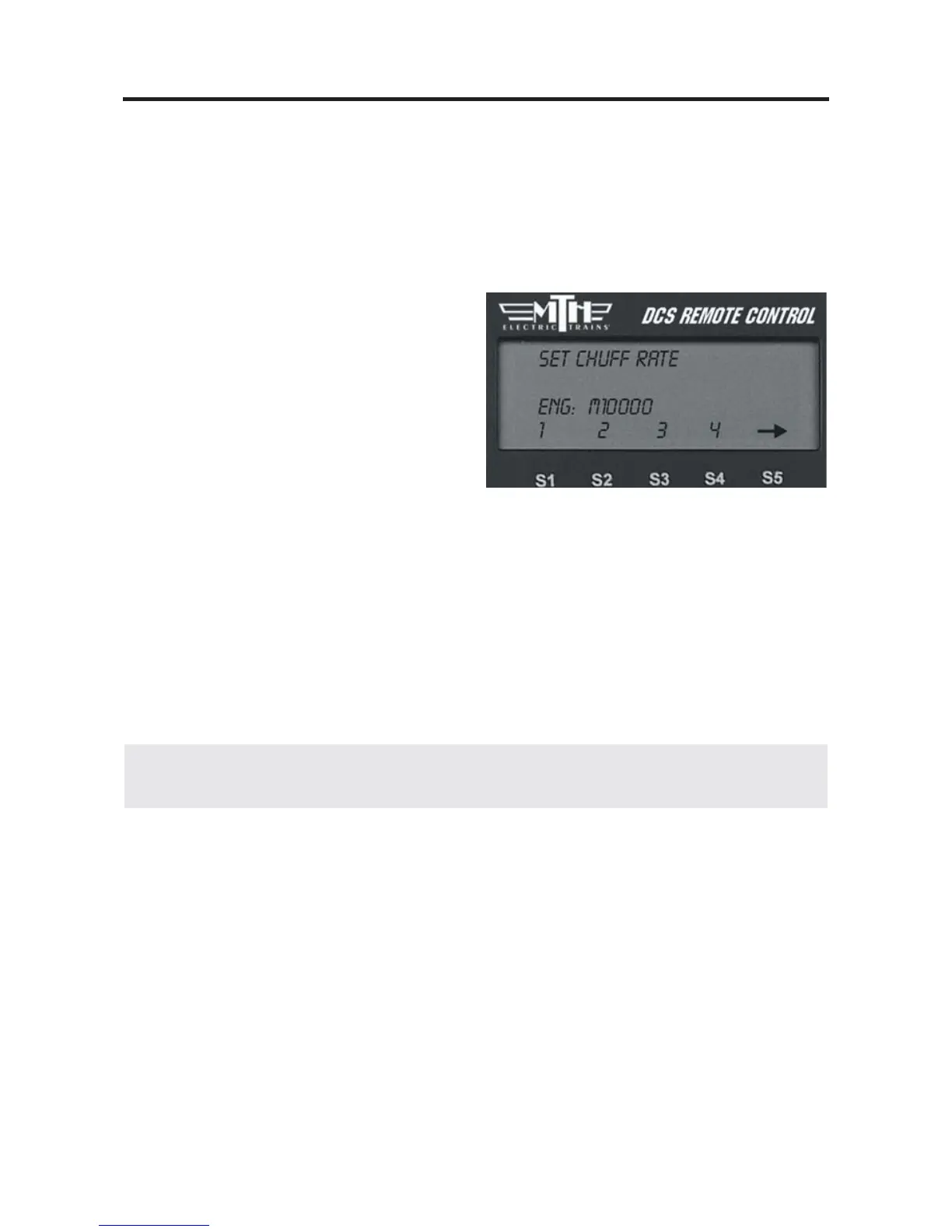
1. One you select this feature, you will
see the numbers 1-4 on your LCD screen
over the S1-S4 softkeys, with an arrow
over the S5 key. Press S5 to scroll
through higher number options (up to 16
chuffs per rev) and back around to the
first screen.
2. When the desired number of chuffs
per revolution appears on the LCD, press the softkey (S1-S4) directly below the chuff
rate you want to set.
3. Once you see your selection highlighted on the LCD screen, press firmly on the
thumbwheel to confirm the selection and return to the Sound menu list.
Your engine’s puffing smoke is synchronized with the chuff rate, and the smoke puffs
will also change rate when you change the chuff rate.
40
DCS Tip: When operating a diesel or electric engine, setting the chuff rate to a value
between 1 and 8 will play the corresponding engine rev level.



 To Next Page