DCS Command System User’s Guide
Menu Operations - Sound
Custom Sounds
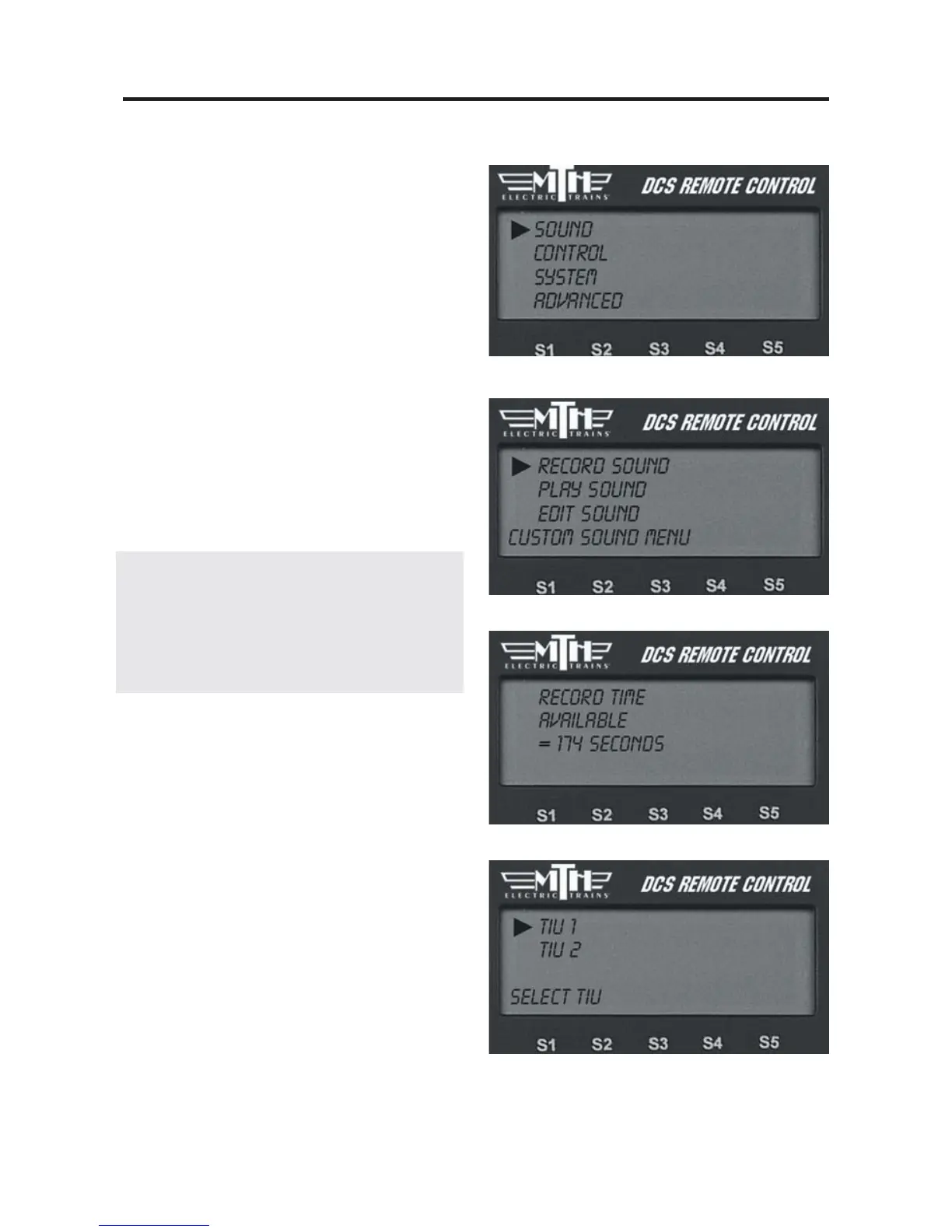
Once the appropriate sound source has
been connected to the TIU, press the
Menu button on the DCS Remote and
select the Sound Menu, then follow the
steps below to record the sounds.
Record:
1. The LCD tells you how much time
remains available for new recording.
2. If you have more than one TIU on the
layout, select which TIU to record the
sound to.
DCS Tip: Your custom sound recording
can be one long segment. You may
choose to add multiple custom sound seg-
ments each of which will show up in the
pick list under the custom sound menu.



 To Next Page