DCS Command System User’s Guide
Menu Operations - Sound
Custom Sounds: (cont’d)
Record: (cont’d)
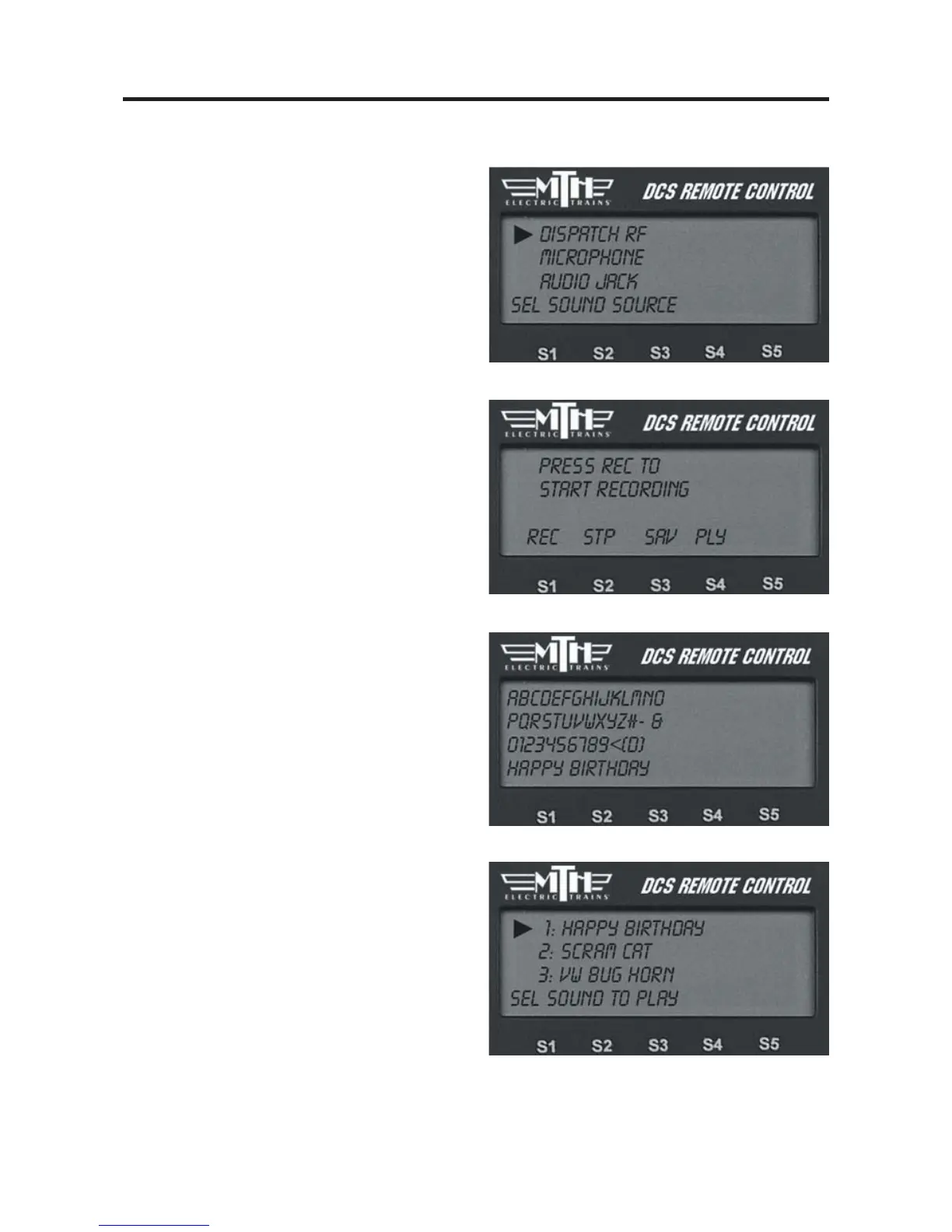
3. Select Source for sound to be recorded
(Dispatch RF - DCS Remote MIC,
External Microphone, Audio Jack, PC).
4. Press S1 under REC to record the
sound.
5. Press S2 under STP to stop recording.
6. If you choose to play the sound right
away to review it, press S4 under PLY.
7. If you choose to save the sound to re-
play it later, press S3 under SAV. An
alphanumeric character set is displayed,
allowing you to name the sound. Use the
thumbwheel to scroll through the charac-
ter set, and when the character you want
to type next is highlighted, press the
thumbwheel to select it. You may give the
sound a name up to 16 characters long.
Select the “D” at the end of the character
set to signify that you are done with this
function.
Play Sound
To play a sound at a later time, scroll and
press the thumbwheel to select the desired
sound from the list of saved sounds.



 To Next Page