DCS Command System User’s Guide
Menu Operations - Sound
Custom Sounds: (cont’d)
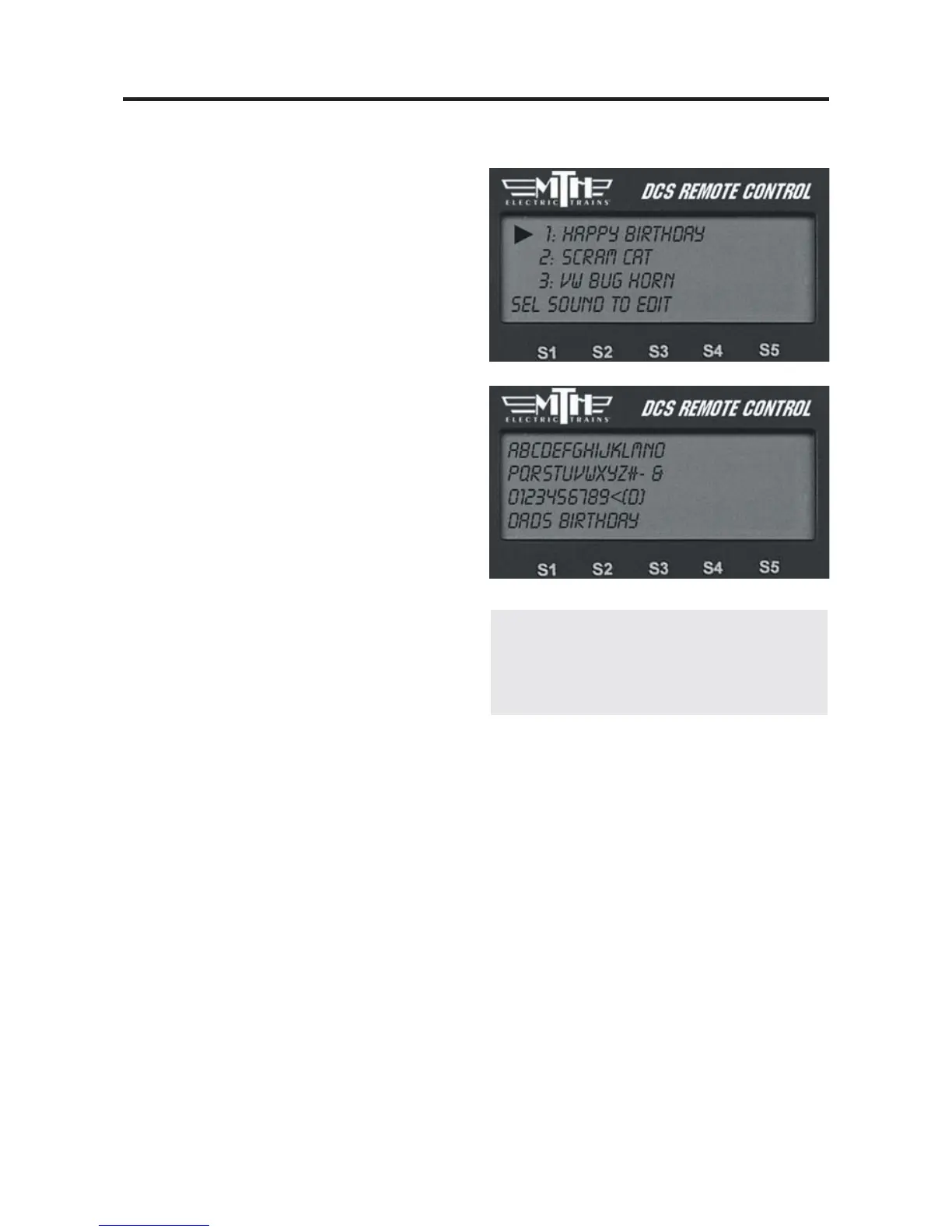
Edit Sound
Edit Sound Name
1. Scroll and press the thumbwheel to
select the sound you want to edit from the
list on the LCD.
2. An alphanumeric character set is dis-
played. Use the thumbwheel to scroll
through the character set, and when the
character you want to type next is high-
lighted, press the thumbwheel to select it.
You may give the sound a name up to 16
characters long. Select the “D” at the end
of the character set to signify that you are
done with this function.
Delete a Sound
1. Scroll and press the thumbwheel to
select the sound you want to delete from
the list shown on the LCD.
2. Press the thumbwheel one more time to confirm the deletion.
Delete All Sounds
To delete all recorded custom sounds, press the thumbwheel to confirm the deletion.
Update List
If you want to be able to play custom sounds that were recorded using a different hand-
held (e.g. if you want to share custom sounds at a club layout), press Update List to gain
access to all custom sounds saved into any TIU on the layout.
46
Note: Your engine comes equipped with some
pre-recorded custom sounds. Try softkeys
named S01-S10 to see what sounds you
already have.



 To Next Page