4 Handling the printer VJ-1624 OPERATION MANUAL
4-26
4.4.5.2 Settings that can be changed or confirmed while printing
NOTE
• When you change a setting during operation, be sure to select "Backup" to save the setting that you
changed.
If the printer returns to Normal without "Backup" being selected, the changed setting is not saved.
4.4.6 Pausing printing
It is possible to pause to print during printing.
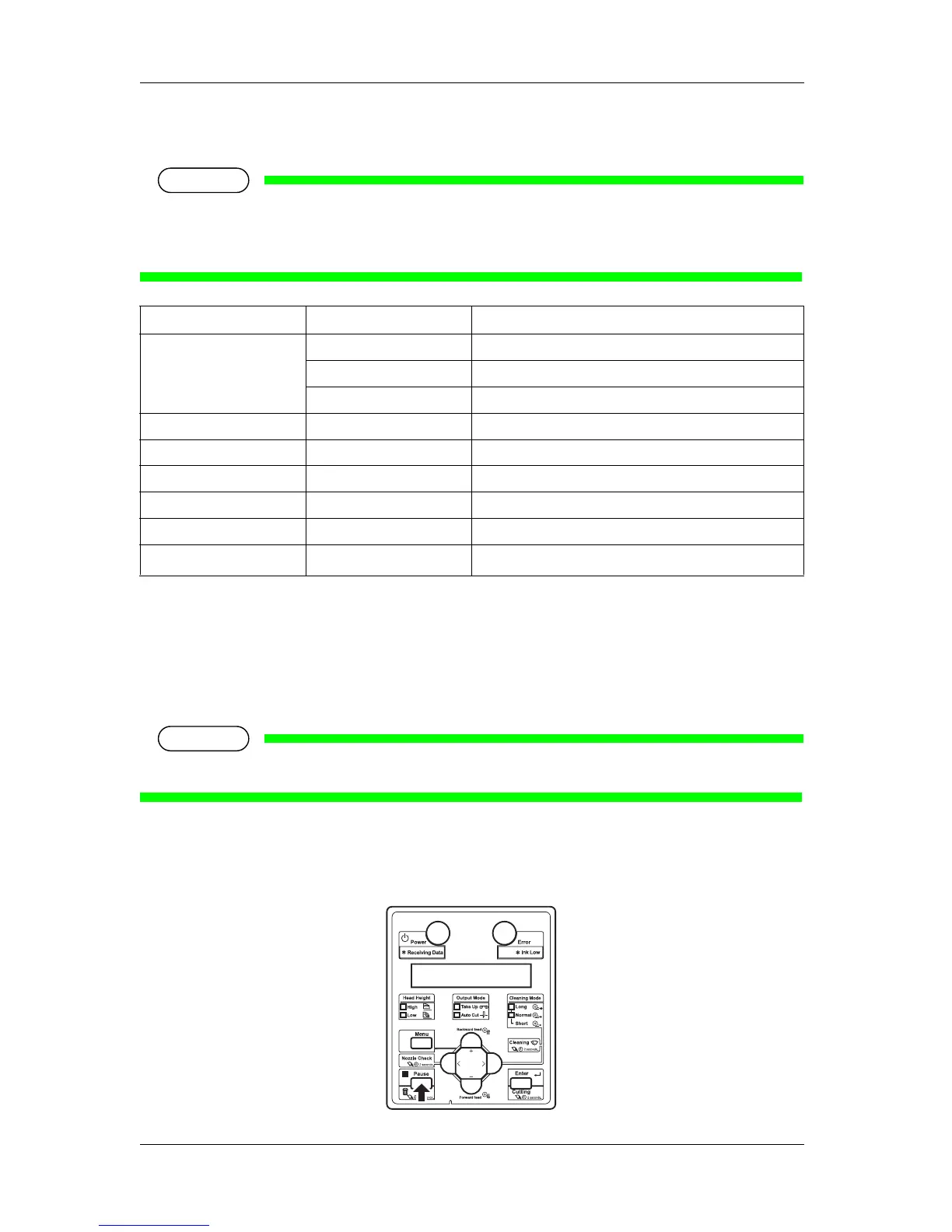
Follow the procedure below to pause or restart printing.
NOTE
• If the printing is paused, the print quality will not be guaranteed.
1. Check that the printer is in operating.
2. Press the [Pause] key on the operation panel.
Setup item Setting Description
Temperature Pre Checks the current temperature of the pre-heater.
Platen Checks the current temperature of the platen heater.
Dryer Checks the current temperature of the dryer.
Pre heater Off / 30 °C to 50 °C Changes the temperature of the pre-heater.
Platen heater Off / 30 °C to 50 °C Changes the temperature of the platen heater.
Dryer Off / 30 °C to 50 °C Changes the temperature of the dryer.
PF Adjust -5.00%~0.00~5.00% Change the feed adjustment value.
Backup — • [Enter] key: Save the changed setting.
— • [Cancel] key: The printer returns to Normal.














 To Next Page