VJ-1624 OPERATION MANUAL 5 Panel setup menu
5-25
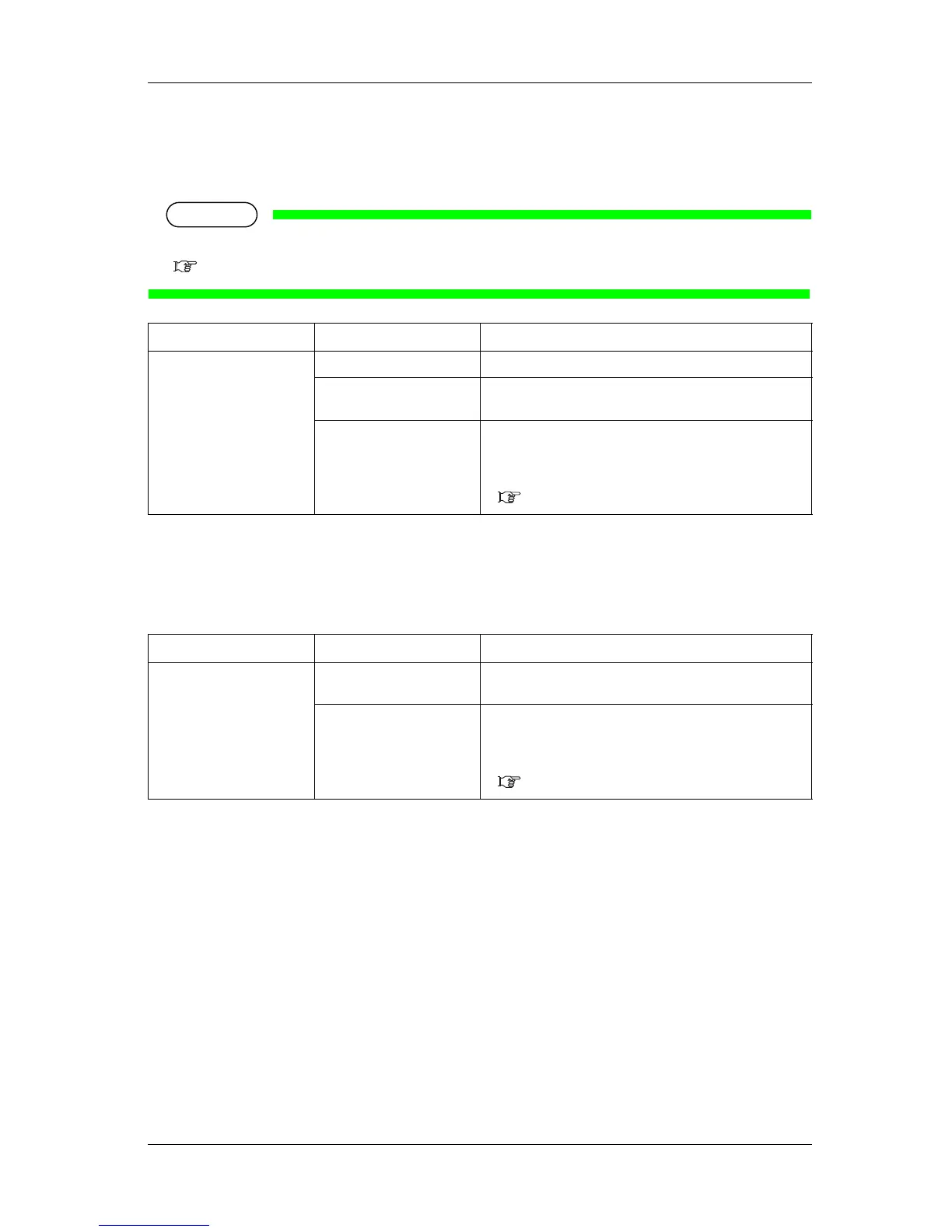
5.1.9 Prev. Stick menu
Sets up to prevent media from sticking when printing starts.
NOTE
• When the Output Mode menu is set to "Take-up", the setting for the Prev. Stick menu is disabled.
5.1.6 Output Mode menu
5.1.10 StandbyHeating menu
Sets the time to preheat the heater while the printer is in standby mode.
5.1.11 Head Travel menu
Sets up the range that the print head moves while printing.
Setup item Setting Description
Prev. Stick <Off> The stick-prevent operation is not performed.
On The stick-prevent operation is performed.
Feed the media back and forth to prevent from sticking.
— • [Enter] key: saves the setting and shifts to the previous
menu.
• [Cancel] key: cancels the setting and shifts to the previous
menu.
5.1 Setup menu
Setup item Setting Description
Standby Heating 10 minutes - <60 minutes> Sets the time to pre-heat the heater.
When the preset time has passed, each heater turns Off.
— • [Enter] key: saves the setting and shifts to the previous
menu.
• [Cancel] key: cancels the setting and shifts to the previous
menu.
5.1.1.1 User Type menu














 To Next Page