VJ-1624 OPERATION MANUAL 5 Panel setup menu
5-19
NOTE
• When the spitting menu is set to "On Media", the maximum printable media width becomes 16mm
shorter.
Therefore, the side margins become "value set on side margin menu" +8mm. The media is not
detected.
5.1.2 Spitting menu
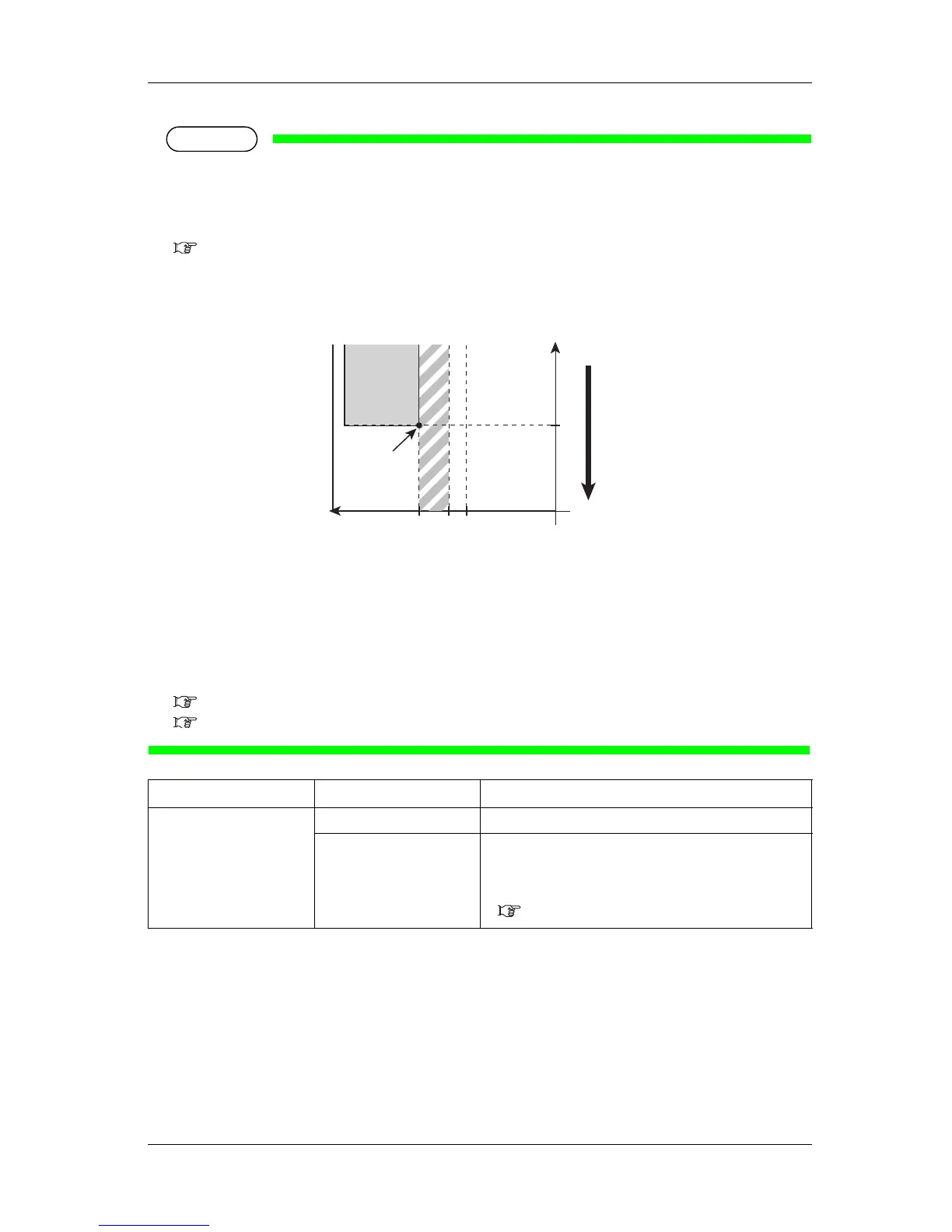
• Depending on the setting, the right margin is a sum of the following.
"Y (print head transferring distance) of the Origin menu" + "5mm (when the spitting setting is "On
Media")" + "value set on side margin menu"
1. Starting position
2. Media feeding direction
X (media feeding distance):
Y (print head transferring distance):
a (0mm/5mm: The spitting setting is On, Off/On Media)
b (5mm to 25mm: Side margin setting amount)
5.1.2 Spitting menu
5.1.8 Origin menu
5.1.4 Media Initial menu
Sets whether to detect the media width and edge while initializing the media.
Setup item Setting Description
Side Margin <5mm> to 25mm Set the side margins.
— • [Enter] key: saves the setting and shifts to the previous
menu.
• [Cancel] key: cancels the setting and shifts to the previous
menu.
5.1 Setup menu
Yab
0
2
X
1














 To Next Page