If MASCHINE is running as a plug-in, the external stereo outputs Ext. 1–16 available in
the Dest. selectors of the AUX 1 and AUX 2 section will correspond to virtual outputs in
your host. This allows you to send auxiliary outputs of individual Sounds or Groups from
MASCHINE to their own mixer channels within your DAW, for example.
Setting Up the Auxiliary Outputs of Sounds and Groups in Mix View
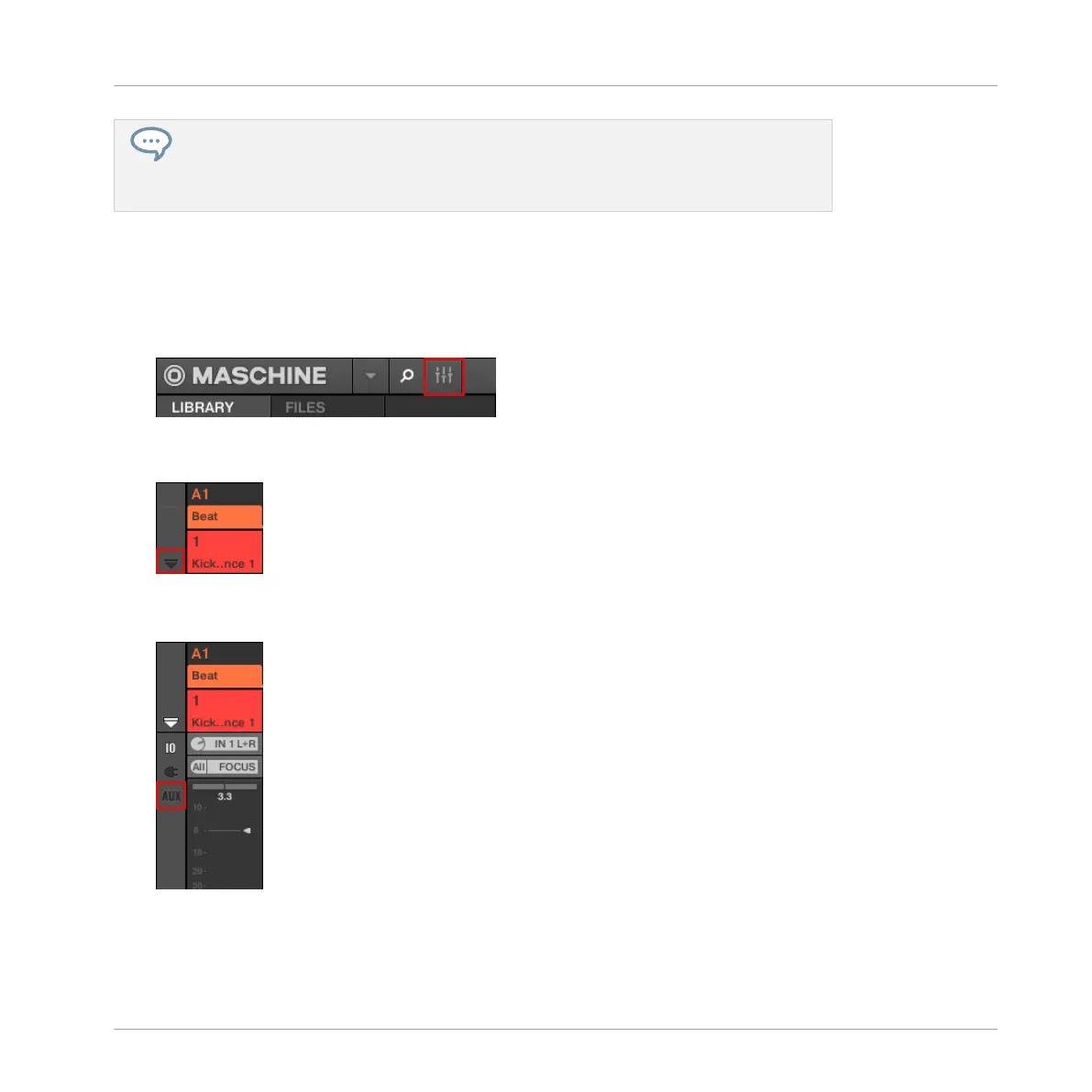
You can also easily set up auxiliary outputs for your Sounds and Groups in MASCHINE’s Mixer:
1. Click the Mix View button on the left of the Arranger to switch from Arrange view to Mix
view:
2. Open the extended view of the Mixer by clicking the down-pointing arrow on the left of the
Mixer:
3. Check that the AUX button is active on the left of the Mixer — if not, click it to enable it
and display the settings for the auxiliary outputs of each channel strip.
Audio Routing, Remote Control, and Macro Controls
Audio Routing in MASCHINE
MASCHINE MIKRO - Manual - 423



 To Next Page