E Series Automated Dispensing System
126 www.nordsonefd.com info@nordsonefd.com 800-556-3484 Sales and service of Nordson EFD dispensing systems are available worldwide.
# Click Step Reference Image
8
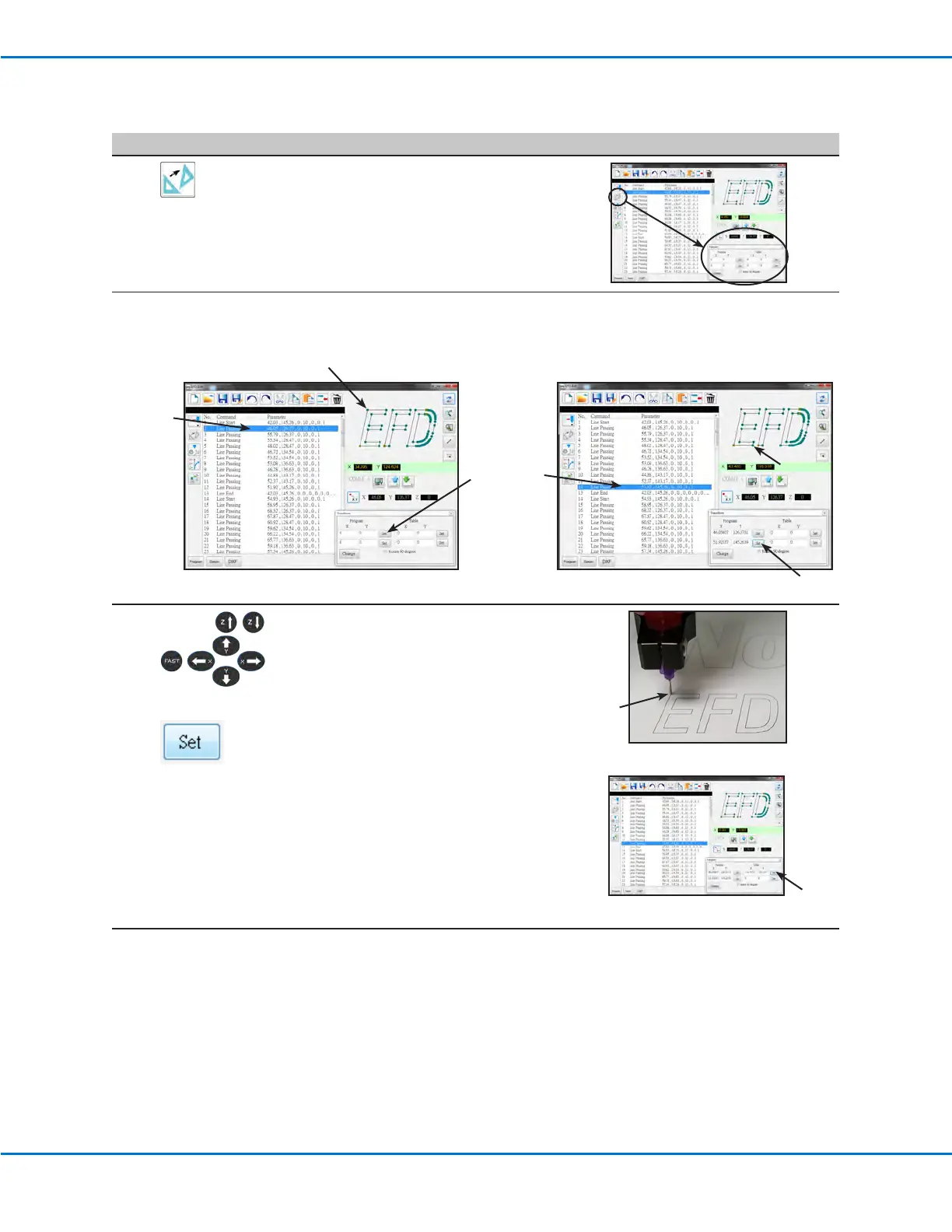
Click TRANSFORM.
The Transform window appears.
9
Perform screen clicks exactly as shown below to set the PROGRAM points.
NOTE: As an example for these steps, the top left and bottom right points of the letter “E” are used.
3
1
2
4
5
6
10
>
Use the Teach Pendant to jog the tip to
the top point on the actual workpiece
and then click the top SET button under
TABLE.
2
1
Continued on next page
Importing a DXF File (continued)



 To Next Page