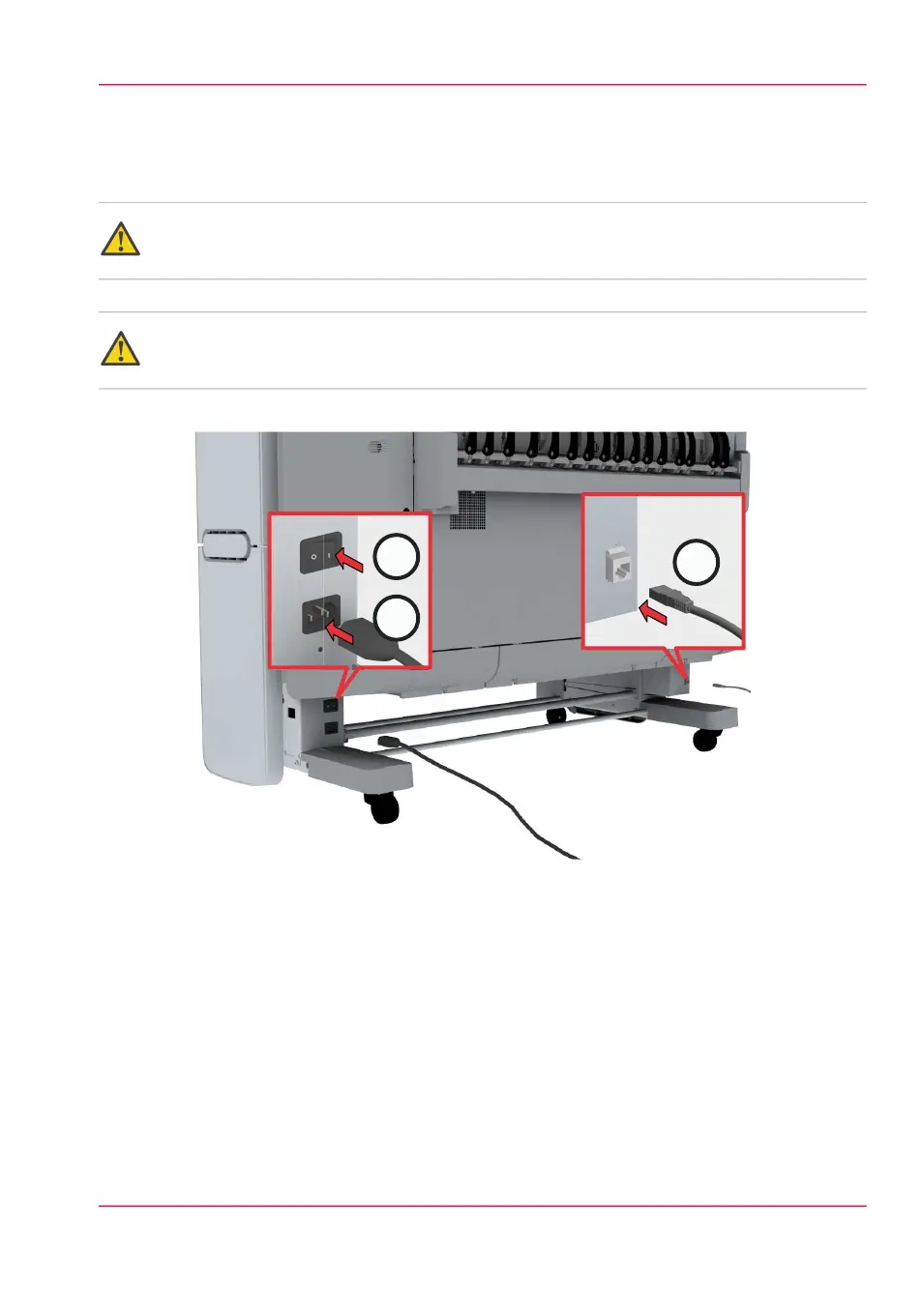
Switch on the printing system
Attention:
Make sure the mains supply cable (A) is plugged in.
Attention:
Make sure the network cable (C) is plugged in.
1.
Switch on the power switch at the back of the printing system (B).
[12] The power switch at the back of the printer.
Chapter 2 - Get to Know the Printing System 27
Switch on the printing system



 To Next Page