Get to know the Océ TCS400 25
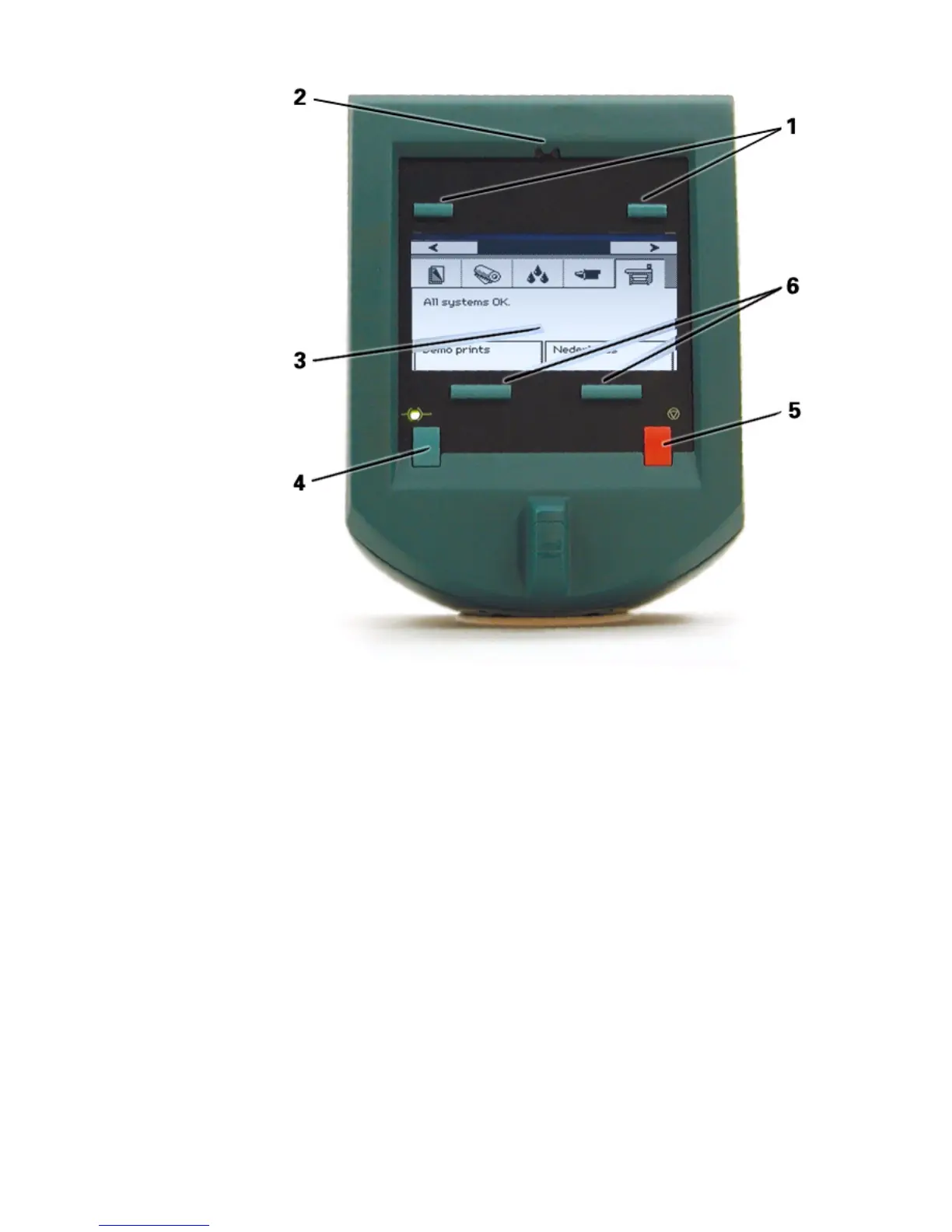
[11] The main c omponents of the printer operator panel
[11] The main components of the printer operator panel
1 The upper softkeys
2 The red attention LEDs
3 The screen
4 The on-line / off-line key with green LED
5 The stop key
6 The lower softkeys.
The screen
The screen of the printer operator panel displays different types of information.
The type of information depends on the mode of the system.
When the printer is in the on-line mode, the screen displays general system
information and job information.
When the printer is in the off-line mode, the screen displays various wizards
for user action.



 To Next Page