146
DP-C405/C305/C265
FEB 2008Ver. 1.1
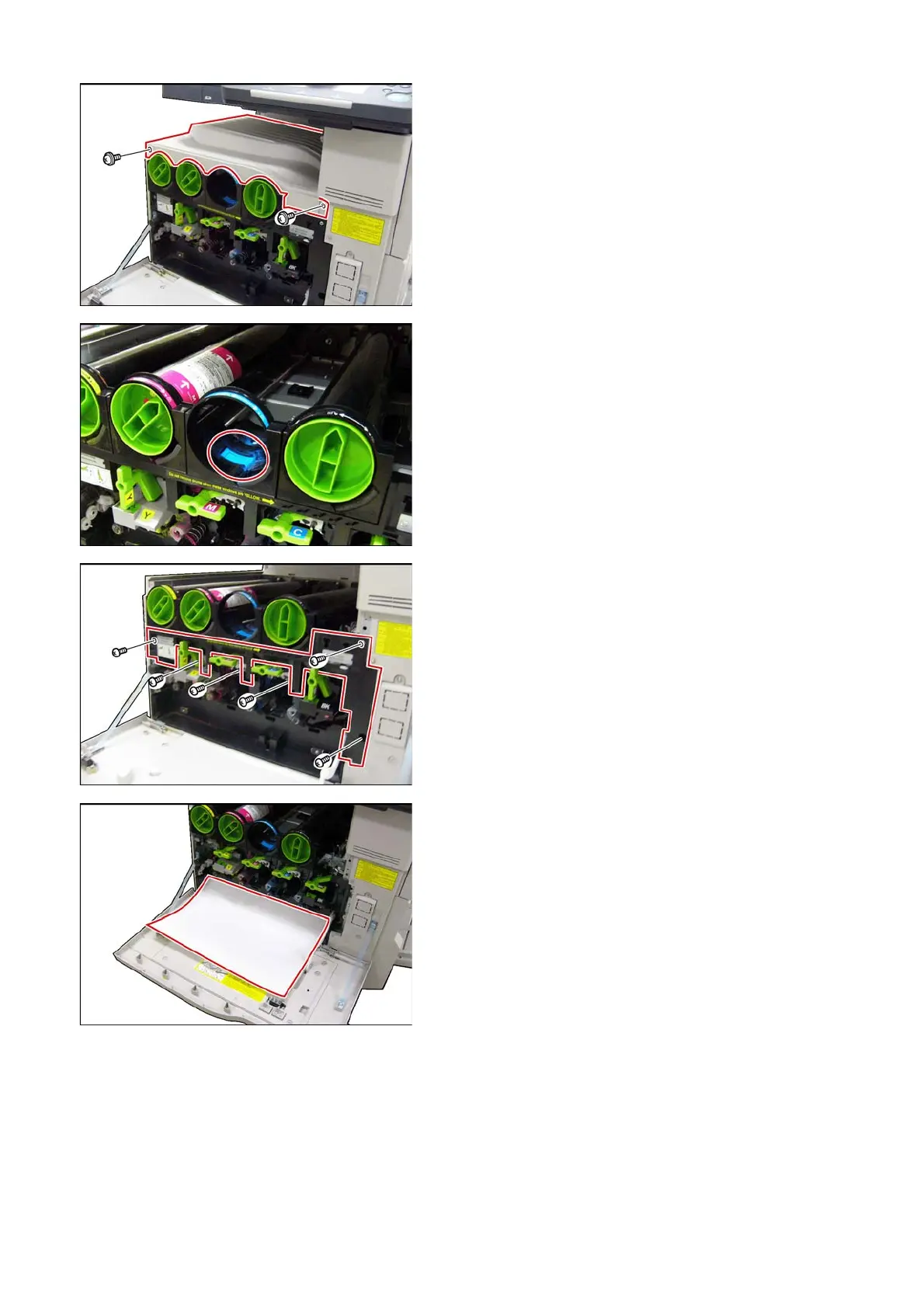
(8) Remove 2 Screws (Y13).
(9) Remove the Inner Stack Cover (203).
<Cleaning the Toner Supply Cylinder>
(10) Clean the Toner Supply Cylinder with a
Vacuum cleaner.
(11) Remove 6 Screws (Y33).
(12) Remove the Pipe Cover (4421).
(13) Place a clean sheet of paper (i.e. Ledger or A3)
on top of the Front Cover to catch any toner spill.



 To Next Page