149
DP-C405/C305/C265
FEB 2008Ver. 1.1
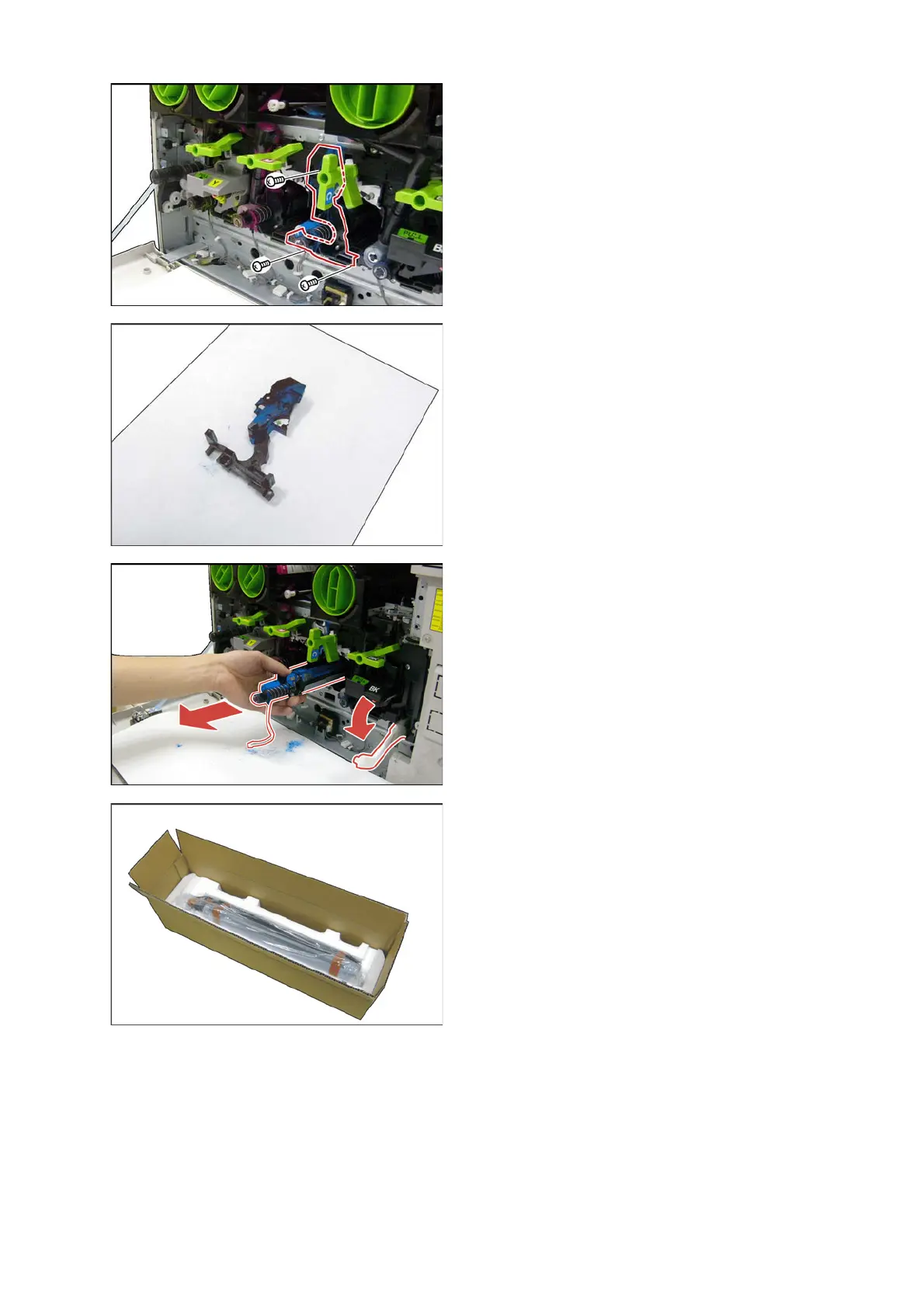
(24) Remove 3 Screws (X5).
(25) Remove the Developer Front Bracket (4422).
<Cleaning the Developer Cover>
(26) Clean the Developer Front Bracket (4422) with
a Vacuum cleaner.
(27) Pull the Developer Unit (Cyan) (5443) out.
Note:
Do not open the shutter, or Toner will spill out.
Note:
Ensure the Lever Arm is at the maximum down
position, or Drum may get damaged.
<Installing the new Developer Unit>
(28) Remove the new Developer Unit out of the box.
(29) Remove all the Shipping materials.



 To Next Page