673
DP-C405/C305/C265
FEB 2008Ver. 1.1
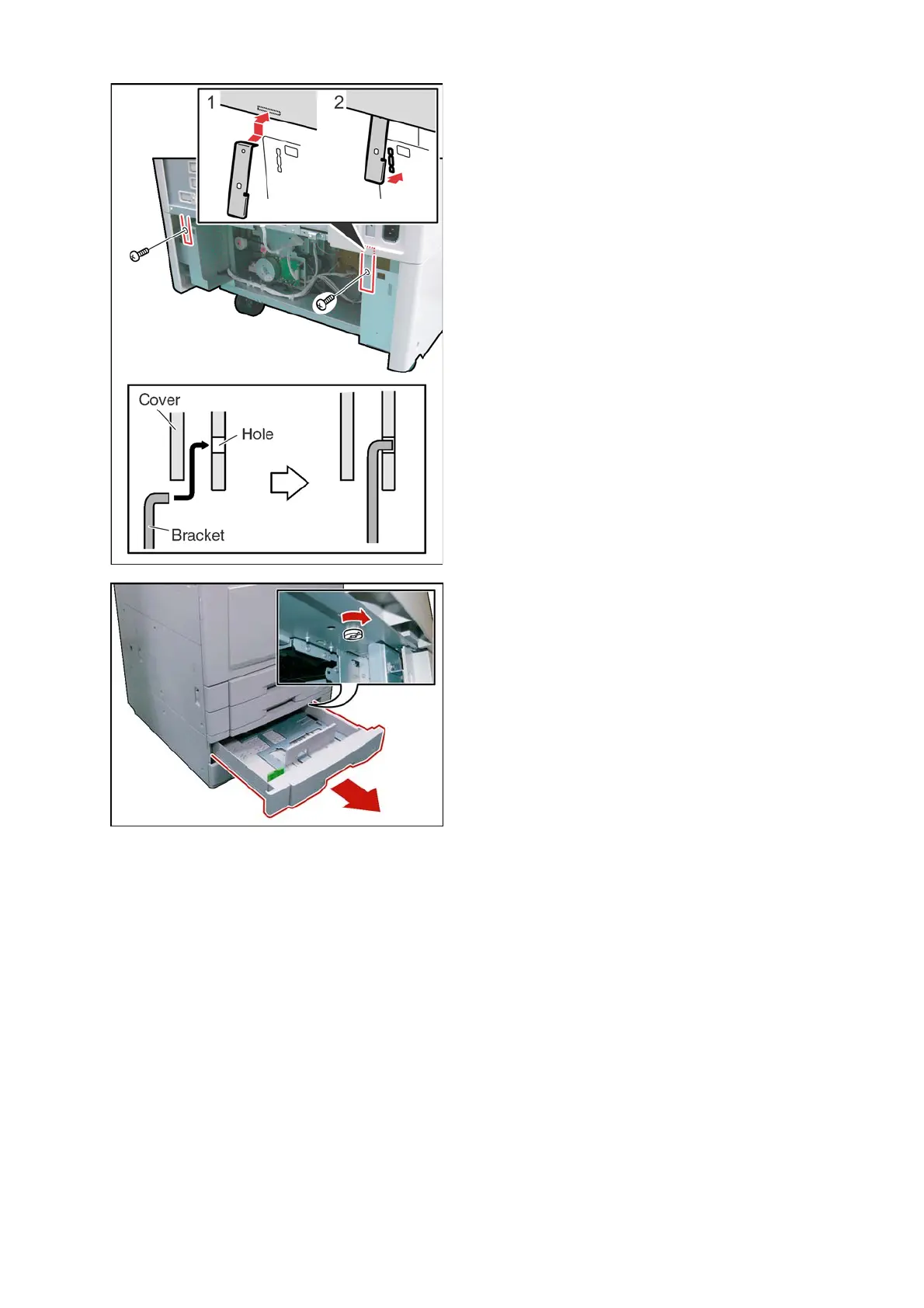
(9) Install 2 Brackets as illustrated.
(10) Secure each Bracket with 1 Screw (M4 x 8).
(11) Open the Paper Tray 3.
(12) Fasten the Paper Tray with 1 Thumb Screw.
<Paper Size setting (Paper Tray 3 and 4) to your
customer's requirement>
Default Paper Size setting
For USA and Canada
Paper Tray 3 : 11 x 17 (Ledger)
Paper Tray 4 : 11 x 17 (Ledger)
For Europe and Other Destinations
Paper Tray 3: A3
Paper Tray 4: A3



 To Next Page