User’s Manual of GS-4210 Series
2.1.2 LED Indications
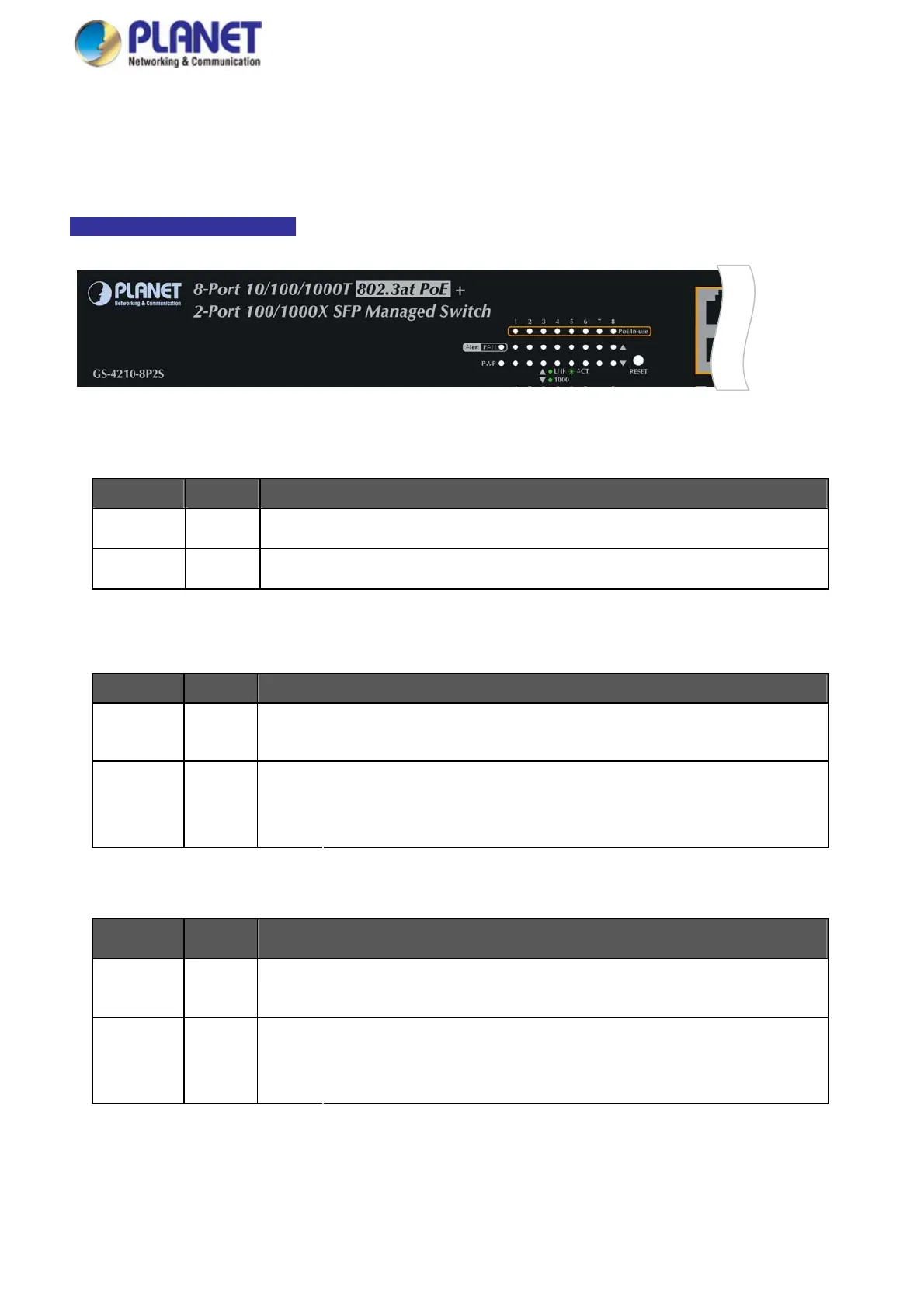
The front panel LEDs indicate instant status of port links, data activity and system power; it helps monitor and troubleshoot when
needed. Figure 2-1-2a~2-1-2c show the LED indications of these Managed Switches.
GS-4210-8P2S LED Indication
Figure 2-1-2a GS-4210-8P2S LED Panel
■ System
LED Color Function
PWR Green
Lights to indicate that the Switch has power.
FAN Orange
Lights to indicate that the FAN is down.
■ 10/100/1000BASE-T interfaces
LED Color Function
Lights:
To indicate the link through that port is successfully established.
LNK/ACT Green
Blinks:
To indicate that the switch is actively sending or receiving data over that port.
Lights: To indicate that the port is operating at 1000Mbps.
1000 Green
Off: If LNK/ACT LED light-> indicate that the port is operating at 10/100Mbps
If LNK/ACT LED Off -> indicate that the port is link down
■ 100 / 1000BASE-X SFP interfaces
LED Color Function
Lights:
To indicate the link through that port is successfully established.
LNK/ACT Green
Blinks:
To indicate that the switch is actively sending or receiving data over that port.
Lights: To indicate that the port is operating at 1000Mbps.
1000 Green
Off: If LNK/ACT LED is lit, it indicates that the port is operating at 100Mbps
If LNK/ACT LED is off, it indicates that the port is link down
29



 To Next Page
 Loading...










