Reports Overview6.1
Your Mailing System offers a variety of reports that you can view, print or store as needed.
Reports include information on system cycle counts, number of pieces processed, postage
funds usage, Account Budgets and expenditures.
You can also upload basic data to our E-Services Server so that you can view this data
online, print a hard copy, save it on a USB key or export it to a variety of PC based
applications.
Your Mailing System also allows you to generate reports for all mailing activity that has
occurred over the past two years from the date of installation.
Additional reporting capabilities are available with the purchase of MAS. For more information
on MAS please contact your Neopost Sales Representative or visit us at neopost.ca.
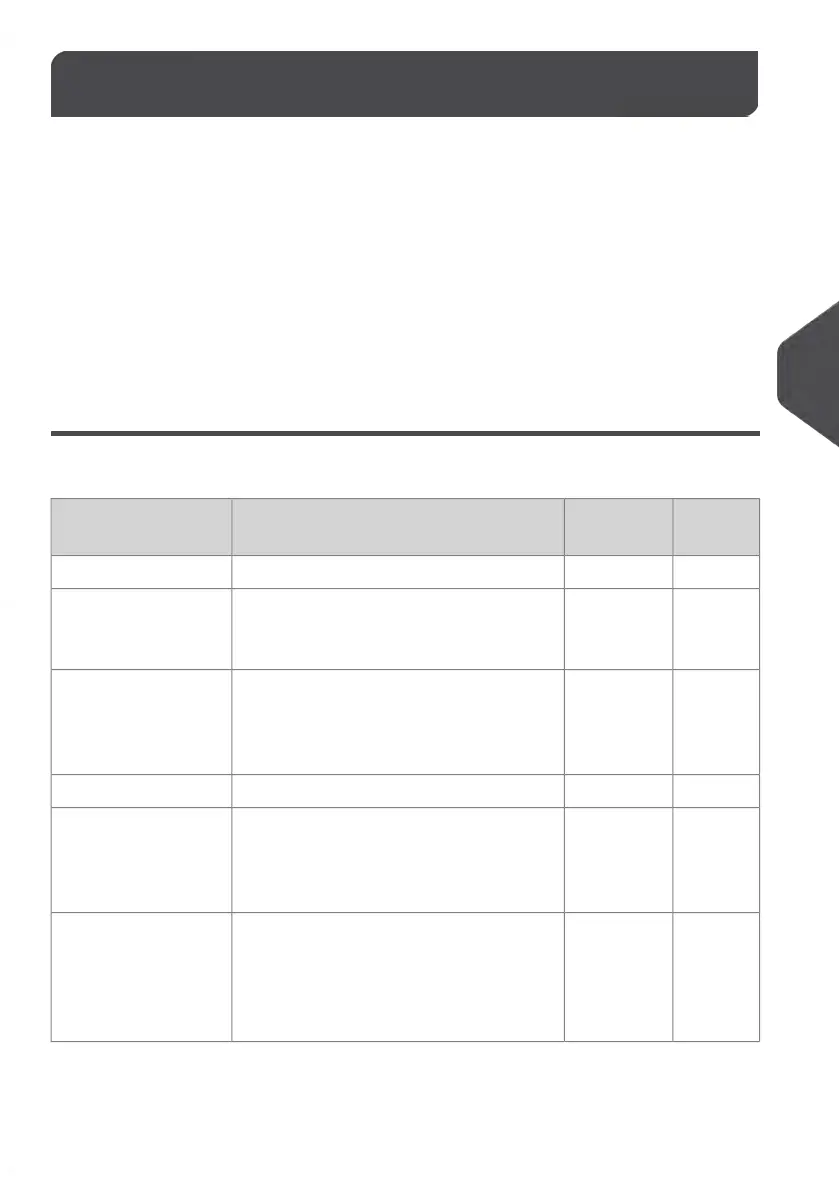
List of Reports
Output on: L=label (or envelope), S=screen, P=USB printer, M=USB memory key
PageOutput
Devices
Report descriptionReport name
PROCESSING DATA
Batch Re-
port on
page 126
SPBatch Counter and corresponding postage
for outgoing mail since the last reset.
Batch Data
Received
Batch
Data on
page 127
SPBatch Counter for incoming mail ('RE-
CEIVED/RECU') since the last reset.
Received Batch Data
POSTAGE USAGE DATA
Daily Us-
age Re-
port on
page 128
SPMUsage information (total items and total
postage value) for each day of a selected
period.
Daily Usage
Monthly
Usage
Report
on page
129
SPMTotal items and total postage value per
month for a selected period.
Monthly Usage
121
| Page 121 | | Jan-13-2017 10:45 |
6
Reports















 To Next Page