Selecting a Meter Impression
For each stack of mail you have sorted (see Sorting Mail by Type and Task on page 29),you
can select the type of Meter Impression you wish to use by following the instructions outlined
below.
How to Change a Meter Impression
Once you are logged in as user:
1. Either:
Press and select: Build ImpressionPress or
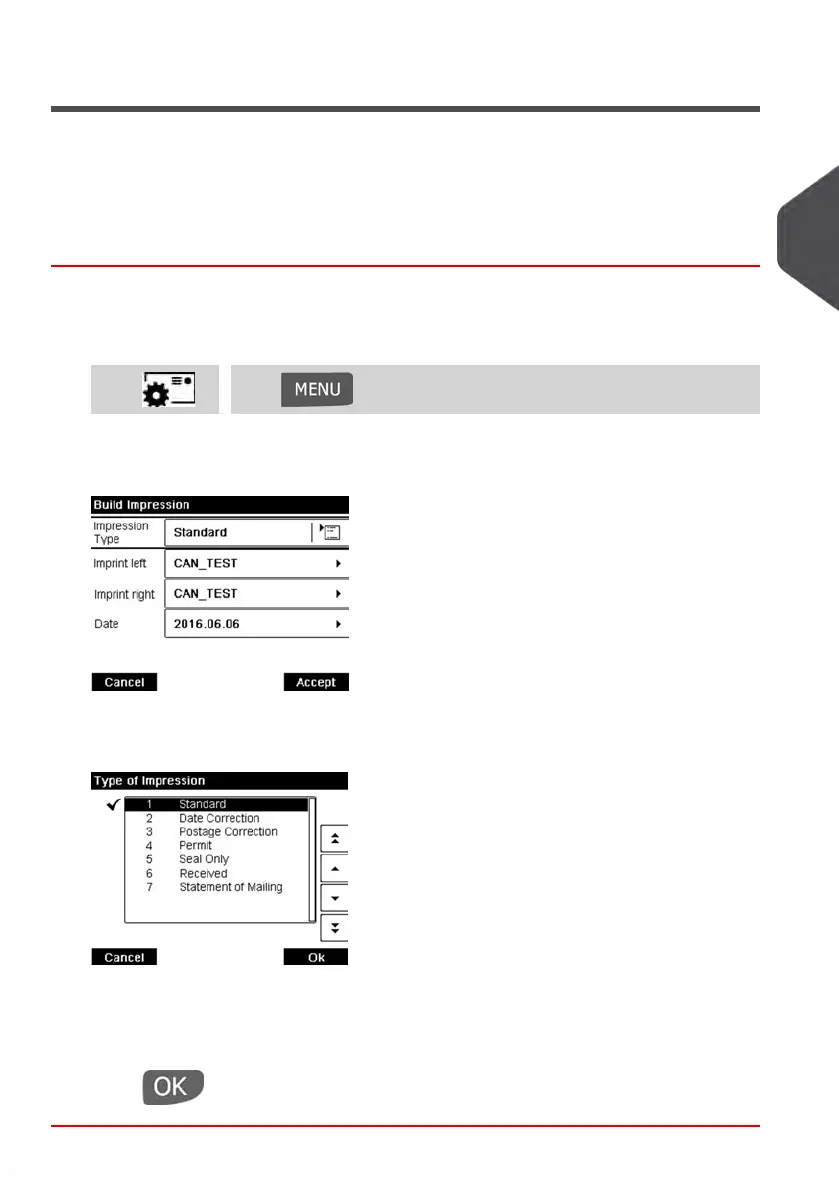
The Build impression screen is displayed.
2. Select Impression Type.
The Type of impression screen is displayed.
3. Select the type of impression in the list and press [OK].
The Build Impression screen is updated and displays the menu items that allow you
to modify the impression options.
4.
Press to return to the home screen.
3
Processing Mail
33
| Page 33 | Jan-13-2017 10:45 |















 To Next Page