Printing [Permit] Mail3.4
In Printing [Permit] Mail Section
This section describes the settings required to print a [Permit] Meter Impression.
See also
• How to Change a Meter Impression on page 33.
Setting [Permit] Mail
The instructions below outline the steps that you need to complete to set up your system
to print a Permit Mail Meter Impression.
• As mail requirements differ from day to day, some of the Impression Options may
not be necessary, or their order may vary.
• Begin by selecting a Meter Impression to gain access to the Impression Options that
you may need to process your Permit Mail
Make sure you have completed the preparation steps mentioned
in Preparing and Starting your Job Run on page 29.
How to Set Postage for [Permit] Mail
Required settings:
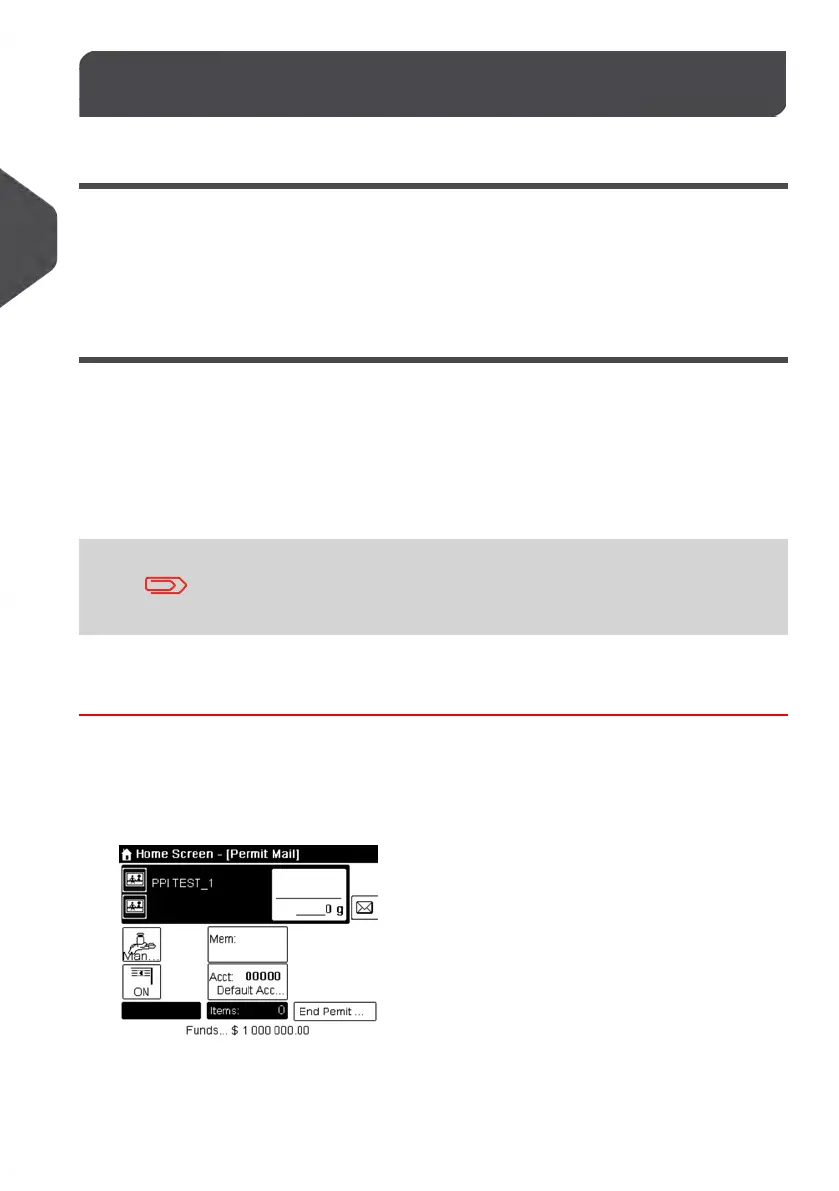
1. Check that you are in the [Permit] Type of impression.
If not, see section Selecting a Meter Impression on page 33.
46
| Page 46 | Jan-13-2017 10:45 |
3
Processing Mail















 To Next Page