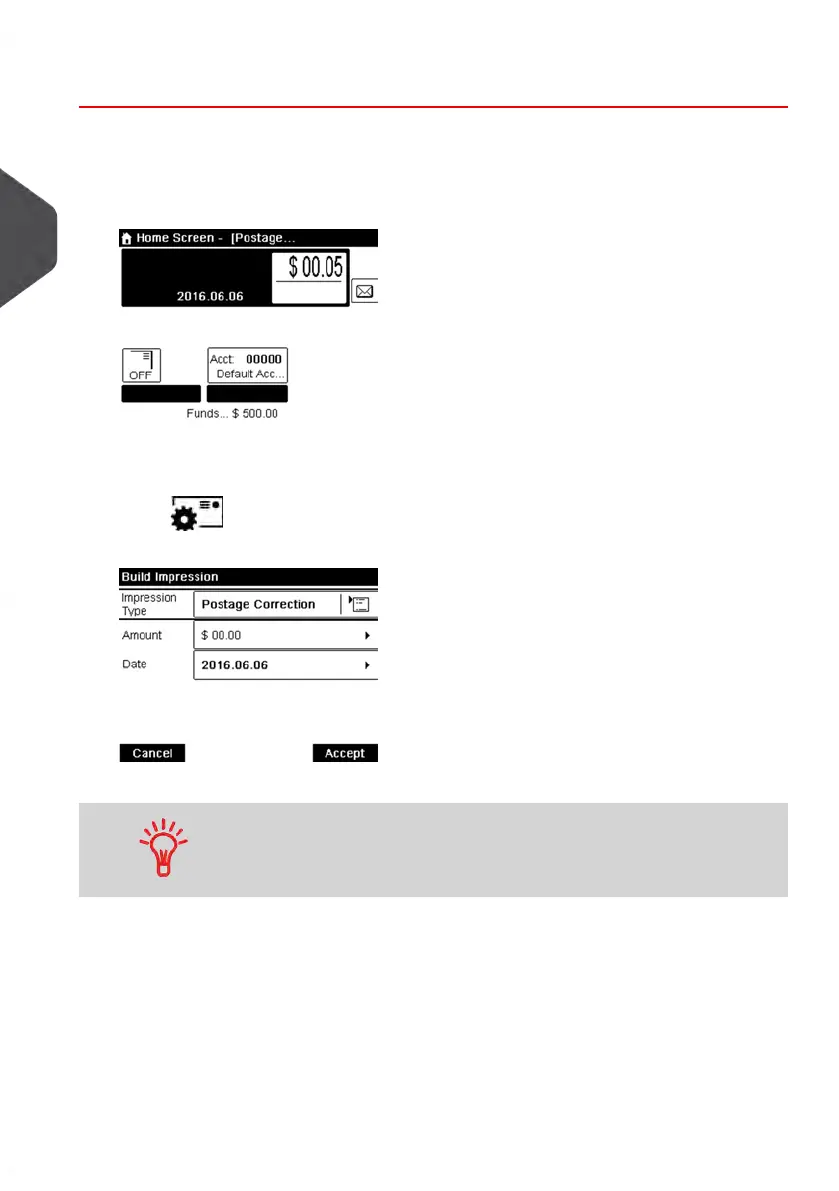
How to Set [Postage Value Correction] Mode
Required settings:
1. Make sure you are on the home screen of the [Postage Value Correction] type
of impression as illustrated below.
2. To change the type of meter impression, if you are not in [Postage Value
Correction] mode.
Press to access the Build Impression screen, and then press the Impression
Type button to display the Type of impression screen.
Select [Postage Correction] in the list and press [OK] to validate.
To select an option in the screen: use related keys located on
right hand side of display.
56
| Page 56 | Jan-13-2017 10:45 |
3
Processing Mail















 To Next Page