Adding Funds
You can add funds to your postage meter at any time by completing the steps listed below.
In order to complete your transaction, connection of your system to Neopost's postage
server is required.
You may need a re-credit PIN code to add funds to the Mailing
System, depending on supervisor settings (see How to Set/Cancel
a Postage Account PIN Code on page 165).
How to Add Postage Funds
To add funds to the Postage Meter:
1. Either:
Press and select the path: My Funds
Press or
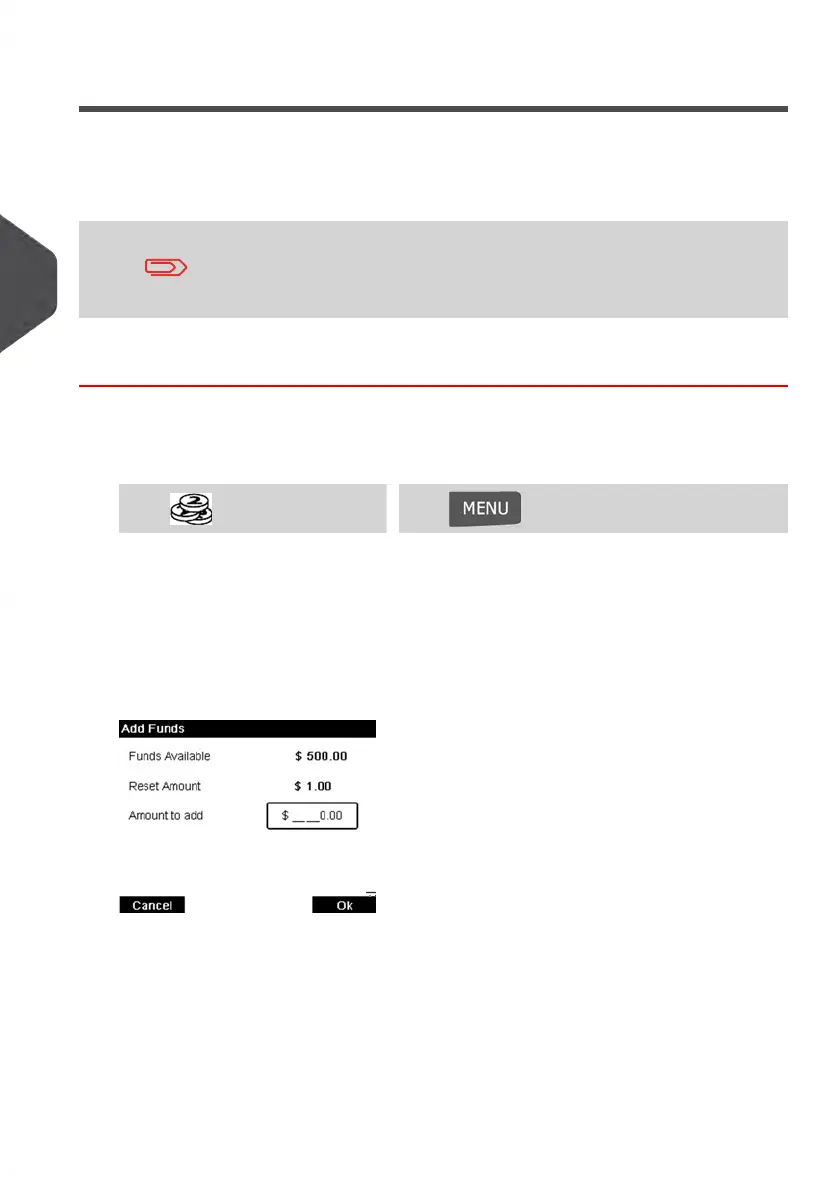
2. Select Add Funds.
3. If the system asks for a PIN code, enter the code using the keypad and press [OK].
The Funds Screen is displayed.
By default, the system displays the value of the previous transaction.
4. Enter the amount of postage to add using the keypad (use C to clear a digit, press C
twice to clear the field).
90
| Page 90 | Jan-13-2017 10:45 |
4
Postage Funds Management















 To Next Page