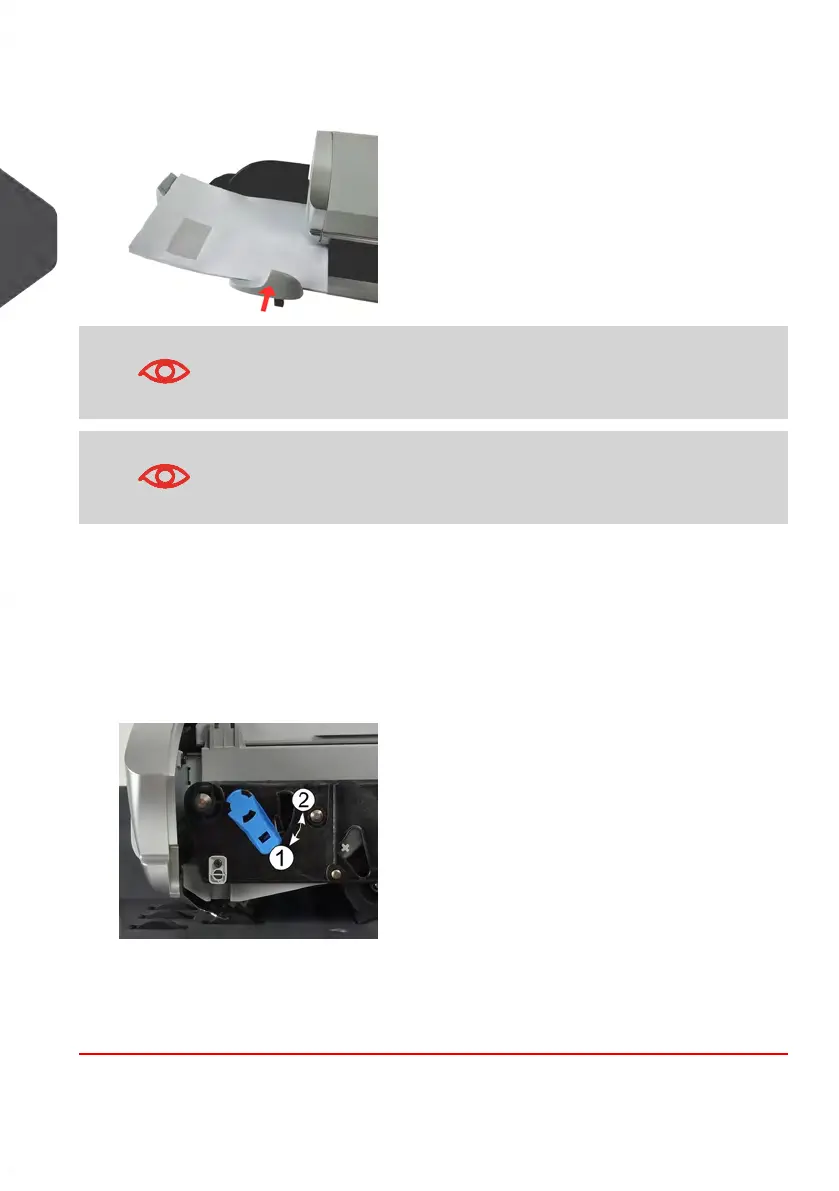
4. Adjust the side guide for large envelopes.To adjust the guide, push it gently to rest
against the envelopes, without pressing.
Envelopes flaps must be closed, not nested.
Do not try to seal self-adhesive envelopes.
Thickness Setting:
Depending on the thickness of your envelopes, you may have to adjust the thickness
setting of the Feeder. Change this setting to process several stacks of thin envelopes
or to remove thick envelopes blocked at the entrance of the mail path.
1. Open Feeder Cover.
2. Change lever position:
- 1 for thin envelopes
- 2 for thick envelopes.
3. Close the Feeder Cover.
36
| Page 36 | Jan-13-2017 10:45 |
3
Processing Mail















 To Next Page