Section 7. Component Procedures Model 8210/8250 Maintenance Manual
Tractor Covers Finish and Accessories
7-10 Publication: 1146945/001, Revised: 25 Sep 2018
Tractor Cover Installation
Install the tractor covers in this order:
1. Console Cover
2. Upper Cover
3. Grille Cover
4. Lower Cover
Console Cover Installation
1. Align the console cover with the top plate.
Use the side plates and bulkhead as
guides.
Figure 7-9. Align Console with side plates and bulkhead
2. Press the console cover straight down onto
the top plate.
3. Make sure all three snaps are engaged
fully to retain the console cover.
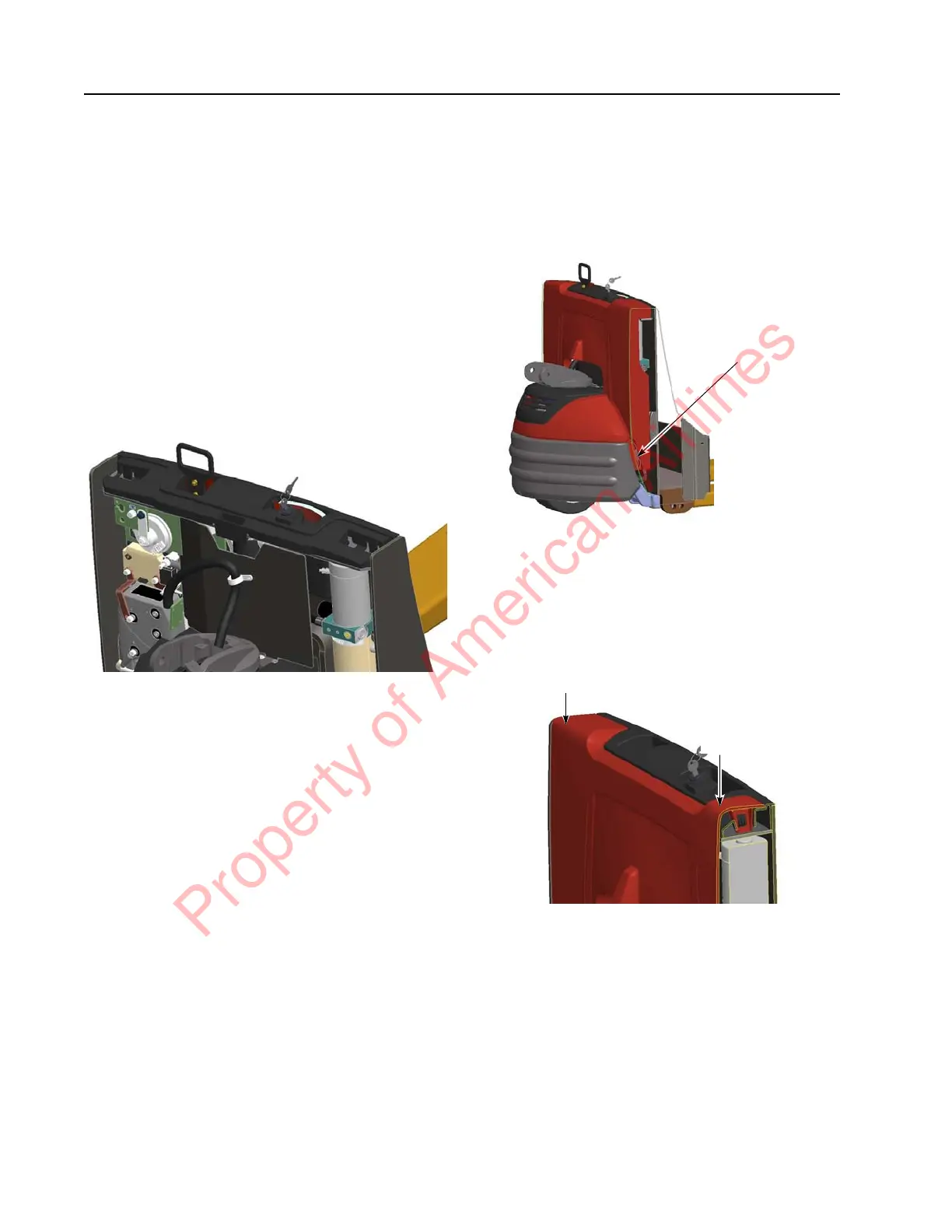
Upper Cover Installation
1. Rest the upper cover on the top of the
bottom upper cover bracket on the side
plate.
Figure 7-10.
2. Tilt the top of the upper cover toward the
forks until it is vertical.
3. Press down on both shoulders of the upper
cover until you feel the snaps engage.
Figure 7-11.
4. Gently pull up on the upper cover to verify
the snaps are engaged.
5. Inspect the gap between the console cover
and the upper cover to make sure it is
uniform along the entire surface.
Property of American Airlines



 To Next Page