Section 3. Systems Overview Model 8210/8250 Maintenance Manual
Display Part Numbers (Pn)
3-16 Publication: 1146945/001, Revised: 25 Sep 2018
Display Part Numbers
(Pn)
1. Enter the Special Truck Mode. See
“Special Truck Mode” on page 3-5.
2. Press and hold the horn button until “Pn”
is displayed. If the horn button is released
at the wrong time, turn the truck OFF and
start over.
3. Use the thumb control to scroll and
display the following information:
• HPn = Hardware part number (of VM)
• HSn = Hardware serial number (of VM)
• SPn = Software part number (of VM)
• Type = Model number
•PA = Curtis Power Amplifier Operating
System
• IPT = iPORT / RDP capable
• bnc = Battery Management Controller
• bnu = Battery Management Unit
• LiUi = Lithium User Interface (HUD)
4. End displaying the part number by
pressing the red OFF ( O ) key on the
keypad (if equipped) and placing the Main
ON/OFF switch in the OFF position.
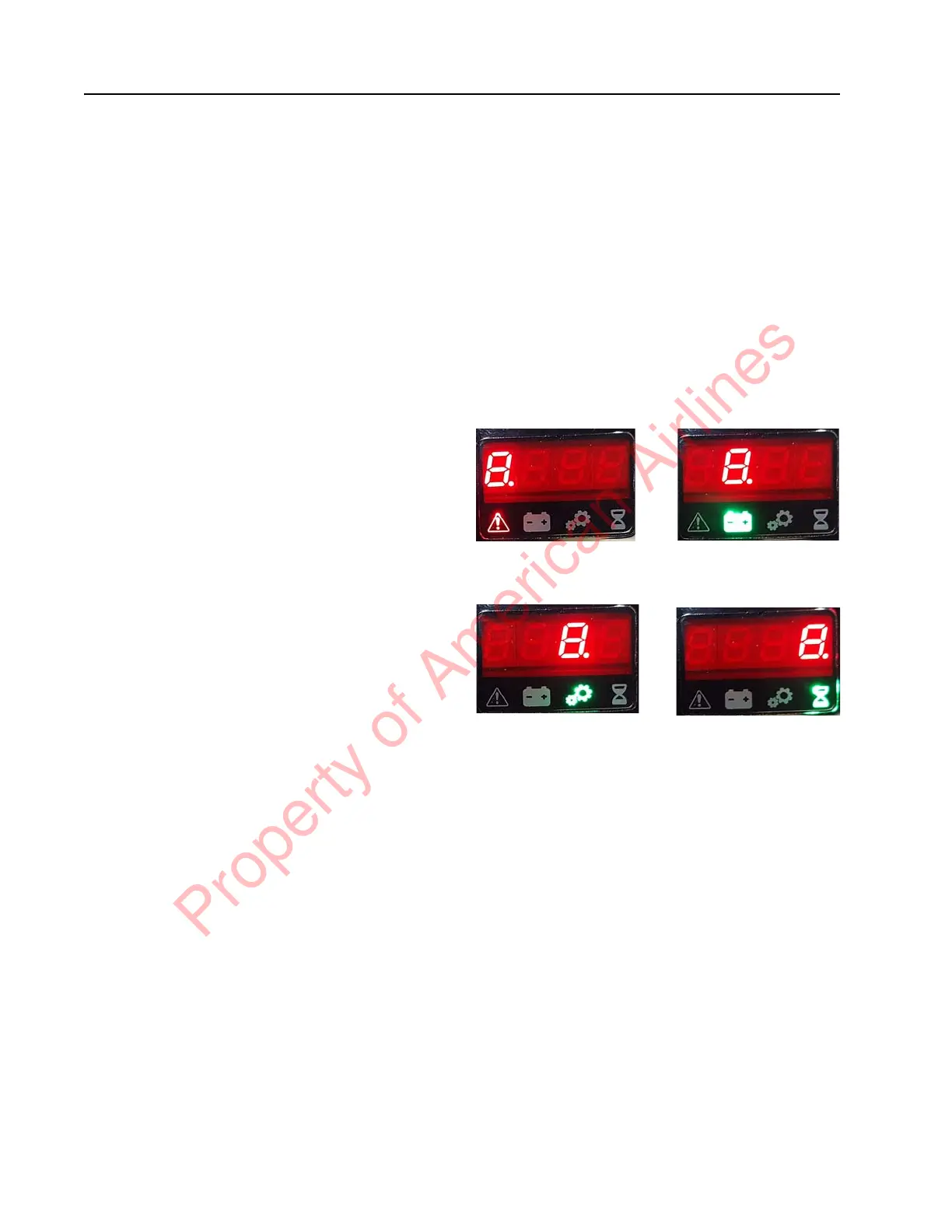
Display Test (d)
1. Enter the Special Truck Mode. See
“Special Truck Mode” on page 3-5.
2. Press and hold the horn button until “d” is
displayed. If the horn button is released at
the wrong time, turn the truck OFF and
start over.
3. During Display Test, all portions of each
segment (as well as the icon below the
segment) are illuminated. This occurs for
each segment and icon pair. The sequence
repeats until a re-key is performed.
Figure 3-6.
4. To end the Display Test, press the red OFF
( O ) key on the keypad (if equipped) and
place the Main ON/OFF switch in the OFF
position.
Segment 1 and icon
pair illuminated
Segment 3 and icon
pair illuminated
Segment 2 and icon
pair illuminated
Segment 4 and icon
pair illuminated
Property of American Airlines



 To Next Page