Model 8210/8250 Maintenance Manual Section 7. Component Procedures
Electrical Components Lithium-Ion Battery
Publication: 1146945/001, Revised: 25 Sep 2018 7-51
your PIN-key code and then press the
green ON ( | ) key.
9. Test the operation of the truck.
Cell Module Assembly, Battery
Monitoring Unit, and Cell
Module Assembly Fuse
NOTE: When replacing any internal
components of the Lithium-ion battery,
make sure the software in the
components (if applicable) is correct.
Refer to FlashWare Help.
The Cell Module Assembly (CMA), Battery
Monitoring Unit (BMU) and Cell Module
Assembly Fuse should be installed or removed
together. Do not separate these components.
The installation and removal instructions in
this section are for both the standard capacity
lithium-ion battery as well as the high capacity
lithium-ion battery. The Cell Module Assembly
comes equipped with a Cell Module Assembly
cover that should remain with the Cell Module
Assembly, unless instructed otherwise.
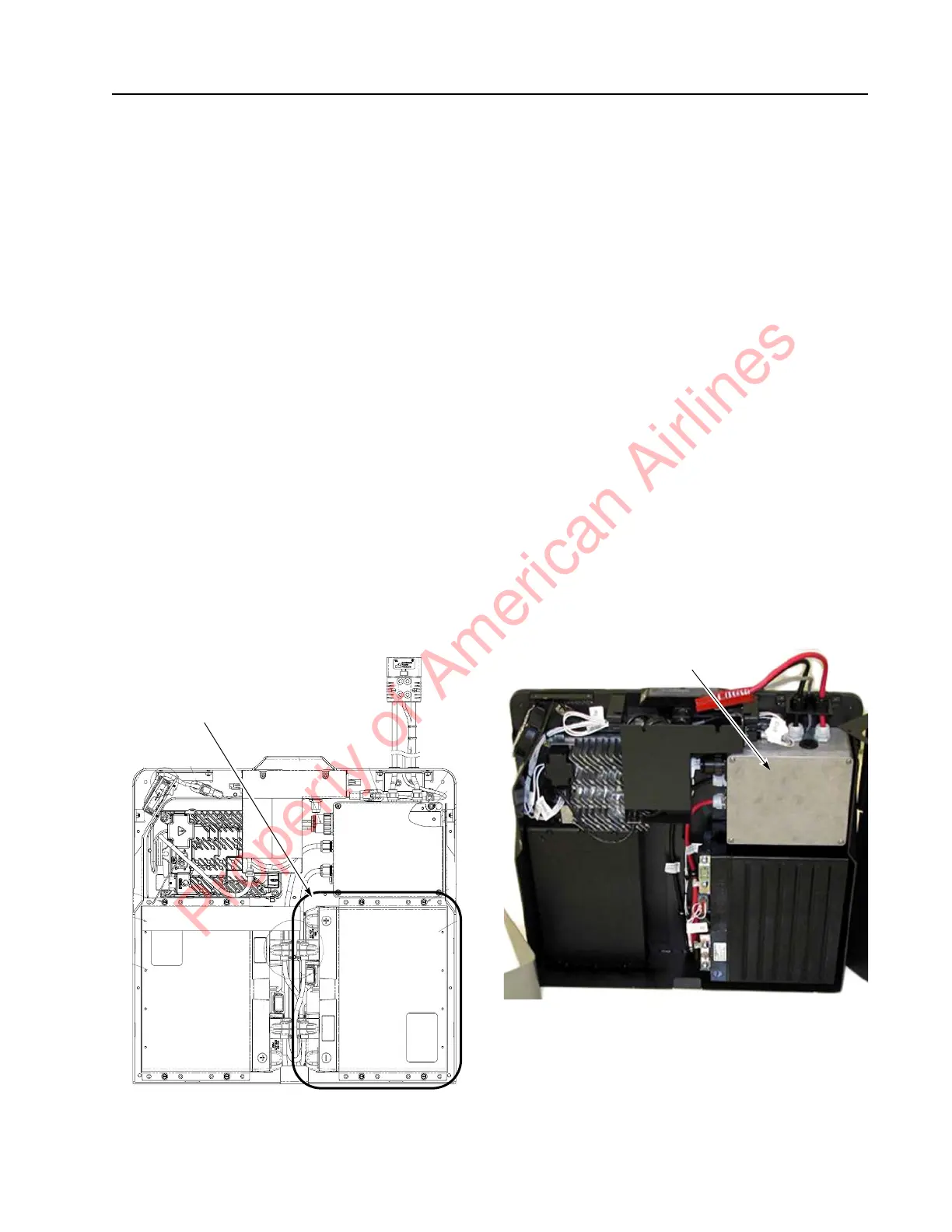
Figure 7-63. CMA and BMU Location
Cell Module Assembly, Battery
Monitoring Unit, and Cell Module
Assembly Fuse Removal
Perform the following steps to remove the Cell
Module Assembly, Battery Monitoring Unit, and
Cell Module Assembly Fuse (it is recommended
to perform these steps with the back plate of
the lithium-ion battery laying down on a level
surface).
1. If equipped with the optional keypad,
press the red OFF ( O ) key. Place the Main
ON/OFF Switch in the OFF position.
Disconnect the battery connector from the
truck.
2. Remove the lithium-ion battery from the
truck. See “Battery Removal” on
page 7-48.
3. Remove the top cover. See “Top Cover
Removal” on page 7-49.
4. Remove the front cover. See “Front Cover
Removal” on page 7-50.
5. Remove the Battery Management
Controller (BMC) cover with a screwdriver.
Figure 7-64.
6. Disconnect the BMC F1 Fuse.
Property of American Airlines



 To Next Page