Model 8210/8250 Maintenance Manual Section 7. Component Procedures
Steering and Controls Control Handle Head
Publication: 1146945/001, Revised: 25 Sep 2018 7-19
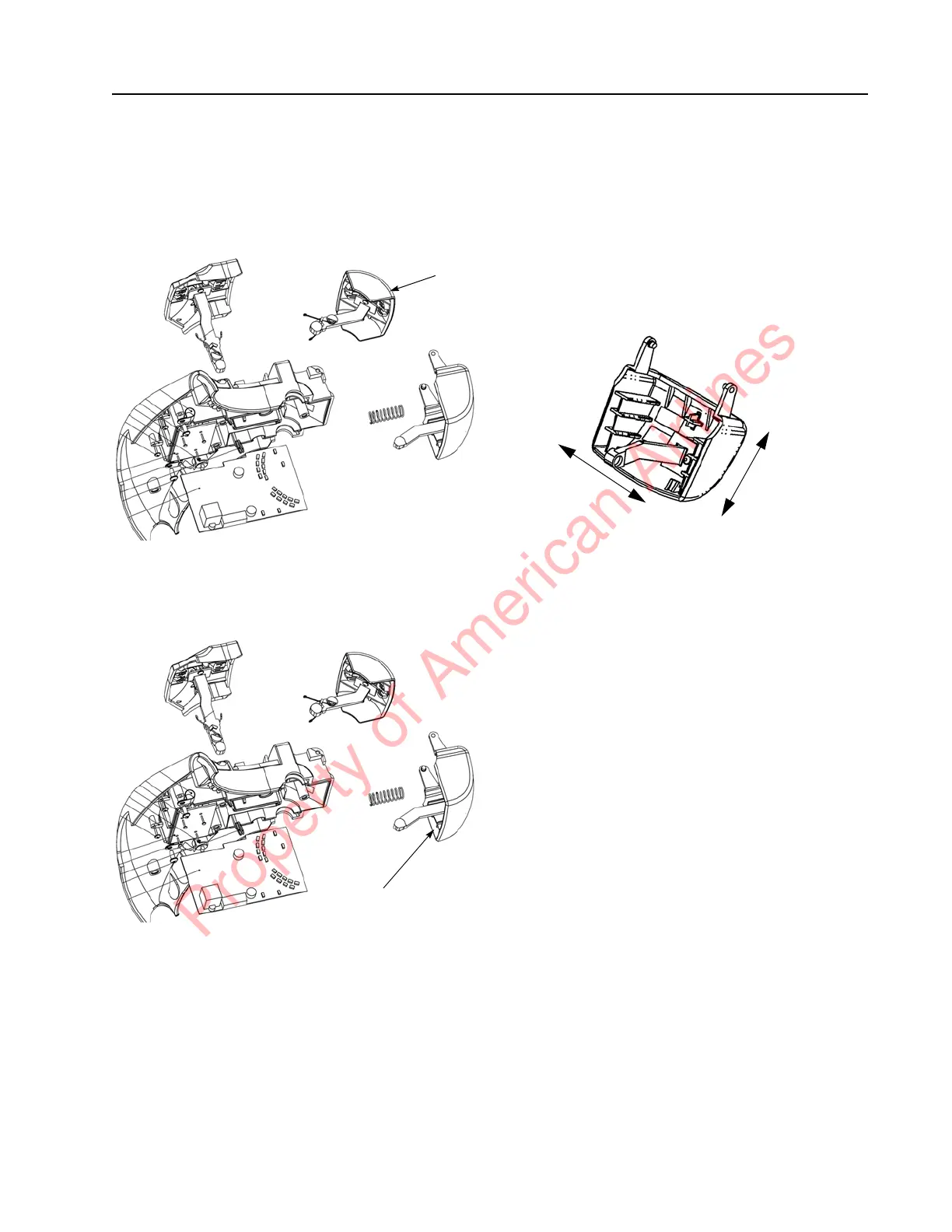
Emergency Reverse Replacement
1. Remove the push button following steps 1
and 2 in the Push Button Replacement
procedure. See Figure 7-22.
Figure 7-22. Remove the Push Button
2. Insert a screwdriver and carefully pry the
Emergency reverse button loose. See
Figure 7-23.
Figure 7-23. Emergency Reverse Button Removal
NOTE: If the Emergency reverse button is
removed for any reason, verify that the
magnet arm is not loose in the up and
down direction. (It is normal for the arm
to move slightly from side to side.) See
Figure 7-24. A loose arm in the up and
down direction can result in “odd” truck
behavior, such as unexpected travel.
Figure 7-24.
3. Install the Emergency reverse button in
the control head.
4. Install the push button in the control
head.
Acceptable arm
movement
Unacceptable
arm movement
Property of American Airlines



 To Next Page