Section 7. Component Procedures Model 8210/8250 Maintenance Manual
Traction Motor Electrical Components
7-90 Publication: 1146945/001, Revised: 25 Sep 2018
Terminal Block Replacement
1. If equipped with the optional keypad,
press the red OFF ( O ) key. Place the Main
ON/OFF Switch in the OFF position.
Disconnect the battery connector from the
truck.
2. Remove the lower and grille covers.
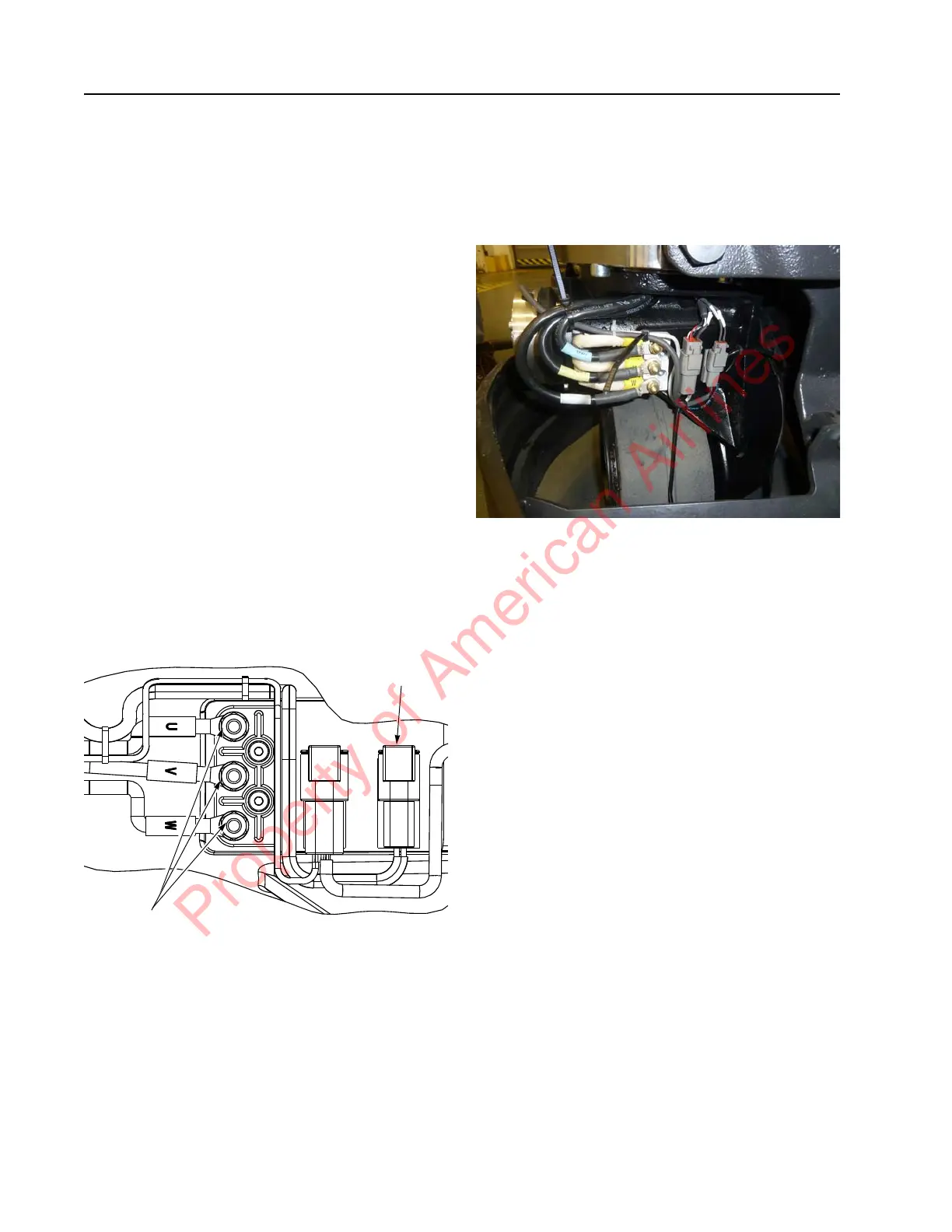
3. Disconnect the power cables from the
traction motor to the terminal block [31]
on the drive unit, noting their correct
position.
4. Remove the screws [32] and washers [37]
retaining the terminal block [31] to the
drive unit housing.
5. Secure the replacement terminal block
[31] to the drive unit housing with washers
[37] and screws [32]. Torque screws to
47.8 in. lb. (5.4 Nm).
6. Reattach the traction motor power cables
and electromagnetic brake wiring
connections to the terminal block. Torque
power cable securing nuts to 26.5 in. lb.
(3 Nm).
Figure 7-104. Terminal Block
7. Before testing operation, move the handle
from extreme left to right and down into
the operating position and back several
times. Check for any wire and cable
interference. Repair or adjust as
necessary.
N
OTE: Check the traction motor cable routing.
Make sure the wires are not near the
drive tire. Secure wires with cable ties to
prevent damage.
Figure 7-105.
8. Install the lower and grille covers.
9. Reconnect the battery connector, and the
place the Main ON/OFF Switch in the ON
position. If equipped with the optional
keypad, enter your PIN-key code and then
press the green ON ( | ) key.
Brake
Connector
Motor Power
Cable
Terminations
Property of American Airlines


 To Next Page