Model 8210/8250 Maintenance Manual Section 7. Component Procedures
Electrical Components Horn
Publication: 1146945/001, Revised: 25 Sep 2018 7-73
Horn
NOTE: For replacement parts information refer
to the Parts Manual.
Horn Removal
1. If equipped with the optional keypad,
press the red OFF ( O ) key. Place the Main
ON/OFF Switch in the OFF position.
Disconnect the battery connector from the
truck.
2. Remove the tractor covers.
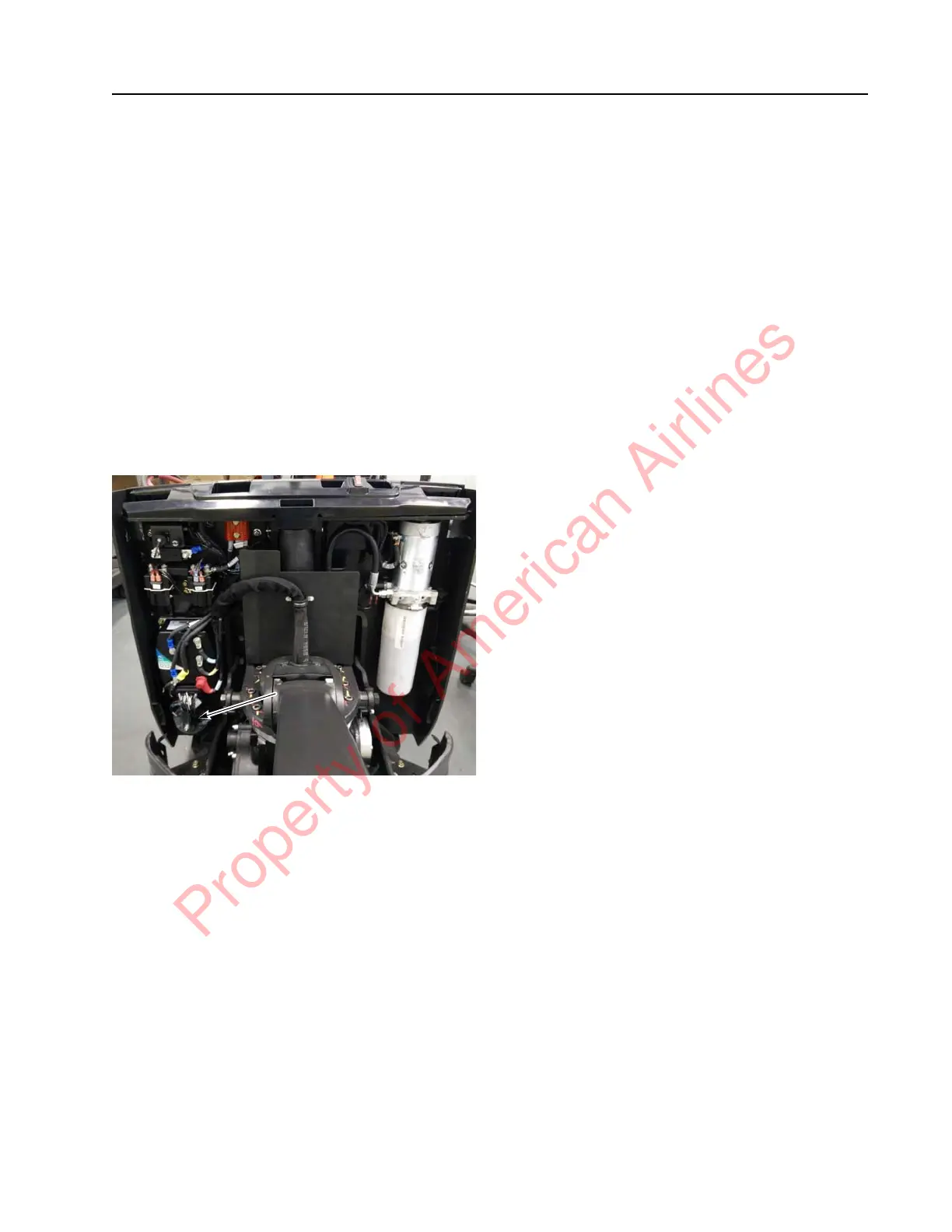
3. Disconnect the wires from the horn
terminals. See Figure 7-89.
Figure 7-89. Horn Location
4. Remove the horn mounting bolt.
Horn Installation
1. Attach the horn to the electrical panel and
tighten the mounting bolt.
2. Attach the wires to the horn terminals.
3. Reconnect the battery connector.
4. Place the Main ON/OFF Switch in the ON
position. If equipped with the optional
keypad, enter your PIN-key code and then
press the green ON ( | ) key. Test the
operation of the horn.
5. If equipped with the optional keypad,
press the red OFF ( O ) key. Place the Main
ON/OFF Switch in the OFF position.
Disconnect the battery connector from the
truck.
6. Install the tractor covers.
7. Reconnect the battery connector.
Property of American Airlines



 To Next Page