Section 7. Component Procedures Model 8210/8250 Maintenance Manual
Lithium-Ion Battery Electrical Components
7-52 Publication: 1146945/001, Revised: 25 Sep 2018
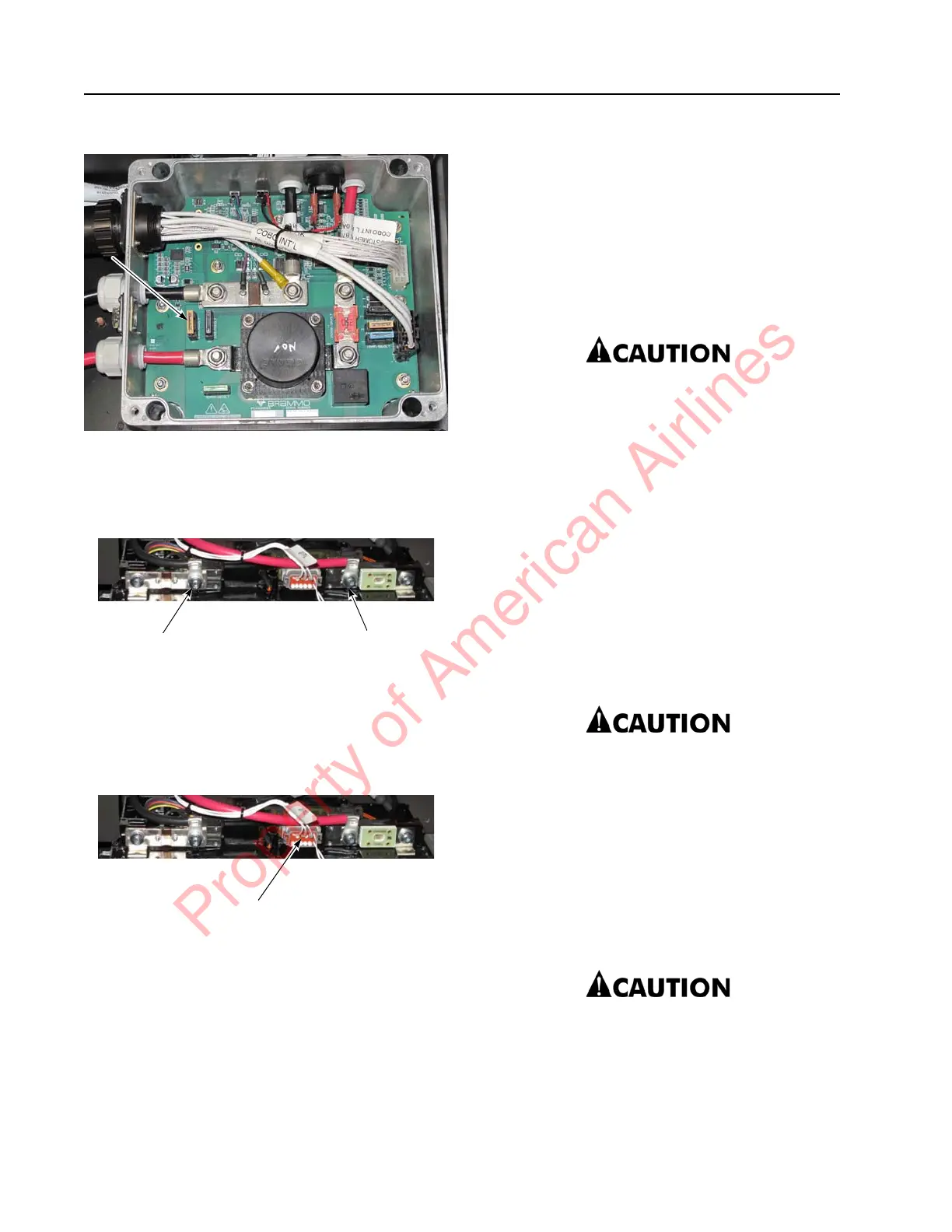
Figure 7-65. BMC FI Fuse Location
7. Remove the B+ and B– terminal covers.
8. Disconnect the B+ and B– cables from the
Cell Module Assembly.
Figure 7-66. CMA Connections
9. Remove the Battery Monitoring Unit
communication connection by pinching
the two connector tabs and pulling
outward.
Figure 7-67. BMU Communication Connector Location
10. Gently rocking the connector as you pull
out is a preferred method of extraction.
The connection between the connector and
the Battery Monitoring Unit might be tight
and pulling directly outward might cause
damage to components.
11. Do not pull the wires to remove the
connector.
12. Remove the four mounting fasteners (on
the Cell Module Assembly.
13. Remove the Cell Module Assembly Drip
Protector, if one is present.
14. Carefully dislodge the Cell Module
Assembly by removing the Cell Module
Assembly directly outward from the
lithium-ion battery.
15. For a high capacity lithium-ion battery,
repeat steps 8 through 14 on the other
Cell Module Assembly.
If the Cell Module Assembly is being
replaced because of a blown fuse, do
not attempt to replace the fuse. The Cell
Module Assembly with a blown fuse
should be sent to The Raymond
Corporation for service.
Cell Module Assembly, Battery
Monitoring Unit, and Cell Module
Assembly Fuse Installation
Perform the following steps to install the Cell
Module Assembly, Battery Monitoring Unit, and
Cell Module Assembly Fuse:
1. Remove the BMC F1 Fuse. See
Figure 7-65.
If the BMC F1 fuse is not removed, the
technician might observe sparks when
unscrewing the bolts on the Cell Module
Assembly terminals. This is expected,
but steps should be taken to avoid this.
2. Carefully align the Cell Module Assembly
to be installed with the four fastener holes
on the lithium-ion battery.
3. Be careful of body parts when placing the
Cell Module Assembly.
The Cell Module Assembly is heavy and
is fitted in a tight space when installed
in the lithium-ion battery. This physical
constraint will put body parts at risk of
being pinched under the Cell Module
Assembly.
CMA B+
Terminal
CMA B–
Terminal
Property of American Airlines



 To Next Page