Model 8210/8250 Maintenance Manual Section 7. Component Procedures
Electrical Components DC Motors, General
Publication: 1146945/001, Revised: 25 Sep 2018 7-85
Terminal Nuts
Do not attempt to repair power cable
terminal lugs without approved tools. If
a power cable has worn or damaged
lugs, either replace the cable or replace
the lugs using the procedure described
in “Power Cable Repair” on page 7-66.
Do not substitute other kinds of nuts for
the flanged nuts. Failure to use correct
cables, flanged nuts, and torque values
can result in overheating and damage to
components.
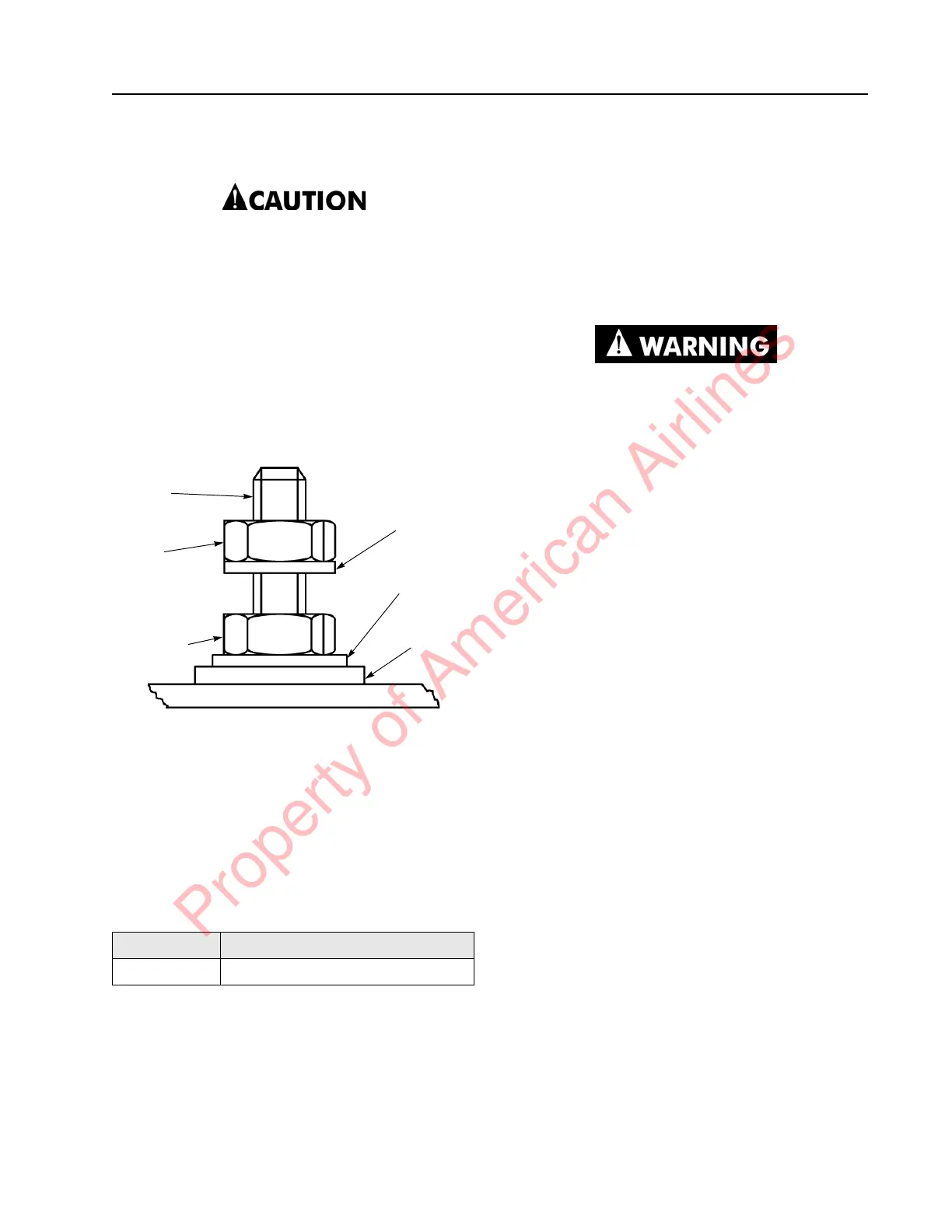
Figure 7-101. Lift Motor Terminal Nuts
Whenever you disconnect and reconnect any
power cables to the motors or traction amplifier,
always tighten the cable securing nuts with a
torque wrench to prevent over-tightening them
and damaging the motor or traction amplifier.
Check these torques each time you check the
motors and the traction amplifier. Use two
wrenches to avoid twisting the terminal stud.
See Figure 7-101.
Polishing the Commutator
NOTE: Wrap the stone with narrow (1/2 to 3/4
inch wide) masking tape in a spiral
configuration. Leave only enough stone
exposed to make contact with the
commutator. As the length of the stone
becomes shorter with use, peel back and
remove portions of the tape.
Make sure loose clothing and hair are
tied back. Do not wear jewelry. Wear
insulated gloves to protect your hands
during this procedure.
1. If the motor has four or more brushes,
remove an accessible brush from the
motor with the motor still installed in the
truck. If the motor only has 2 brushes or
the commutator is not accessible with the
stone, the armature must be installed in a
lathe or replaced. If so, go to step 4.
2. Activate the motor.
3. With the motor turning, carefully insert
the commutator stone into the brush box
area.
4. Using minimal pressure, run the stone
back and forth across the commutator
until it is polished. Do not pass the stone
over the ends of the commutator
segments.
5. Thoroughly blow out the motor with
compressed air.
6. Inspect the commutator. Reinstall the
armature or brush and any removed
covers.
7. Check operation.
Stud Size Motor Cable Securing Nut
M6 41 to 47 in. lb. (4.7 to 5.3 Nm)
Split Ring
Lock
Washer
Split Ring
Lock
Washer
Motor
Housing
M6 Motor
Cable
Securing
Nut
M6 Jam
Nut
Terminal
Stud
Property of American Airlines



 To Next Page