Section 7. Component Procedures Model 8210/8250 Maintenance Manual
Lithium-Ion Battery Electrical Components
7-58 Publication: 1146945/001, Revised: 25 Sep 2018
Lithium-ion Battery User
Interface (HUD)
Lithium-ion Battery Display Removal
Perform the following steps to remove the
lithium-ion battery display. Refer to
Figure 7-74.
1. If equipped with the optional keypad,
press the red OFF ( O ) key. Place the Main
ON/OFF Switch in the OFF position.
Disconnect the battery connector from the
truck.
2. Remove the top cover. See “Top Cover
Removal” on page 7-49.
3. Loosen the two screws keeping the
lithium-ion battery display mounted in
place.
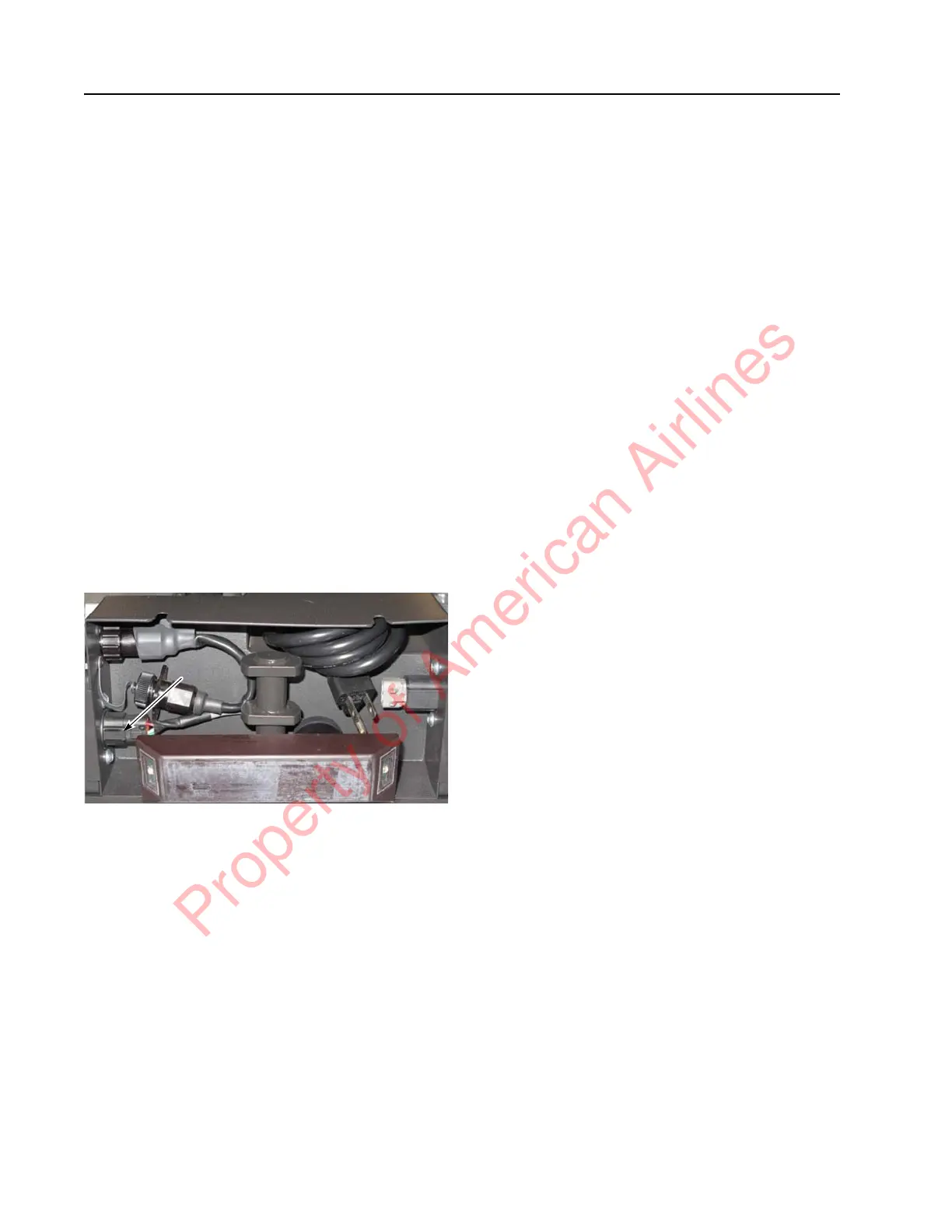
4. Unplug the lithium-ion battery display
from the lithium-ion battery display
connector port.
Figure 7-74. Display Connector Port Location
Lithium-ion Battery Display
Installation
Perform the following steps to install the
lithium-ion battery display (this section
assumes the top cover is already removed).
Refer to Figure 7-74.
1. Plug the lithium-ion battery display into
the lithium-ion battery display connector
port.
2. Prime the lithium-ion battery display
mounting screws by partially screwing in
the screws.
3. Align the two notches on the lithium-ion
battery display with the two partially
installed screws.
4. Tighten the lithium-ion battery display
mounting screws. Do not overtighten as
that might damage the plastic.
5. Install fasteners. Torque fasteners to
5 ft. lb. (6.8 Nm).
6. Install the top cover. See “Top Cover
Installation” on page 7-49.
7. Reconnect the battery connector. Place the
Main ON/OFF Switch in the ON position.
If equipped with the optional keypad, enter
your PIN-key code and then press the
green ON ( | ) key.
8. Test the operation of the truck.
Wire Harness
The harness will be different in a single-Cell
Module Assembly harness versus a two-Cell
Module Assembly harness. The process to
install and remove is the same, with the only
exception that there are two Cell Module
Assembly communication connectors in the
two-Cell Module Assembly lithium-ion battery.
Wire Harness Removal
Perform the following steps to remove the
Harness:
1. If equipped with the optional keypad,
press the red OFF ( O ) key. Place the Main
ON/OFF Switch in the OFF position.
Disconnect the battery connector from the
truck.
2. Remove the top cover. See “Top Cover
Removal” on page 7-49.
3. Remove the front cover. See “Front Cover
Removal” on page 7-50.
4. Use snips to cut the cables attached to zip
ties throughout the lithium-ion battery.
5. Avoid cutting the cables.
6. Disconnect the BMC I/O and Power
Connector from the outside of the BMC.
7. Disconnect the communication connector
from the Cell Module Assembly.
Property of American Airlines



 To Next Page