Section 7. Component Procedures Model 8210/8250 Maintenance Manual
Hydraulic Unit Hydraulic Components
7-98 Publication: 1146945/001, Revised: 25 Sep 2018
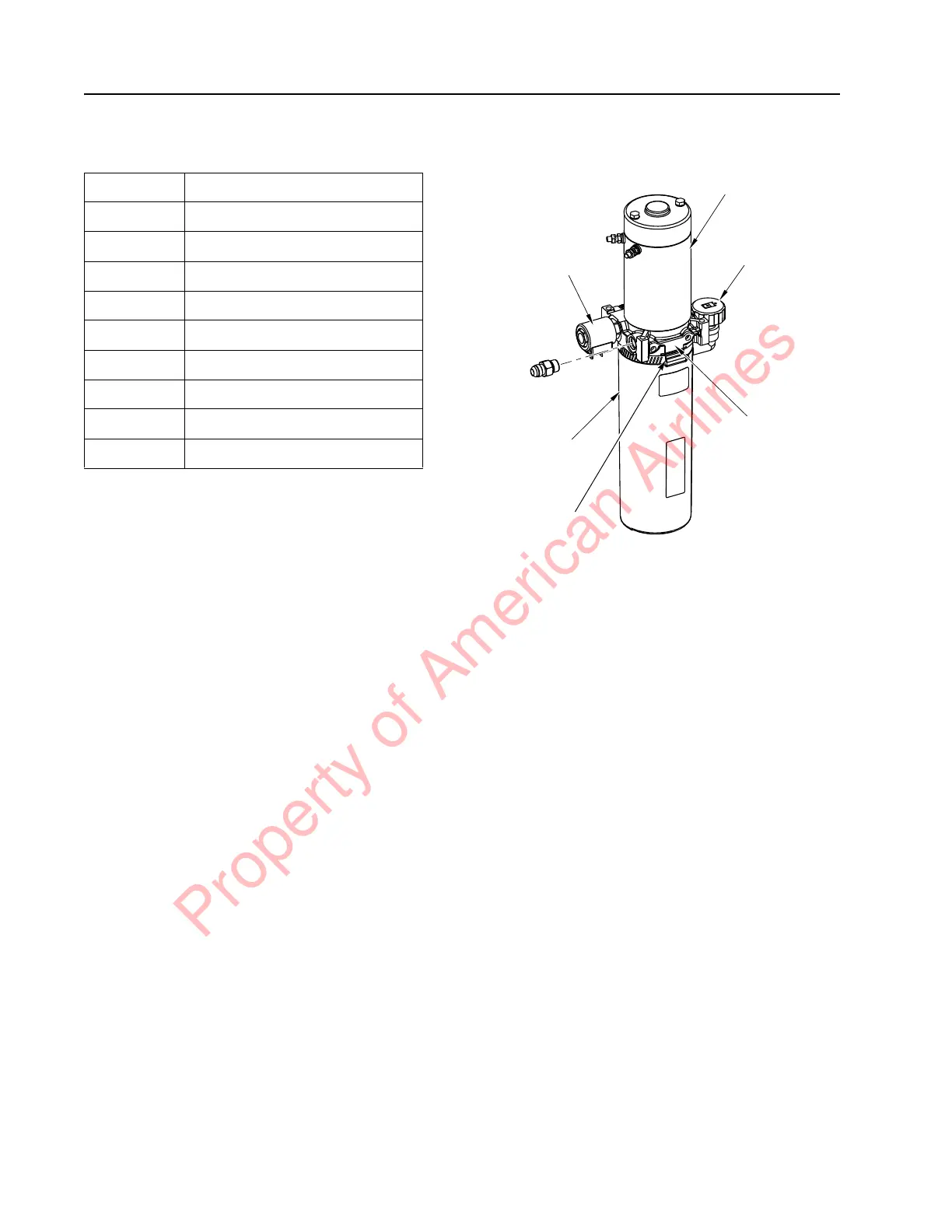
Table 7-7. Hydraulic Unit Component Legend
Hydraulic Unit Removal
Remove the hydraulic unit from the truck in
order to separate the pump from the motor.
1. Lower the forks completely.
2. If equipped with the optional keypad,
press the red OFF ( O ) key. Place the Main
ON/OFF Switch in the OFF position.
Disconnect the battery connector from the
truck.
3. Remove the tractor covers. See “Tractor
Cover Removal” on page 7-8.
4. Remove the main harness bracket. See
“Main Harness Bracket Removal” on
page 7-70.
5. Remove and tag all wires and cables
connected to the lift pump motor. See
Figure 7-109.
Figure 7-109. Hydraulic Unit
6. Remove and cap the hydraulic line from
the hydraulic unit. Disconnect the
solenoid control wires.
7. Use a suitable lifting device to remove the
battery from the lift truck. This will allow
access to the hydraulic unit mounting
bolts.
N
OTE: If the lift truck is equipped with a
swing-out battery pack, the battery does
not need to be removed, just swing it out
of the way to access the hydraulic unit
mounting bolts.
8. Remove the bolts that attach the hydraulic
unit to the tractor frame.
9. Remove the hydraulic unit from the truck.
Item No. Description
1 Coupling
2 Relief Valve
3 Lift Pump Motor, DC
4 Solenoid Valve
5 2.2 GPM Valve
6 Pump
7 Reservoir
8 Filter Screen
9 Magnet
Lift Motor
Fill/Vent Plug
Adapter Body
Reservoir
Solenoid
Hose Clamp
Property of American Airlines



 To Next Page