Section 7. Component Procedures Model 8210/8250 Maintenance Manual
Wiring Harness Electrical Components
7-70 Publication: 1146945/001, Revised: 25 Sep 2018
Main Harness Bracket Removal
The main harness bracket should be removed
to allow access to many of the hydraulic and
electrical components. To remove the main
harness bracket:
1. If equipped with the optional keypad,
press the red OFF ( O ) key. Place the Main
ON/OFF Switch in the OFF position.
Disconnect the battery connector from the
truck.
2. Remove the tractor covers.
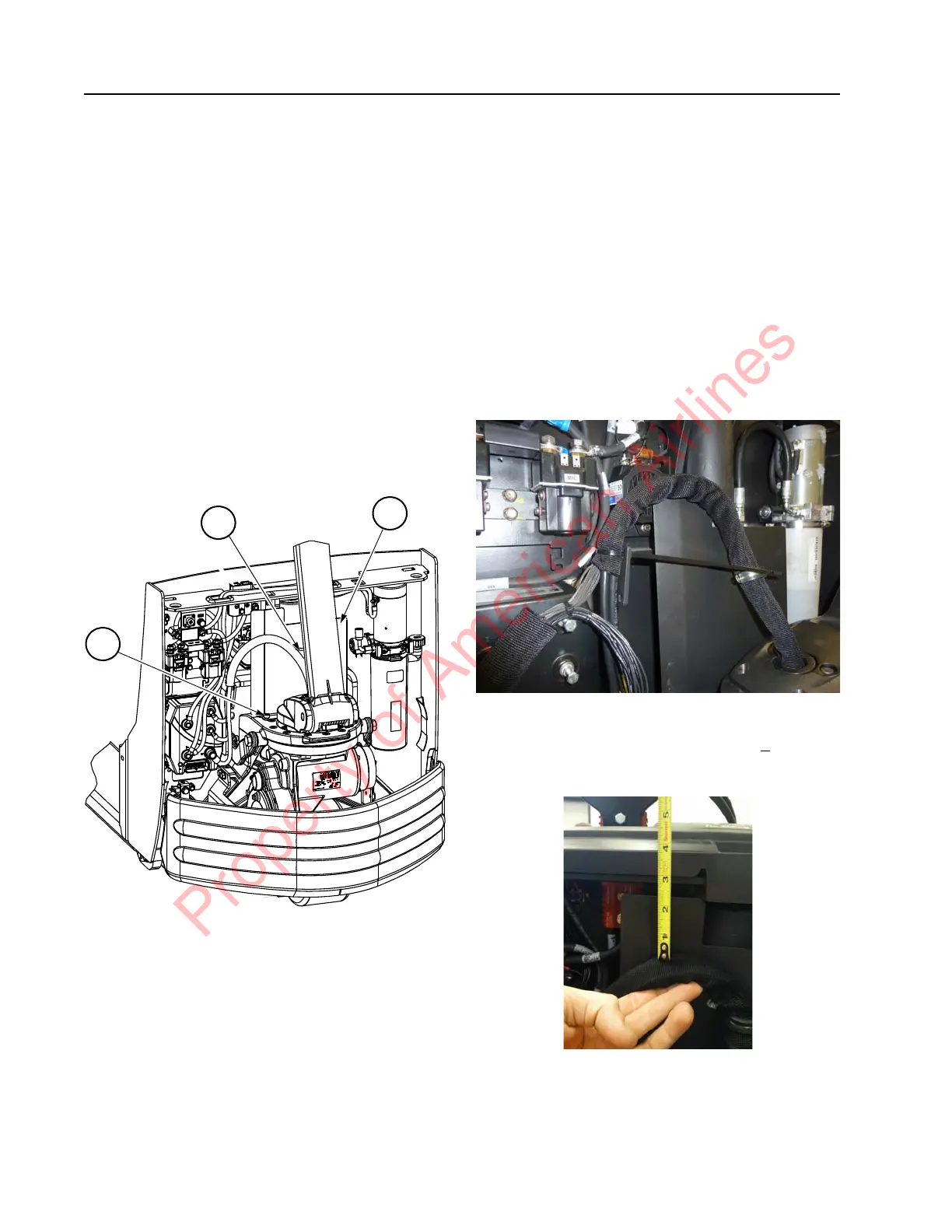
3. Remove the two screws and U-clamp [2]
securing the harness to the main harness
bracket [1]. See Figure 7-79.
Figure 7-84. Main Harness Bracket and Harness Mounting
Hardware Locations
Battery_Connector.JPG
4. Remove the two screws [3] securing the
base of the main harness bracket [1] to the
pivot frame. See Figure 7-84.
Main Harness Installation
It is important to make sure that the harness is
installed correctly to prevent premature failure.
When installing the main harness, make sure
that:
• the main harness bracket to pivot frame
mounting bolts are torqued to 31 ft. lbs.
(42 Nm).
• the harness is secured to the bracket near
the traction amplifier. Make sure the
harness conduit is 0.25 to 0.5 in. below
the cable tie.
Figure 7-85.
• the distance from the top of the main
harness bracket and the highest point of
the arched harness shall be 2.5 +
0.25 in.
with the lift truck fully lowered.
Figure 7-86.
NOTE: The harness loop must not be allowed to
be pulled over the main harness bracket
when the lift truck is fully raised.
Property of American Airlines



 To Next Page