Model 8210/8250 Maintenance Manual Section 7. Component Procedures
Electrical Components Lead Acid Battery
Publication: 1146945/001, Revised: 25 Sep 2018 7-43
your PIN-key code and then press the
green ON ( | ) key.
17. Configure the truck parameter 21 for the
battery type installed. See “Programming
Service Parameters” on page 3-8.
18. Test the charger operation.
a. Plug the AC power cord into an outlet.
b. Wait approximately 1 minute. The
yellow lightening bolt on the charger
will light up to confirm correct charger
operation.
Figure 7-54. Yellow Lightening Bolt Location
c. Unplug the AC power cord.
19. Install the battery cover.
Figure 7-55.
20. Wind the charger cord around the storage
handle on the battery cover.
21. Install the lower and grille covers.
Battery Maintenance
Battery Exterior Cleaning
1. Read, understand, and follow procedures,
recommendations, and specifications in
the battery and battery charger
manufacturer’s manuals.
25l6s014.tif
2. Wear personal protective equipment. See
“Lead Acid Battery Safety” on page 2-5.
3. If equipped with the optional keypad,
press the red OFF ( O ) key. Place the Main
ON/OFF Switch in the OFF position.
Disconnect the battery connector from the
truck. Remove the battery from the lift
truck.
4. Inspect the battery cables to make sure
they are not frayed or loose. Inspect the
battery connector to make sure there is no
foreign material inside the connector.
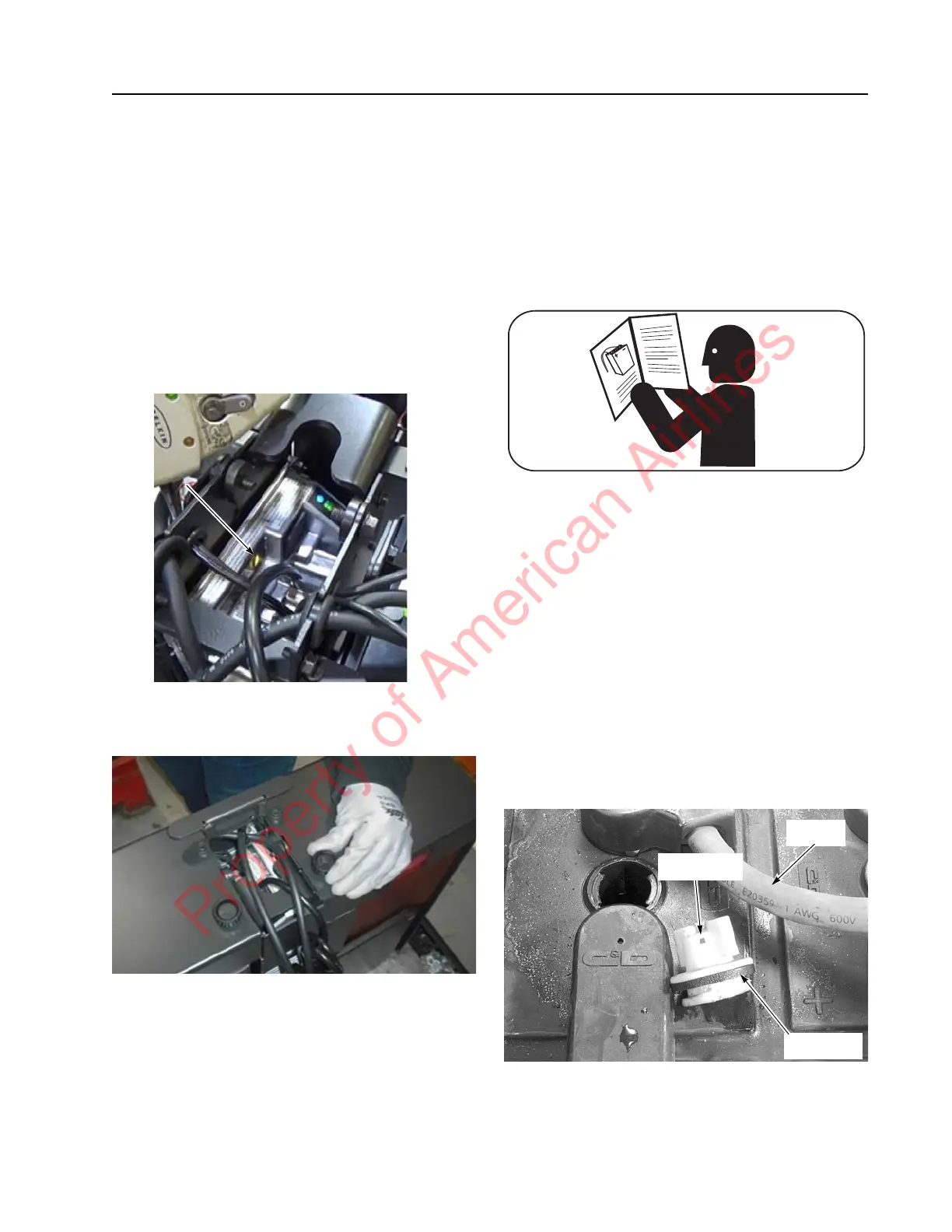
5. Make sure the filler plugs are tight and the
vent holes in the filler plugs are open. See
Figure 7-56.
Figure 7-56. Battery Filler Plugs and Vent Holes
6. Keep the top of the battery clean and dry.
Corrosion, dust, and moisture provide a
Cable
Filler Plug
Vent Hole
Property of American Airlines



 To Next Page