Section 7. Component Procedures Model 8210/8250 Maintenance Manual
Lithium-Ion Battery Electrical Components
7-60 Publication: 1146945/001, Revised: 25 Sep 2018
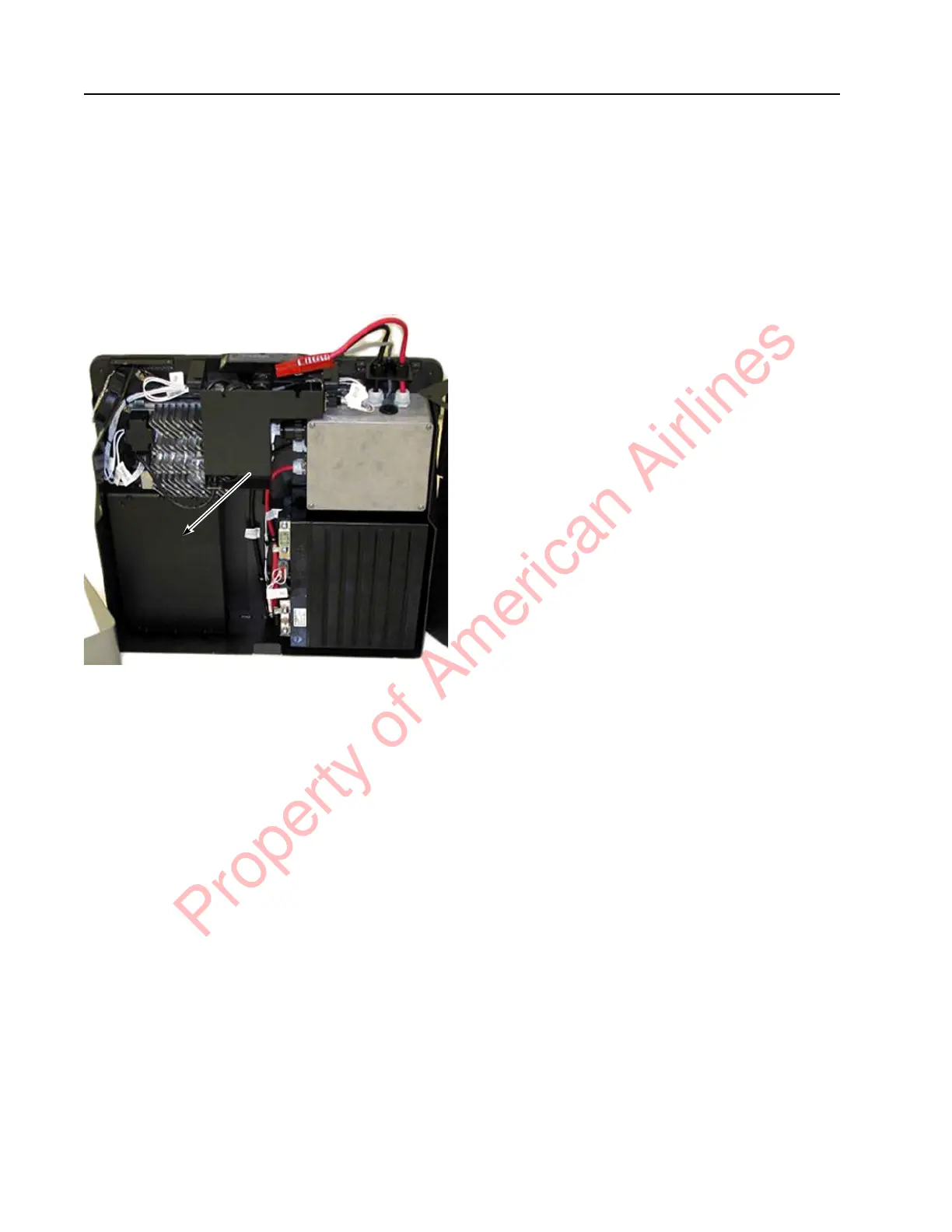
Counterweight
The Counterweight is a heavy object that must
be installed and/or removed with caution. If the
lithium-ion battery is outside of the truck,
perform the following procedures with the
lithium-ion battery back plate laying down on a
flat surface.
Figure 7-75. Counterweight Location
Counterweight Removal
Perform the following steps to remove the
counterweight:
1. If equipped with the optional keypad,
press the red OFF ( O ) key. Place the Main
ON/OFF Switch in the OFF position.
Disconnect the battery connector from the
truck.
2. Remove the top cover. See “Top Cover
Removal” on page 7-49.
3. Remove the front cover. See “Front Cover
Removal” on page 7-50.
4. Unscrew the six fasteners keeping the
counterweight attached to the lithium-ion
battery.
5. Lift the counterweight out of the
lithium-ion battery.
Counterweight Installation
Perform the following steps to install the
counterweight:
1. Align the Counterweight between the roll
pins and holes for the mounting fasteners.
2. Screw six fasteners into the six
counterweight mounting locations.
3. Install fasteners. Torque fasteners to
9.9 ft. lb. (13.4 Nm).
4. Install the front cover. See “Front Cover
Installation” on page 7-50.
5. Install the top cover. See “Top Cover
Installation” on page 7-49.
6. Reconnect the battery connector. Place the
Main ON/OFF Switch in the ON position.
If equipped with the optional keypad, enter
your PIN-key code and then press the
green ON ( | ) key.
7. Test the operation of the truck.
Property of American Airlines



 To Next Page