Replacement
Adjustment
21 August 2006
Replacement
Adjustment
3-15
Adjustment
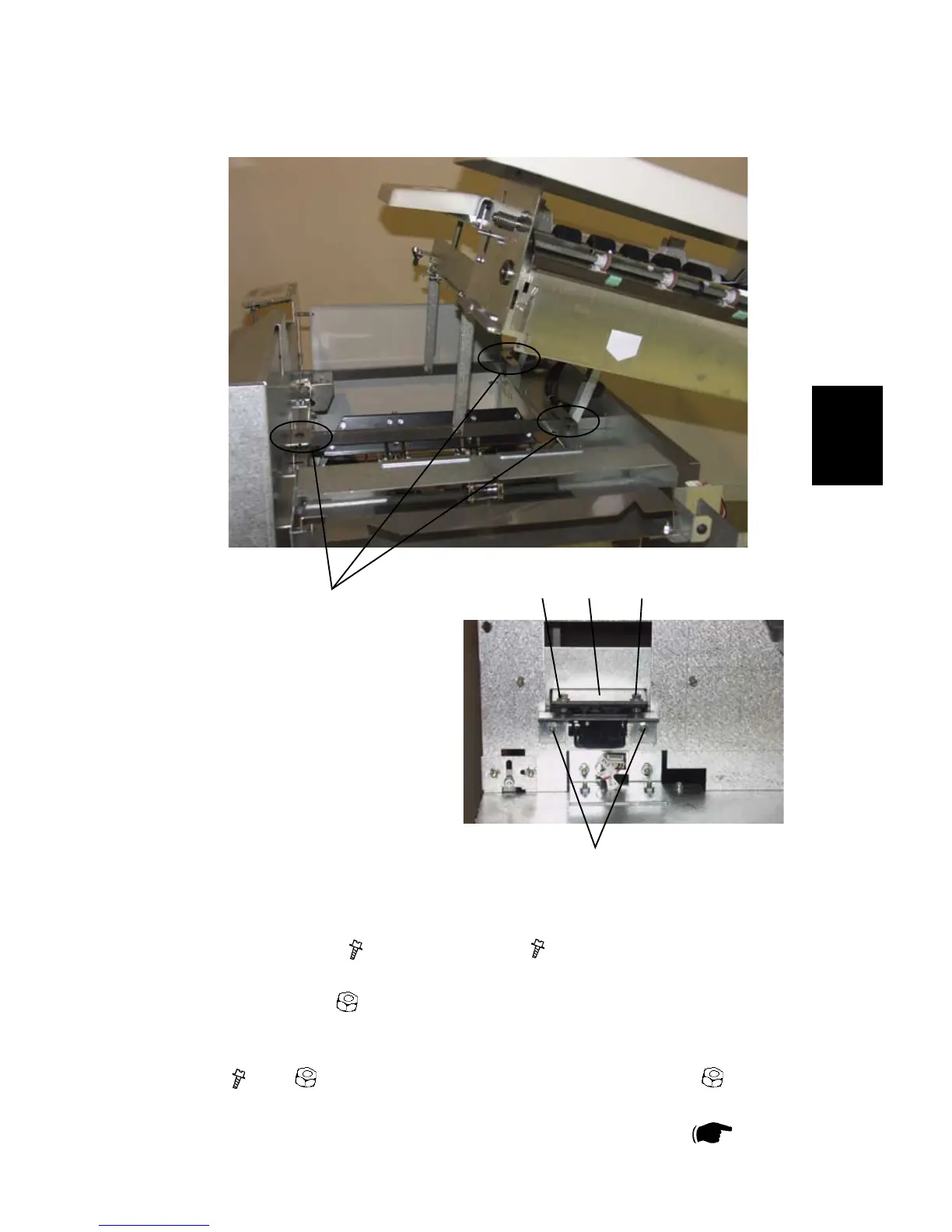
1. Loosen screw [D] (
x1 ) and screws [F] ( x2 ). Adjust so that the Top cover
rests on the rubber supports [H] ( x3 ) when closed.
2. Loosen nuts [C] (
x4 ) and adjust so that the plate [I] holding the upper part
of the Top cover lock enters the cut-out in the front frame centered.
3. Check that the Top cover lock works without binding. Loosen screws and nuts
[J] ( x2 ) ( x2 ) to adjust upper part in/out. Loosen nuts [K] ( x2 ) to
adjust lower part up/down.
4. Check that the Top cover Interlock switch is correctly adjusted (
3.3.8 ).
[H]
[J] [J][I]
[K]
COVERS



 To Next Page