BOOK FOLDER INSTALLATION
1.6.6 AUTO SET THICKNESS BRACKET
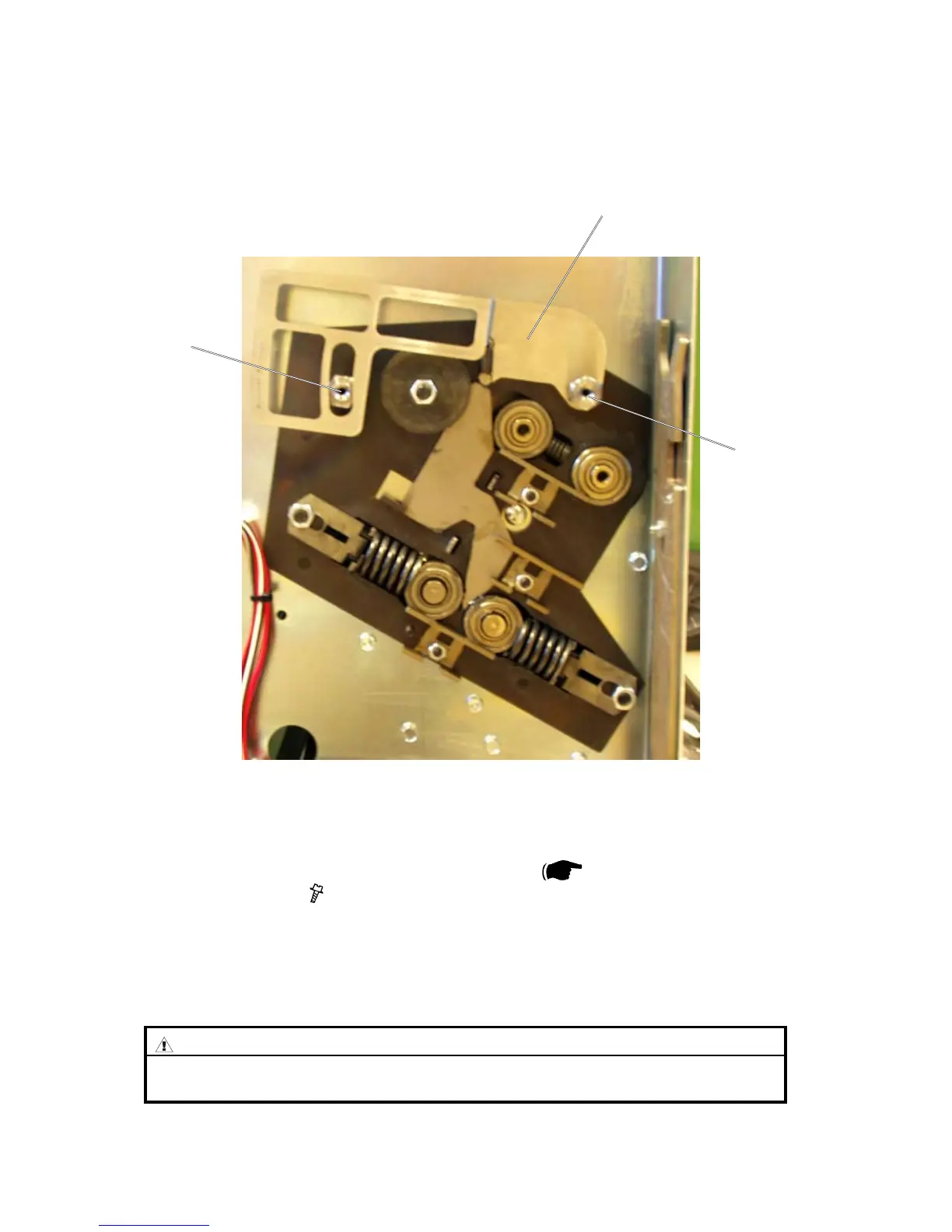
Auto set thickness bracket
1. Unplug BK 5010 power cord.
2. Remove the rear cover on the Booklet maker (
Service Manual
BK5010 3.3.1) ( x 5 ).
3. Install the Spacer pin [A], with the collar out.
NOTE: Install the Spacer pin’s on the rear side of the Booklet maker.
4. Install the Auto set thickness bracket [B], and tighten it with the other
Spacer pin [C] with the collar in.
[A]
[B]
[C]
CAUTION
ONLYinstallspacerpin[A]and[C]ngertight.
Over tightening may break loose the screw from the Fold roller plate.
Booklet Maker, rear side view



 To Next Page