1-67
Installation
04 October 2007
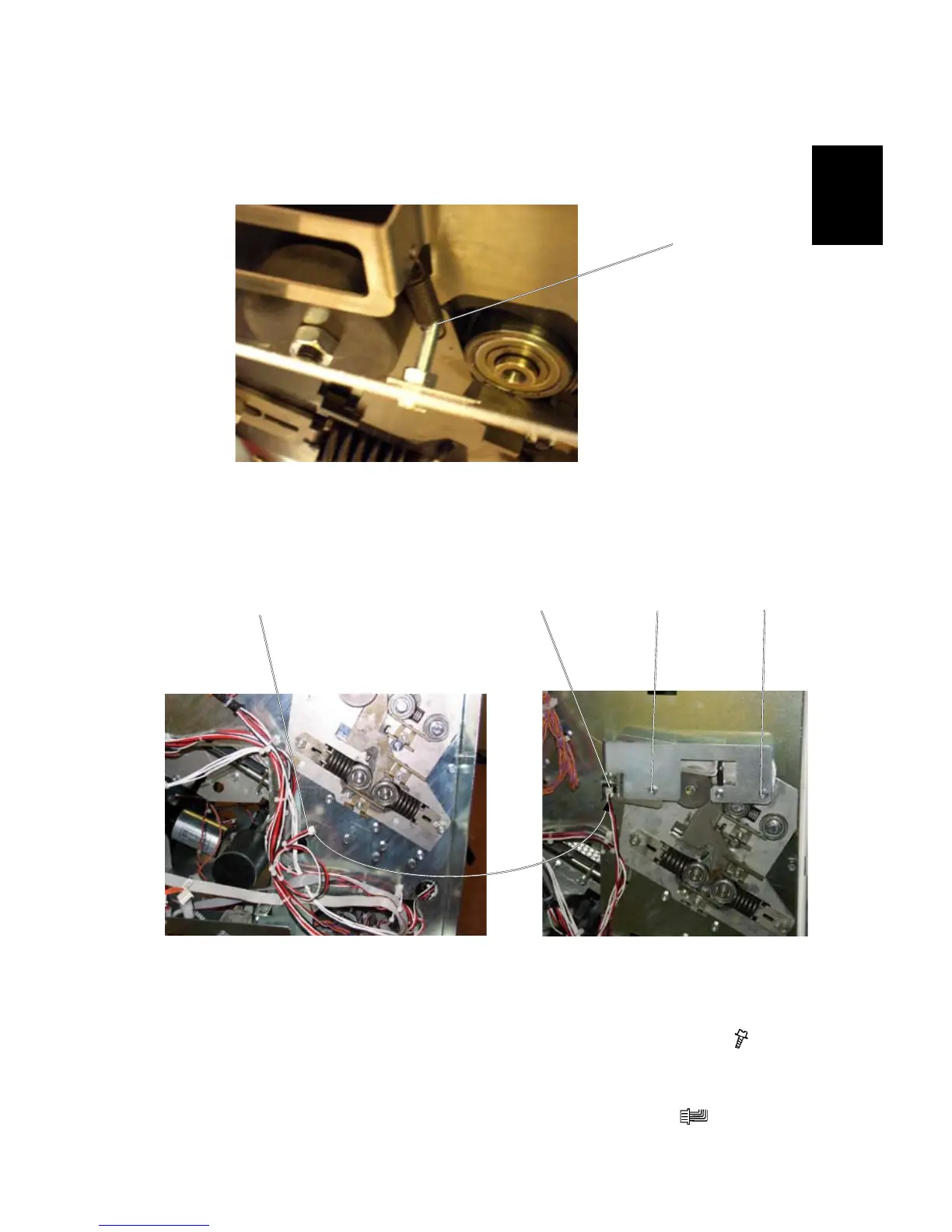
Sensor bracket
1. Place the spring [A] on the screw on the Sensor bracket.
2. Secure the Sensor bracket by tightening it with the screws [B] & [C] (
x 2
torx).
NOTE: Make sure that the Actuator runs in the sensor slot!
3. Connect the sensor harness [D] to the sensor on bracket [E] (
x 1).
[A]
[B]
[C]
[D] [E]
Booklet Maker, rear side view
Booklet Maker, rear side view Booklet Maker, rear side view
BOOK FOLDER INSTALLATION



 To Next Page