Replacement
Adjustment
21 August 2006
Replacement
Adjustment
3-69
3.7 PCB
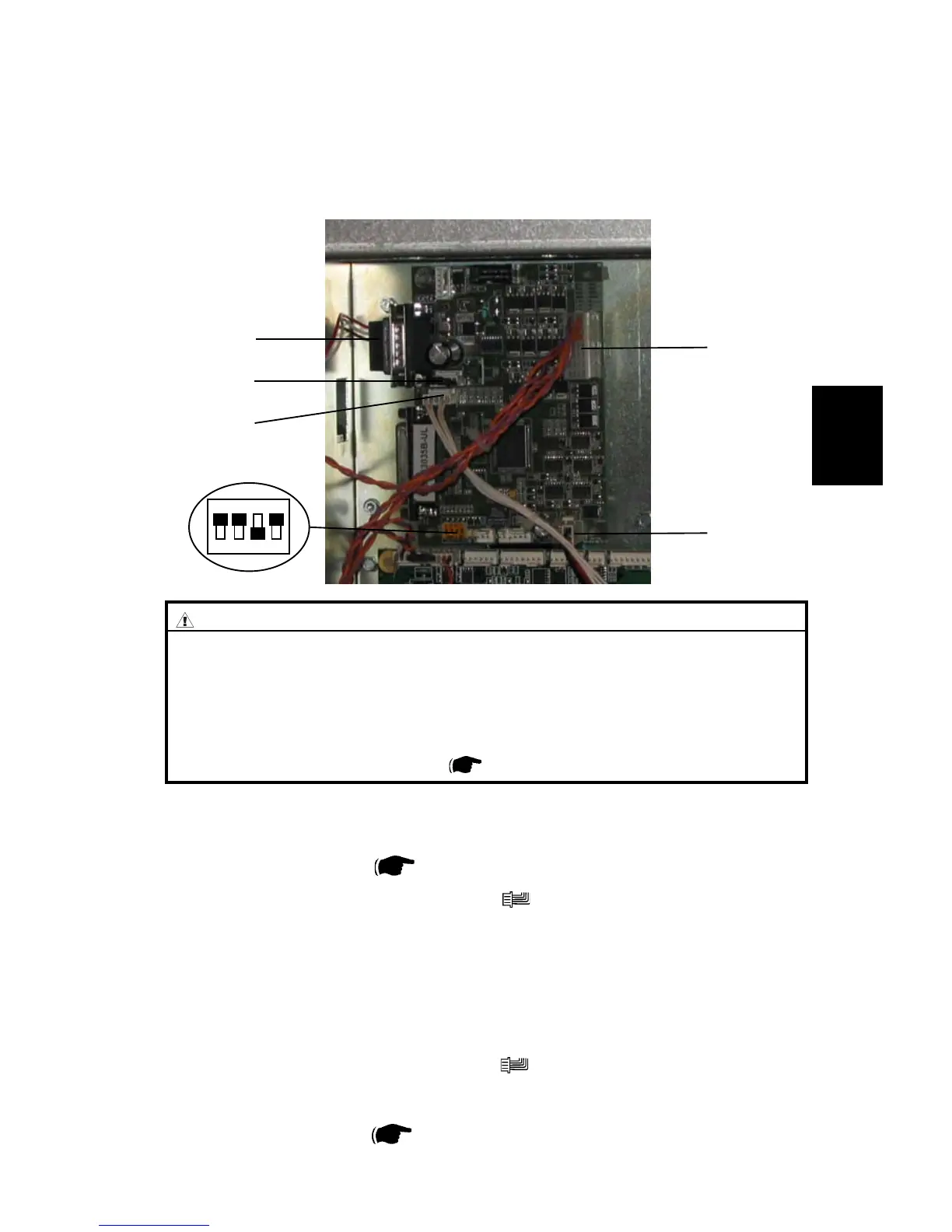
3.7.1 MD3DC PCB “H”
CAUTION
ESD Hazard! ESD (Electrostatic Discharge) can cause software crashes,
data and/or communications problems. Failure to use proper ESD pro-
cedures will cause damage to electronic components (example: PCBs).
ESD problems can be minimized by maintaining all machine ground con-
nections, ensuring the proper handling of circuit boards and sensors. Use
ESD protection when working near PCBs. Failure to use ESD protection is
likely to result in a PCB failure ( 3.1 ).
Removal
1. Remove Rear cover (
3.3.1 ).
2. Remove all connectors from the PCB (
x5 ).
3. Squeeze the barbs of the pins and remove PCB ”H”.
Replacement
1. Reinstall PCB.
2. Reconnect all connectors to the PCB (
x5 ).
3. Make sure all DIP-switch 2 are set to ON according to picture.
4. Reinstall Rear cover (
3.3.1 ).
H.P11
H.P2
H.P14
H.P4
H.P5
ON
PCB



 To Next Page