21 August 2006
3-92
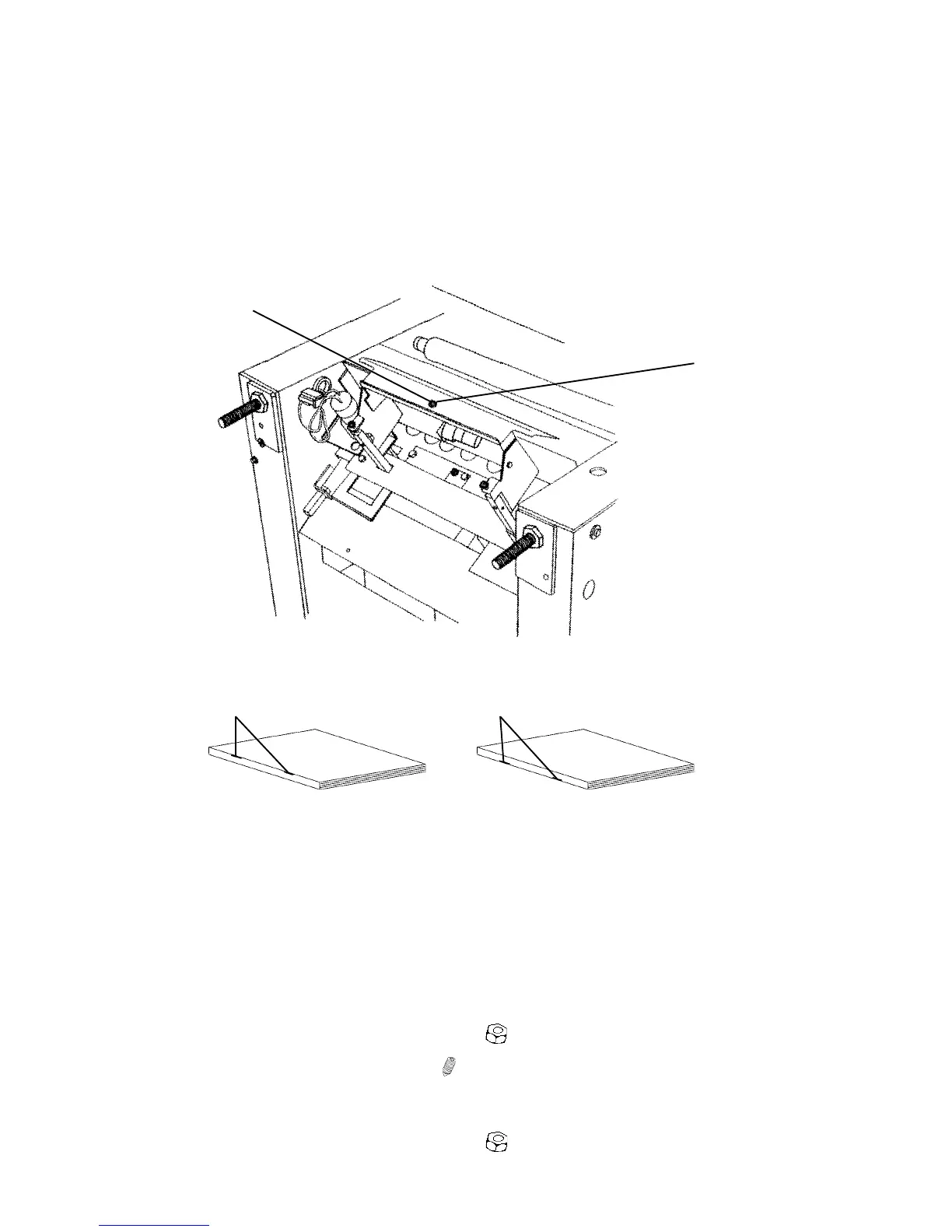
3.9.9 STAPLE POSITION ON SQUARE FORMED SPINE
Purpose
The purpose is to position the staples on the square formed spine according to
customer preferences. Factory default is within the spine.
Shown in tipped position for clarity
[B]
[A]
BOOKLET QUALITY ADJUSTMENT
Adjustment
NOTE: This adjustment will affect all types of booklets!
If the staple position is adjusted on a 20 sheet booklet with Square formed
spine, a big difference will be seen. Staple position will then be “miss
aligned” also on a 2 sheet booklet but the difference will not be as notice-
able.
1. Disconnect the Trimmer from the Booklet maker.
2. Loosen lock nut [A] on the fold pocket (
x1 ).
3. Adjust by turning allen screw [B] (
x1 ).
Turn allen screw CW if the staples are on the top edge [C] of the spine.
Turn allen screw CCW if the staples are on the lower side [D] of the spine.
4. Tighten lock nut [A] on the fold pocket (
x1 ).
[C] [D]



 To Next Page