21 August 2006
3-62
AREA C
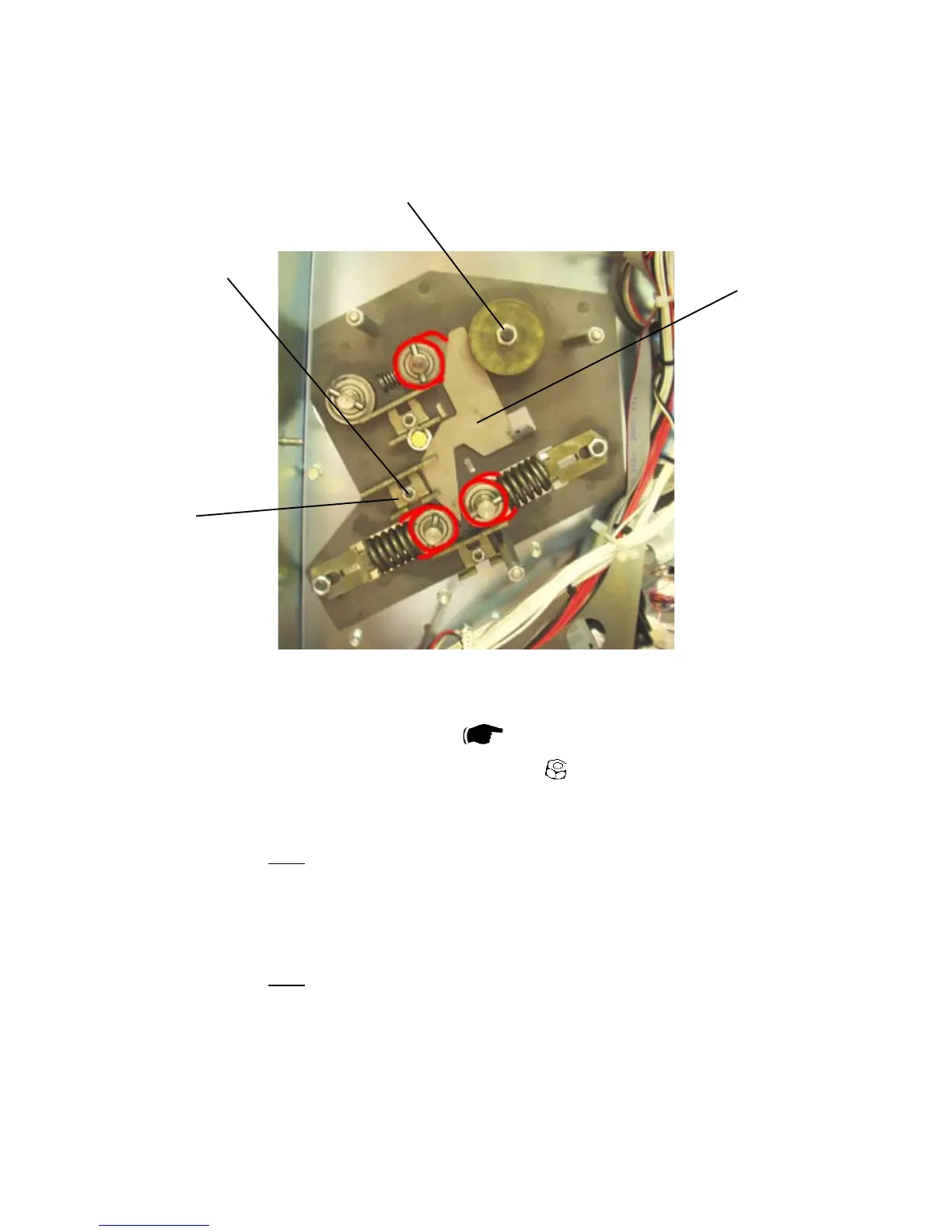
3.6.10 FOLD DISTANCE BRACKET
Removal
1. Remove Fold transmission module (
3.6.6 ).
2. Remove nut [A] to the middle bearing bracket (
x1 ).
3. Remove the bearing bracket [B].
4. Remove Fold distance bracket [C].
NOTE: DO NOT LOOSEN OR REMOVE THE NUT [D] TO THE EXCENTER.
Replacement
1. Reverse the removal procedure.
NOTE: DO NOT LOOSEN OR REMOVE THE NUT [D] TO THE EXCENTER.
Lubricate Fold distance brackets and Fold roller bearings
1. Lubricate with Molybdenum grease, behind the Fold distance bracket and on
the places marked with red.
2. Perform the same lubrication on the rear side of the Booklet maker.
[A]
[B]
[C]
[D]



 To Next Page