21 August 2006
3-30
AREA A
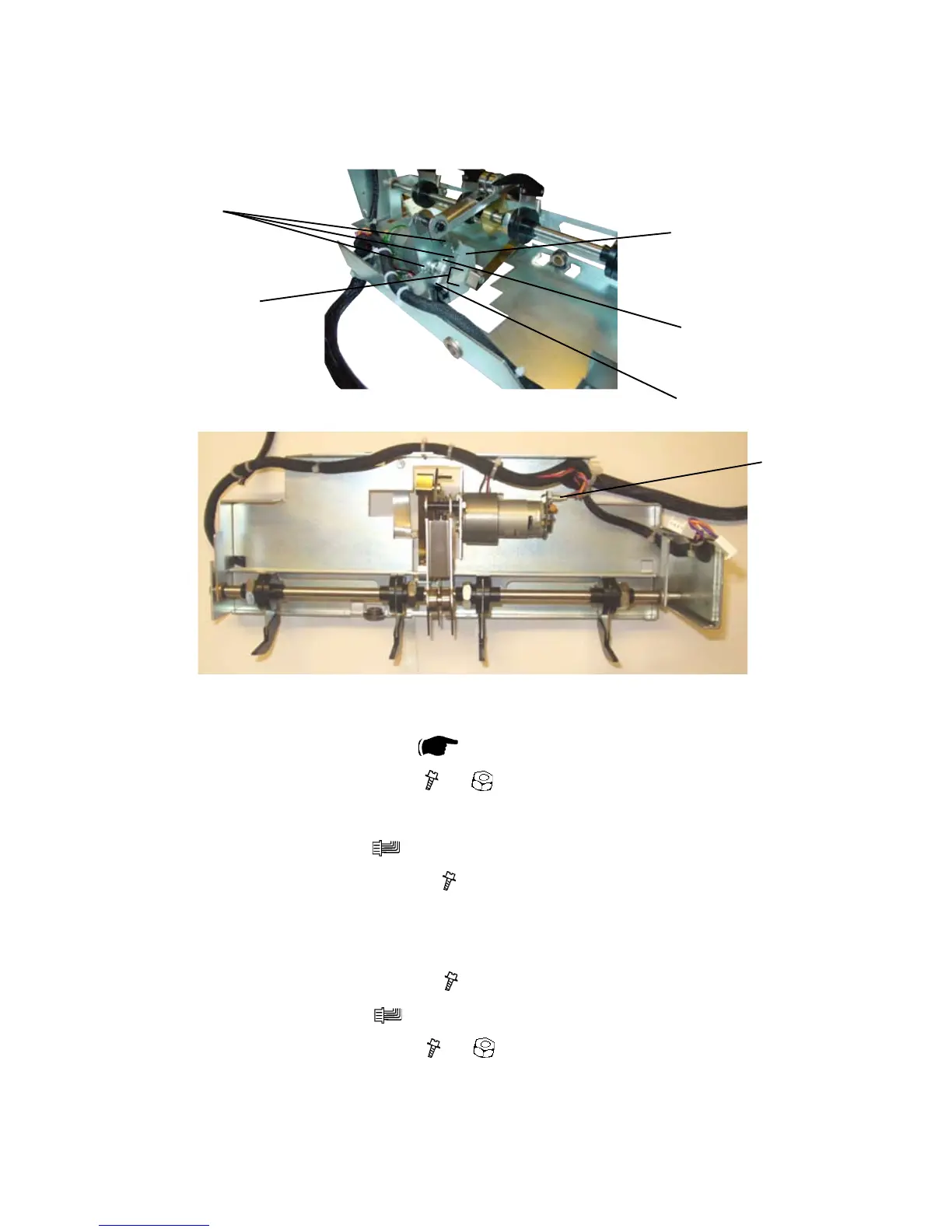
3.4.11 BACK JOGGER MOTOR M2
Removal
1. Remove Back jogger module (
3.4.9 ).
2. Remove screw [A] and nut [B] (
x1, x1 ).
3. Remove the Bracket [C] from the motor axel.
4. Remove connector [D] (
x1).
5. Remove screws [E] to the motor (
x3 ).
Replacement
1. Reinstall screws [E] to the motor (
x3 ).
2. Reinstall connector [D] (
x1).
3. Reinstall screw [A] and nut [B] (
x1, x1 ).
NOTE: Make sure that the screw [A] is positioned against at of the motor
shaft. And that the motor shaft is level [F] with the Bracket [C].
4. Reverse the rest of the removal procedure.
[E]
[B]
[A]
[D]
[F]
[C]



 To Next Page