21 August 2006
3-38
AREA A
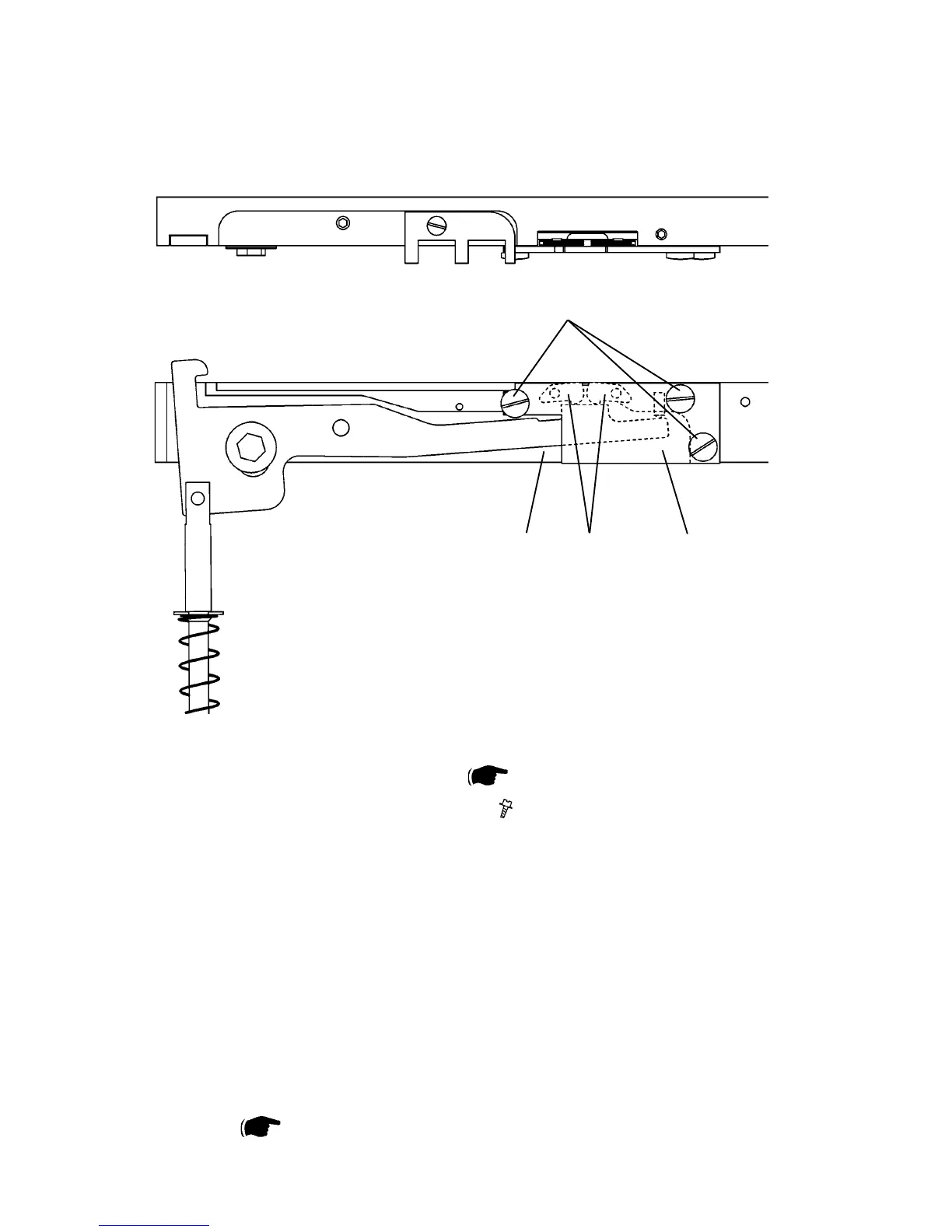
3.4.17 CLEANING CLINCHER POINTS
[B]
[A] [D] [C]
Removal
1. Remove Clincher bar assembly [A] (
3.4.16 ).
2. Remove screws [B] to clincher plate [C] (
x3 ).
3. Remove clincher plate [C].
NOTE: The clincher points [D] are not interchangeable. They must be retted
on their original position.
4. Clean clincher bar [A], clincher plate [C] and clincher points [D].
NOTE: Check for wear, replace if needed.
5. Apply oil on moving surfaces.
Replacement
1. Reverse the removal procedure.
2. Before retting the clincher bar assembly, check/adjust the Clincher points
height ( 3.9.5 ).



 To Next Page