5-26
21 August 2006
CF SERVICE
[C]
Executing Cover Feeder DSD sensor Calibration
1. Enter the Service Program Mode.
2. Go to CF5010 SERVICE. Press OK.
3. Select Calibrations. Press OK.
4. Select Double Sheet Det. Press OK.
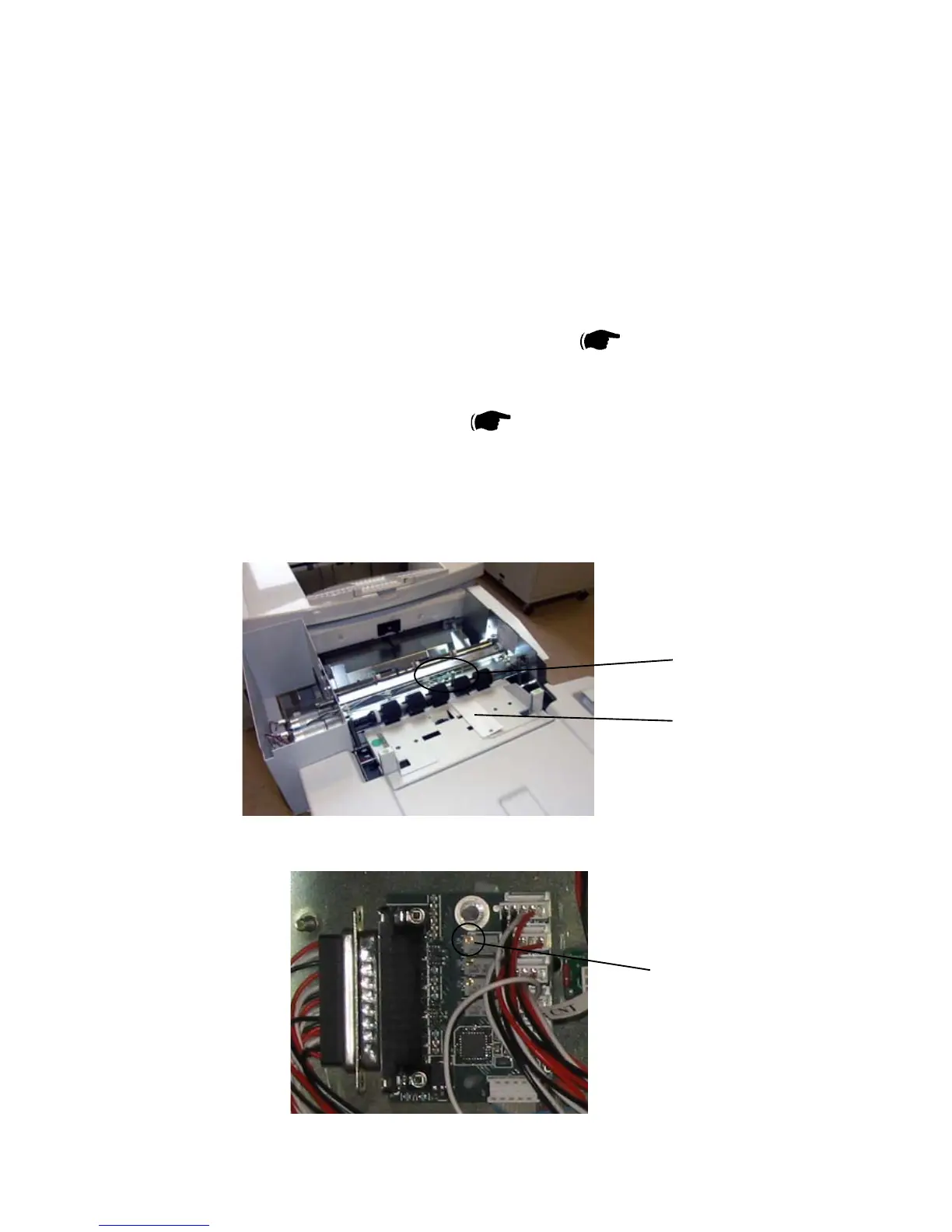
5. Place the DSD calibration strip, located behind the rear cover of the Booklet
Maker, as illustrated [A]. The calibration strip must be positioned between the
CF-Q30 (DSD sensor) LED and phototransistor [B] ( Service Manual
CF5010 6.1.2 ).
6. The value should be +4.7 ± 0.05. If not, go to step 7.
7. Remove Booklet Maker Front Cover (
3.3.1).
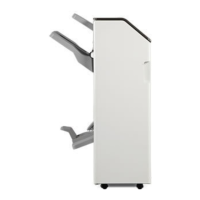
8. Turn the potentiometer [C] on the Addon PCB until you reach the value in step 6.
9. Press the OK button.
[A]
Upper Top Cover removed for clarity
[B]



 To Next Page