1-57
Installation
04 October 2007
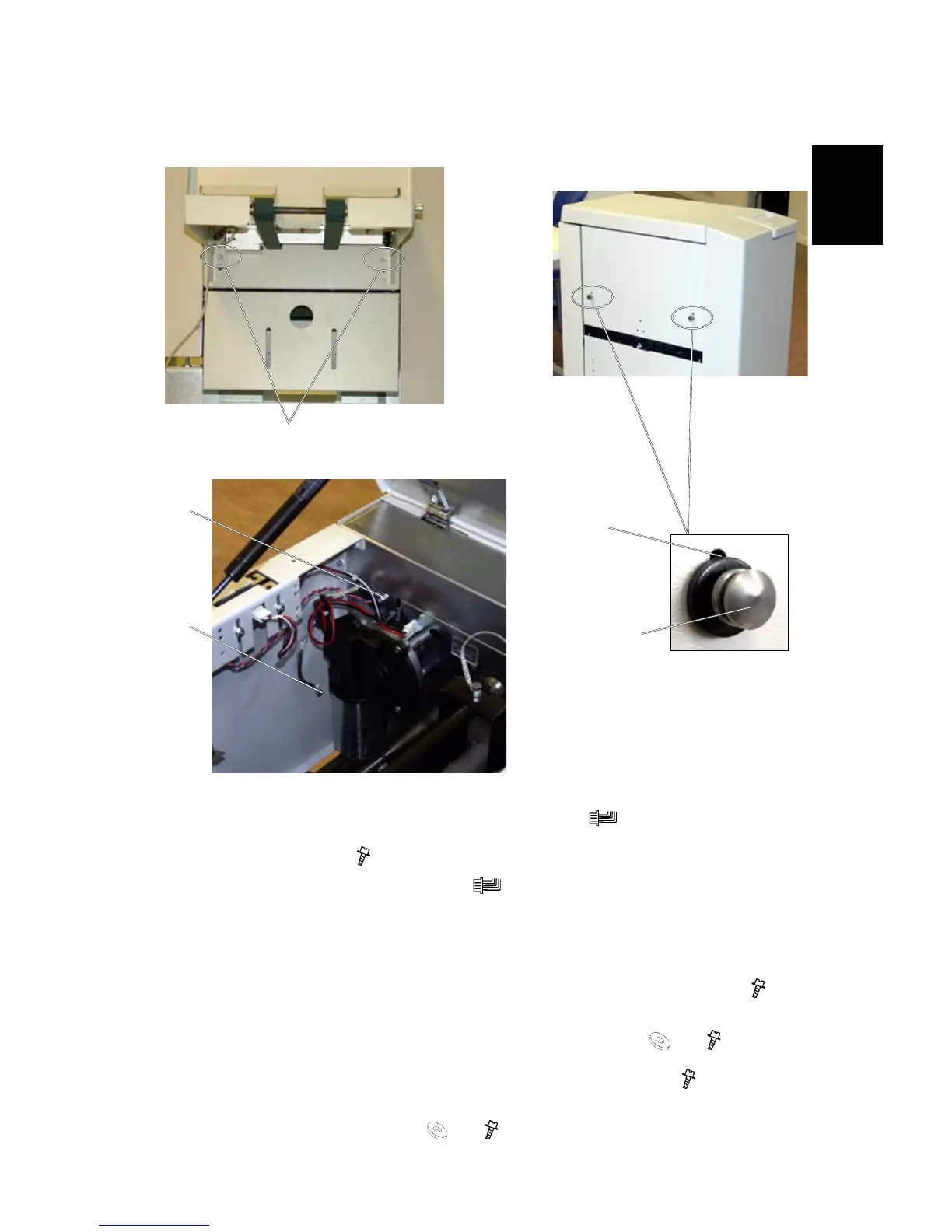
Remove the belt stacker
[A]
1. Disconnect the Power cord to the Booklet Maker ( x 1).
2. Loosen screws [A] (
x 2 ) securing the Belt Stacker on the Trimmer.
3. Disconnect the Belt stacker cable (
x 1) from the Trimmer.
4. Remove the Belt stacker from the Trimmer.
5. Secure screws [A] on the Trimmer.
6. Remove the positioning pins from the upper holes [B], used for the belt stacker (
x 2).
7. Using the lower hole [C], install the Ground strap to the inside of the position
-
ing pin [E] using the 25 mm washer and screw provided, ( x 1, x 1).
8. Install the other end of the ground strap to the rear frame [D] (
x 1 torx).
9. Using the second lower hole, install the other positioning pin, using the 25 mm
washer and screw provided ( x 1, x 1).
[C]
[B]
[D]
Trimmer
Trimmer
[E]
Trimmer, inside view
BOOK FOLDER INSTALLATION



 To Next Page