10 February 2005 PHOTOCONDUCTOR UNIT (PCU)
3-21
Replacement
Adjustment
3.6 PHOTOCONDUCTOR UNIT (PCU)
3.6.1 PCU ASSEMBLY
NOTE:
1) Before replacing any of the parts or consumables in this section, cover
the floor with cloth or some sheets of paper.
2) Never tilt the unit. The toner may come out of the unit.
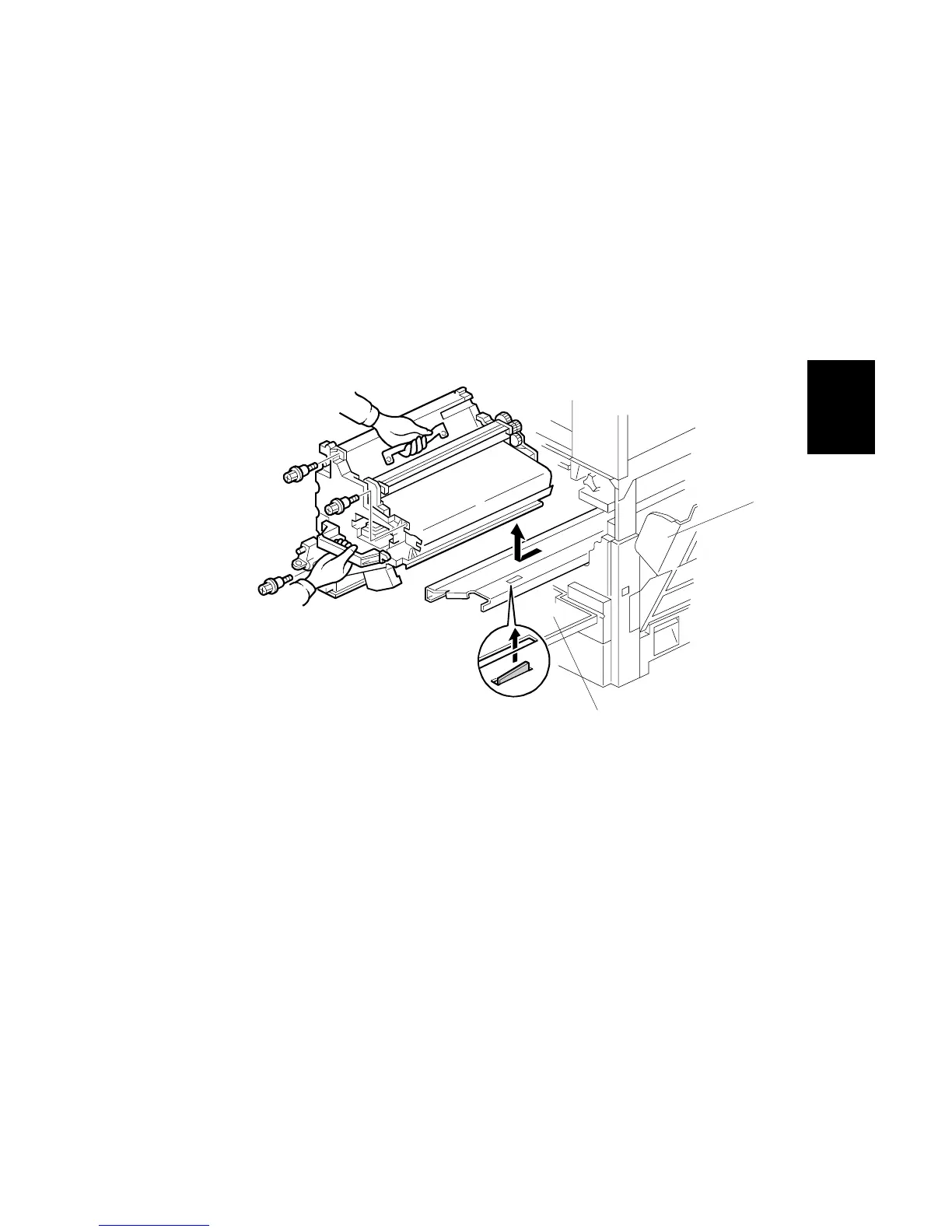
3) When handling the unit, grasp the brown (front) and metal (top) grips.
Never touch the OPC (left) or transfer (right) belts.
4) After removing the photoconductor unit, cover it with a light-proof sheet.
Keep it in a dark place.
1. Open the front cover [A].
2. Open the right cover [B].
3. Pull the unit out of the machine ( x 3).
4. Grasp the brown and metal grips.
5. Lift the unit and remove it.
B156R247.WMF
[A]
[B]



 To Next Page