PROGRAM DOWNLOAD 10 February 2005
5-124
5.4.2 NVRAM DATA UPLOAD/DOWNLOAD
The content of the NVRAM can be uploaded to and downloaded from an SD card.
The following data (related to the accounting counter) are not uploaded from
NVRAM to the SD card:
• SP8-381 to -387
• SP8-391 and -411
• SP8-491 to -493 and -496
• SP8-581 to -584 and -586
Uploading NVRAM Data (SP5-824)
The data in the NVRAM in the machine can be uploaded to an SD memory card.
1. Turn off the main switch.
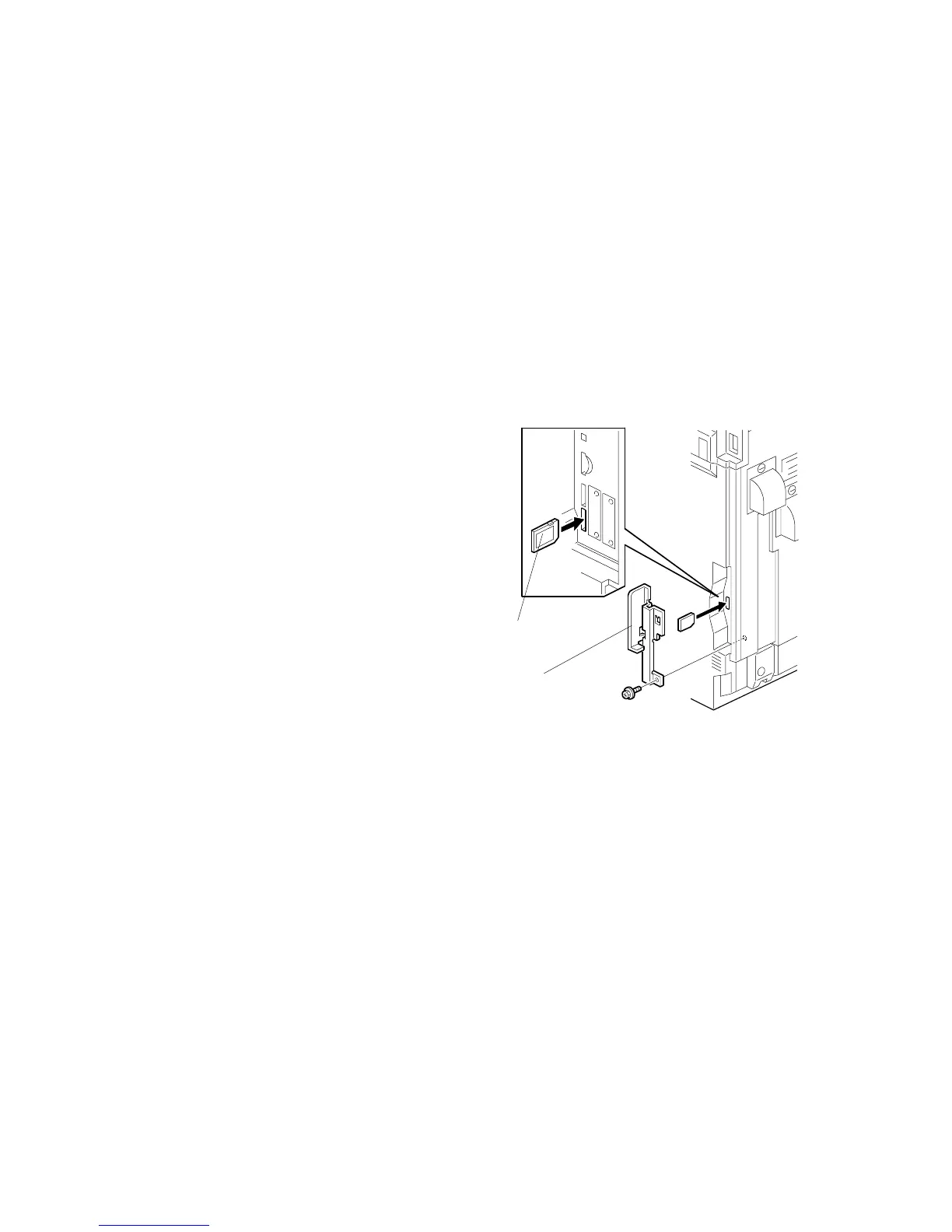
2. Remove the cover [A].
3. Insert the SD card [B] into SD card
slot 3.
4. Turn on the main switch.
5. Open SP5-824.
6. Touch EXECUTE to start
uploading the NVRAM data.
7. Turn off the main switch, and then
remove the SD card.
B156I451.WMF
[A]
[B]



 To Next Page