SHIFT TRAY (B510) 10 February 2005
1-30
1.8 SHIFT TRAY (B510)
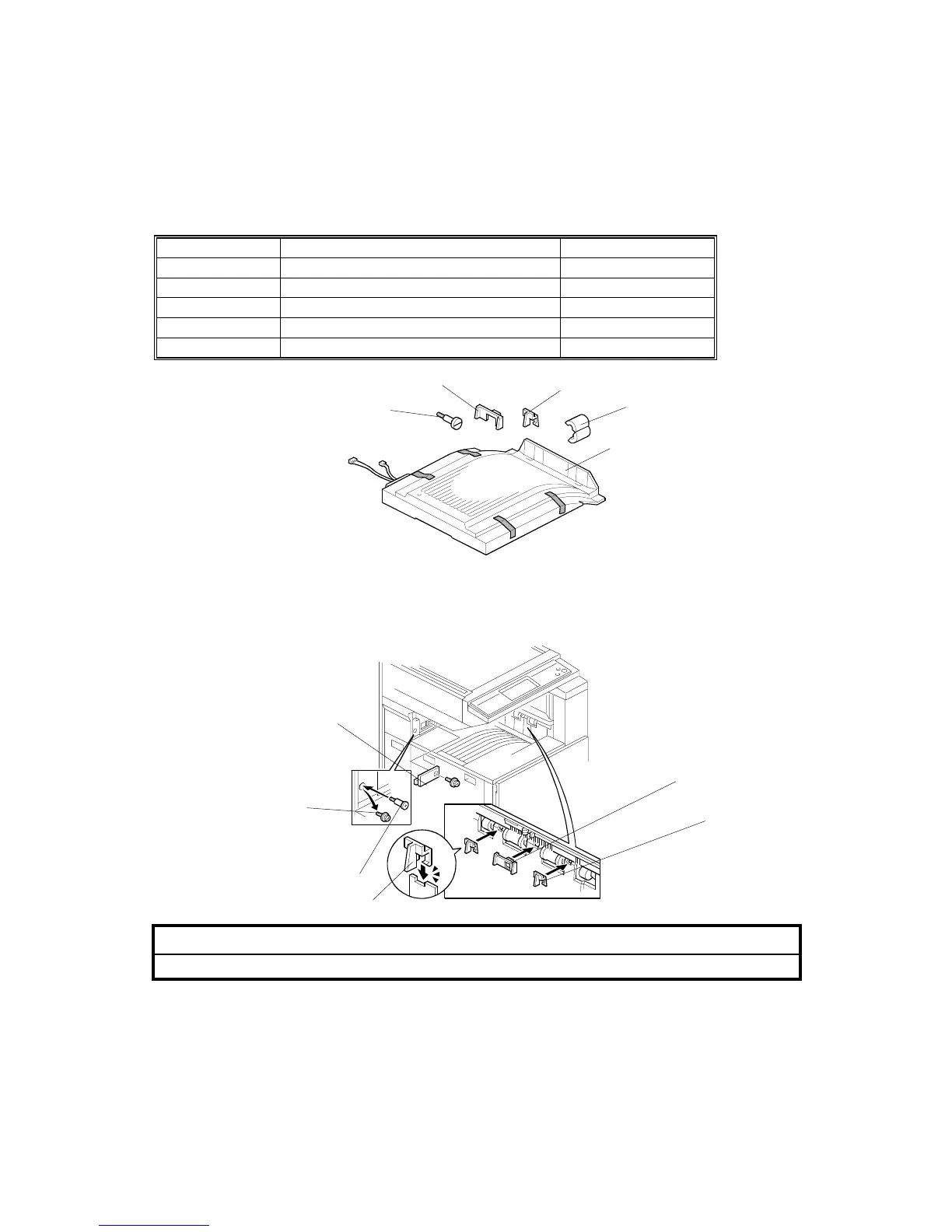
1.8.1 ACCESSORY CHECK
Check the quantity and condition of the components against the following list.
No. Description Q’ty
1 Shift Tray Unit 1
2 Paper Guide - Large 1
3 Paper Guide - Small 2
4 Stepped Screw 1
5 Core 1
1.8.2 INSTALLATION PROCEDURE
!CAUTION
Unplug the copier power cord before starting the following procedure.
1. Remove all tapes (see the diagram at the top of the page).
2. Remove the covers [A] (! x1).
3. Replace screw [B] with a stepped screw [C].
4. Install the large paper guide [D] and two small paper guides [E], as shown.
B510I111.WMF
B510I102.WMF
[A]
[D]
[E]
[E]
1
2
3
4
[B]
[C]
5



 To Next Page