COPY ADJUSTMENT 10 February 2005
3-64
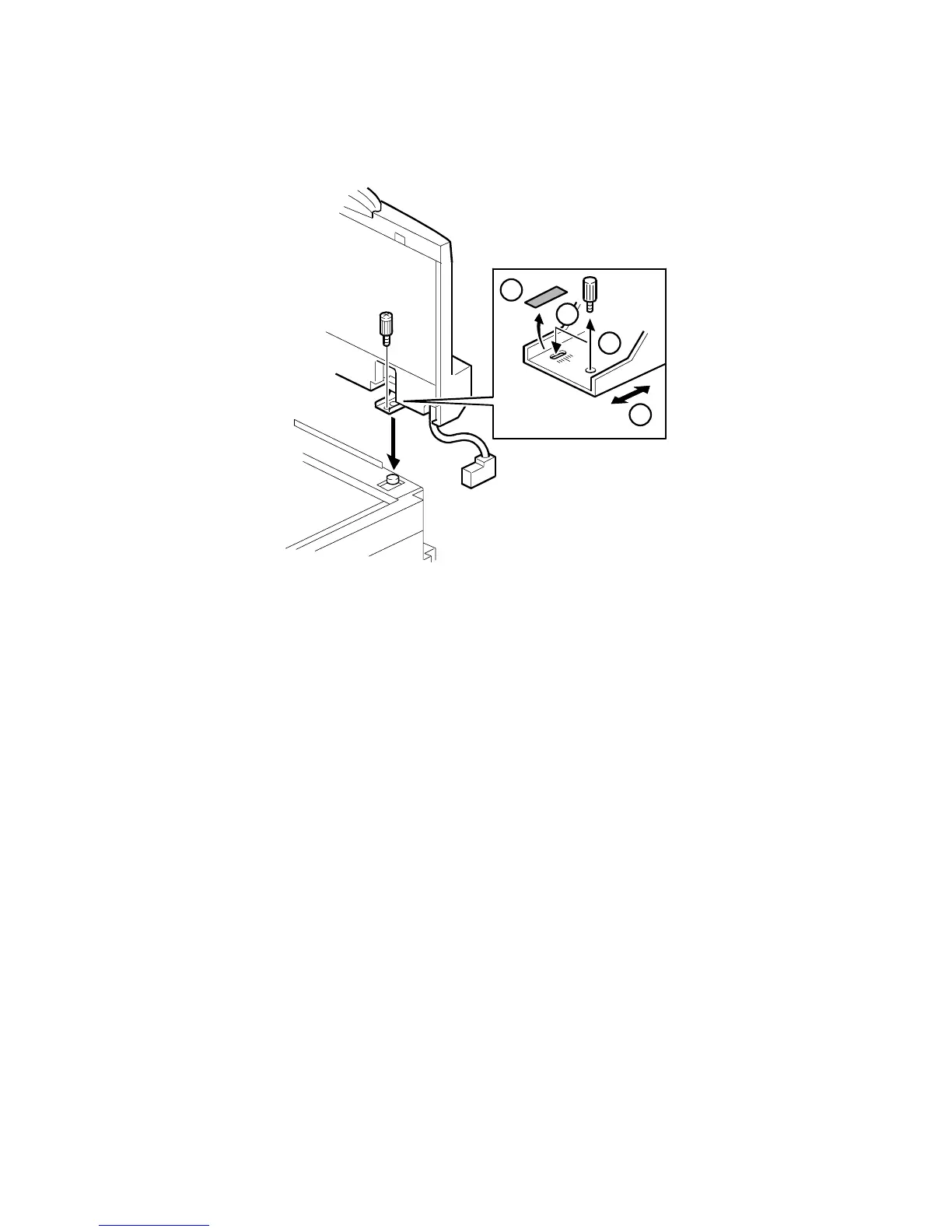
ARDF Skew Adjustment
When making a copy using the ADF and the image is skewed, do the following to
fix the skewed image.
NOTE: Before doing the following steps, make sure to confirm whether or not the
copy images made in platen mode and test patterns are not skewed.
1. Peel off the black tape on the right hinge of the ADF.
2. Loosen the screw that secures the left hinge.
3. Change the position of the screw that secures the right hinge to the long hole.
NOTE: Do not tighten the screw at this moment.
4. Move the right hinge position to correct the skewed image.
5. Tighten both screws and check the copy image.
6. If it is not fixed, repeat steps 2 to 5.
4
2
3
1
B156R297.WMF



 To Next Page